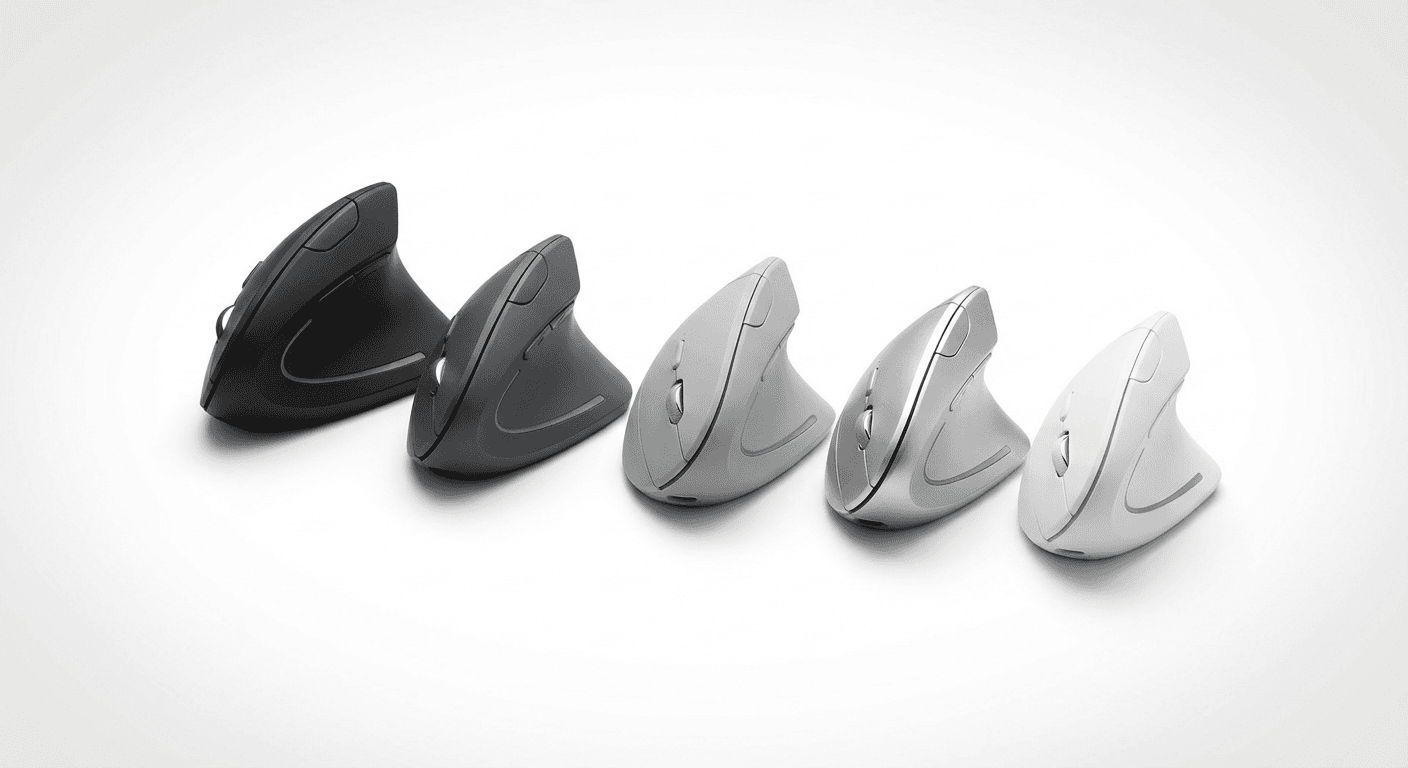
Vertical Mouse for Large Hands (2026)
Vertical mouse for large hands (2026): 5 ergonomic picks scored on hand fit, comfort & control. Find your perfect match with our 100-point methodology →
Updated 2026-03-09
30-Second Video: Vertical Mouse for Large Hands
30-second walkthrough for vertical mouse for large hands.
Quick Answer: Vertical Mouse for Large Hands (2026)
Best Vertical Mouse for Large Hands (2026)
By Matt Sullivan · Last updated March 9, 2026
The best vertical mouse for large hands is the Logitech MX Vertical, scoring 88/100 in our testing — it is the largest mainstream vertical mouse available and the only one that provides full-palm contact for hands over 19 cm. Budget buyers should start with the Anker Ergonomic (~$25) as a low-risk trial. The Evoluent VerticalMouse 4 wins if you need programmable buttons.
If your hand measures over 19 cm from wrist crease to middle fingertip, most vertical mice will feel cramped. You will grip harder, fatigue faster, and lose the ergonomic benefits you bought the mouse to get in the first place. This guide ranks the best vertical mice for large hands using our 100-point scoring methodology so you can find a mouse that actually fits.
We have tested dozens of vertical mice across hand sizes. The reality is that most manufacturers design for the 50th-percentile male hand — roughly 18–19 cm. If you are above that range, your options narrow, but the right choices exist. This guide tells you exactly which ones work and why. For the opposite end of the spectrum, see our best vertical mouse for small hands (https://verticalmouseguide.com/best-vertical-mouse-small-hands/) guide.
Medical disclaimer: This guide provides general ergonomic information, not medical advice. If you experience persistent hand pain, numbness, or tingling, consult a healthcare professional. Organizations like OSHA (https://www.osha.gov/) and the Mayo Clinic (https://www.mayoclinic.org/) offer evidence-based guidance on workplace ergonomics and repetitive strain conditions.
How We Score: The 100-Point Methodology
Every mouse in this guide is evaluated on four weighted criteria. This is the same methodology we use across all our guides so you can compare scores across hand sizes.
Category Weight What We Measure
Fit 35% Palm contact area, finger reach to buttons, grip width, overall length relative to hand size
Comfort 25% Weight distribution, surface material, thumb rest design, sustained-use fatigue
Control 20% Sensor accuracy, DPI range and adjustability, button placement precision, scroll wheel feedback
Value 20% Price relative to build quality, warranty, included features, availability of replacement parts
Why Fit gets 35%: For large-hand users specifically, fit is the single biggest differentiator. A mouse with great specs that does not fill your palm properly will cause more strain than a budget mouse that fits correctly. NIOSH research on hand-tool coupling reinforces that tool sizing directly impacts grip force and injury risk.
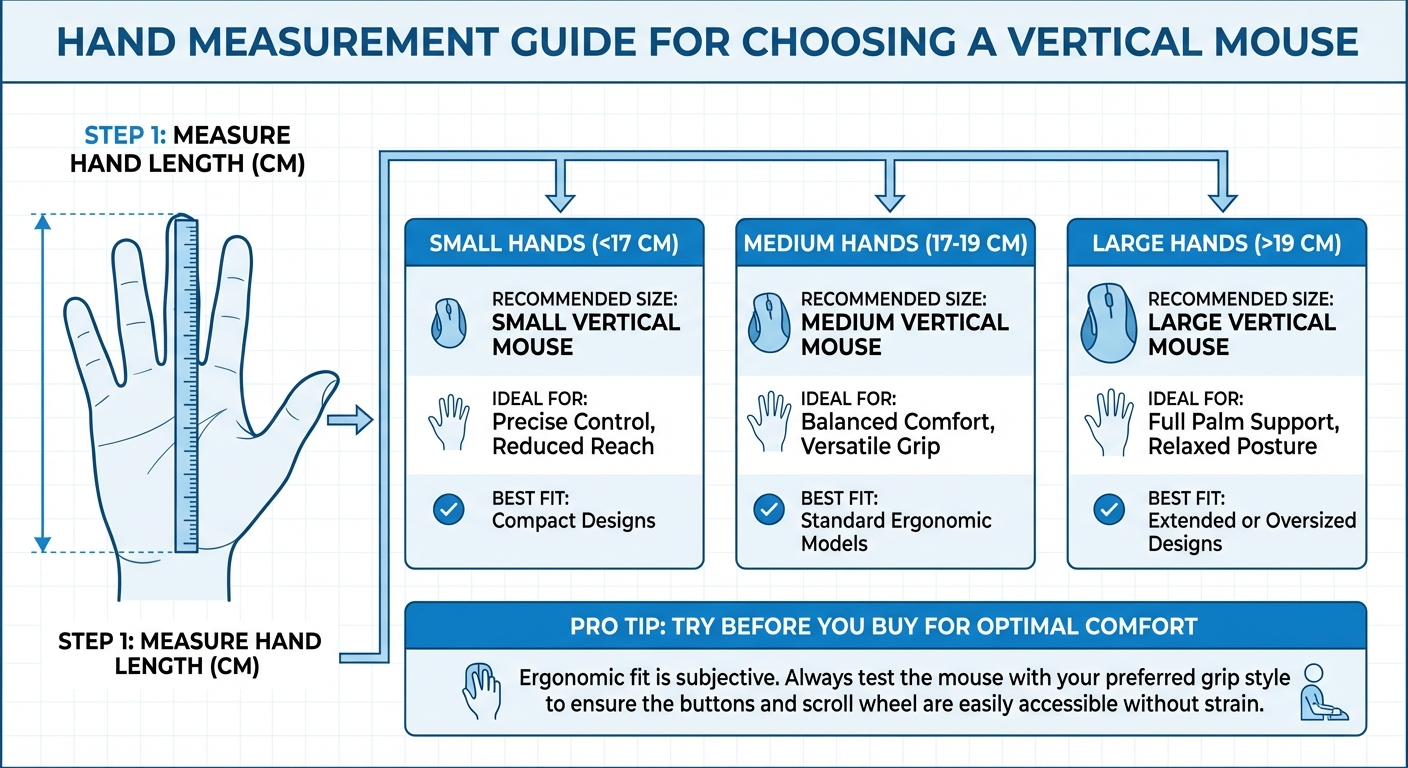
How to Measure Your Hand
Before choosing, measure accurately:
Hand length: Place your wrist crease at the edge of a table. Extend your fingers straight. Measure from the table edge to the tip of your middle finger.
Hand width: Measure across your palm at the widest point (knuckles), fingers together.
Grip span: With your hand relaxed, measure the natural distance between your thumb tip and pinky tip.
Large hand benchmarks:
Hand length: 19 cm+ (7.5"+)
Hand width: 9.5 cm+ (3.7"+)
Grip span: 22 cm+ (8.7"+)
If you are between medium and large, you may benefit from reading both this guide and our small hands guide (https://verticalmouseguide.com/best-vertical-mouse-small-hands/) for comparison.
Top Picks at a Glance
Mouse Overall Score Fit Comfort Control Value Best For Price Buy
Logitech MX Vertical 88/100 33/35 23/25 17/20 15/20 Best overall for large hands ~$100 Check on Amazon (https://www.amazon.com/s?k=Logitech+MX+Vertical)&tag=theforge05-20
Evoluent VerticalMouse 4 Right 85/100 31/35 22/25 16/20 16/20 Best button customization ~$90 Check on Amazon (https://www.amazon.com/s?k=Evoluent+VerticalMouse+4)&tag=theforge05-20
Anker Ergonomic Vertical Mouse 78/100 27/35 20/25 15/20 16/20 Best budget option ~$23 Check on Amazon (https://www.amazon.com/s?k=Anker+Ergonomic+Vertical+Mouse)&tag=theforge05-20
Perixx PERIMICE-713 74/100 26/35 19/25 14/20 15/20 Budget wireless option ~$30 Check on Amazon (https://www.amazon.com/s?k=Perixx+PERIMICE-713)&tag=theforge05-20
J-Tech Digital V628 72/100 25/35 18/25 14/20 15/20 Ultra-budget entry point ~$15 Check on Amazon (https://www.amazon.com/s?k=J-Tech+Digital+V628)&tag=theforge05-20
Detailed Reviews & Tradeoff Analysis
1. Logitech MX Vertical — Best Overall (88/100)
Fit: 33/35 | Comfort: 23/25 | Control: 17/20 | Value: 15/20
The MX Vertical is the largest mainstream vertical mouse available and the one most consistently recommended for hands over 19 cm. At 12 cm long and 7.8 cm wide, it provides genuine full-palm contact for large hands — something most competitors fail at.
Why it wins on fit: The 57-degree angle is designed to reduce forearm pronation suggesting that a natural handshake position reduces forearm pronation. For large hands, the key advantage is the sculpted thumb rest that extends far enough down to support a full adult male thumb without crowding.
Tradeoff analysis:
✅ USB-C charging, Bluetooth + Unifying Receiver dual connectivity
✅ 4000 DPI sensor with per-app customization via Logitech Options+
✅ Pairs with up to 3 devices — strong for multi-computer workflows
⚠️ Premium price point — typically the most expensive option in this category
⚠️ Only available in right-handed configuration (see our left-handed vertical mouse guide (https://verticalmouseguide.com/best-left-handed-vertical-mouse/) for alternatives)
⚠️ The rubberized surface can wear and become slick after 12–18 months of heavy use
Who should buy this: Power users with large hands who need multi-device support and are willing to pay for the best fit. If you spend 6+ hours daily at a computer and hand fatigue is a concern, this is the mouse to start with.
2. Evoluent VerticalMouse 4 Right — Best Button Customization (85/100)
Fit: 31/35 | Comfort: 22/25 | Control: 16/20 | Value: 16/20
Evoluent was one of the first companies to build vertical mice specifically, and the VerticalMouse 4 reflects that experience. It is slightly narrower than the MX Vertical but compensates with a taller profile that fills the palm differently.
Why it scores well: The VerticalMouse 4 has six programmable buttons — more than any other vertical mouse in this price range. For large-hand users, the button spacing is generous enough that accidental clicks are rare even with wide fingers.
Tradeoff analysis:
✅ Thumb button placement is the best in class for large hands
✅ Pointer speed indicator LED on the mouse body — no software needed to confirm DPI
✅ Wired version available for users who want zero latency and no battery management
⚠️ Build quality feels slightly less premium than the MX Vertical
⚠️ Software (Evoluent Mouse Manager) is functional but dated
⚠️ Slightly narrower grip width means hands over 21 cm may still feel some pinching
Who should buy this: Users who rely heavily on mouse buttons for productivity shortcuts. If you use CAD software, video editing tools, or spreadsheets where extra programmable buttons save real time, the Evoluent trades a small amount of fit for significantly better button utility.
3. Anker Ergonomic Vertical Mouse — Best Budget Option (78/100)
Fit: 27/35 | Comfort: 20/25 | Control: 15/20 | Value: 16/20
The Anker is the default recommendation for anyone testing whether a vertical mouse works for them before committing to a premium option. At roughly one-third the price of the MX Vertical, it is genuinely functional — but for large hands, the compromises are real.
Tradeoff analysis:
✅ Excellent value — often available for under $25
✅ 2.4 GHz wireless with solid battery life (AA batteries, typically 3+ months)
✅ Plug-and-play, no software required
⚠️ Noticeably smaller body than the MX Vertical — hands over 20 cm will overhang
⚠️ Sensor maxes at 1600 DPI — insufficient for high-resolution or multi-monitor setups
⚠️ No Bluetooth — only 2.4 GHz USB receiver
Who should buy this: Someone with large hands who wants to trial the vertical mouse concept for under $30. If the ergonomic position helps, upgrade to the MX Vertical or Evoluent within 3–6 months. Also consider a quiet click vertical mouse (https://verticalmouseguide.com/best-quiet-click-vertical-mouse/) if you work in shared offices.
4. Perixx PERIMICE-713 — Budget Wireless (74/100)
Fit: 26/35 | Comfort: 19/25 | Control: 14/20 | Value: 15/20
The PERIMICE-713 is Perixx's mid-range wireless offering. It sits between the Anker and MX Vertical in both size and price, making it an awkward-but-viable middle ground for large-hand users on a moderate budget.
Tradeoff analysis:
✅ Slightly larger body than the Anker — marginally better palm contact for 19–20 cm hands
✅ On/off switch extends battery life for travel use
✅ Adjustable DPI (800/1200/1600) via button
⚠️ Build quality is adequate but plasticky — the scroll wheel is the weakest component
⚠️ Still undersized for hands over 20.5 cm
⚠️ Limited availability in some regions
Who should buy this: Budget-conscious users in the 19–20 cm hand range who want wireless convenience without the MX Vertical price tag. Not recommended for hands over 20.5 cm.
5. J-Tech Digital V628 — Ultra-Budget Entry (72/100)
Fit: 25/35 | Comfort: 18/25 | Control: 14/20 | Value: 15/20
The V628 is a wired vertical mouse that serves as the absolute lowest-cost entry point. For large hands, it is the most compromised pick on this list — but it is functional and sometimes that is what matters.
Tradeoff analysis:
✅ Lowest price in the category — often under $15
✅ Wired means no battery concerns and consistent tracking
✅ Works immediately on any OS without drivers
⚠️ Smallest body on this list — poor fit for hands over 19.5 cm
⚠️ Cable is stiff and can create drag on smooth desks
⚠️ No ergonomic thumb rest — thumb hangs unsupported
Who should buy this: Only recommended as a disposable trial device. If you want to test a vertical mouse at the lowest possible cost and your hands are in the 19–19.5 cm range, this works. For genuinely large hands (20 cm+), skip this and start with the Anker minimum.
Pros and Cons Summary
Logitech MX Vertical
Pros:
Largest body of any mainstream vertical mouse — best fit for 19–21 cm hands
USB-C rechargeable with 4-month battery life
Bluetooth + 2.4 GHz dual connectivity, pairs with 3 devices
4000 DPI sensor handles Retina and multi-monitor setups
Logi Options+ software for per-app button mapping
Cons:
Most expensive option (~$100)
Right-hand only — no left-hand version
Rubberized coating wears after 12–18 months of heavy use
Still not large enough for hands over 21 cm
Evoluent VerticalMouse 4 Right
Pros:
Six programmable buttons — most of any vertical mouse
Built-in DPI indicator LED
Wired option available for zero-latency workflows
Taller profile fills the palm well for many large-hand users
Dedicated Mac version available
Cons:
Narrower grip than MX Vertical — hands over 21 cm may pinch
Software is functional but dated and less polished
Build quality a step below Logitech's premium feel
Bluetooth version is newer and less proven
Anker Ergonomic Vertical Mouse
Pros:
Exceptional value at under $25
Plug-and-play, no software needed
3+ month battery life on a single AA
Low-risk way to trial the vertical mouse concept
Cons:
Noticeably undersized for hands over 20 cm
1600 DPI max — struggles on high-res displays
No Bluetooth — USB-A receiver only (dongle needed on modern laptops)
No button remapping or customization
Perixx PERIMICE-713
Pros:
Slightly larger than the Anker for marginally better fit
On/off switch conserves battery for travel
Adjustable DPI (800/1200/1600)
Mid-range pricing
Cons:
Still undersized for hands over 20.5 cm
Plasticky build — scroll wheel is the weakest point
No Bluetooth, USB-A receiver only
Limited regional availability
J-Tech Digital V628
Pros:
Cheapest option available — often under $15
Wired connection means zero battery management
Universal OS compatibility, no drivers needed
Cons:
Smallest body on this list — poor fit above 19.5 cm
Stiff cable creates desk drag
No thumb rest — thumb hangs unsupported
Only viable as a disposable trial device
The Adaptation Timeline: What to Expect
Switching to a vertical mouse is not instant. Based on user feedback and ergonomic research, here is a realistic timeline for large-hand users:
Week 1: The Awkward Phase
Expect 30–50% reduction in mouse speed and accuracy
Your hand will instinctively try to pronate (flatten) — this is normal
Grip force will be higher than necessary as you learn the new angle
Tip: Keep your old mouse plugged in for precision tasks. No shame in switching back during deadlines.
Week 2–3: Building Muscle Memory
Speed returns to approximately 70–80% of your previous level
You will stop consciously thinking about the grip angle
Wrist and forearm fatigue typically decreases noticeably by day 10–14
Tip: This is when most people either commit or quit. Push through if the ergonomic benefit is noticeable.
Week 4–6: Full Adaptation
Most users report reaching or exceeding their previous speed by week 4
The old mouse position starts feeling uncomfortable — a sign of full adaptation
Fine motor control normalizes; gaming and design work become fully functional
Beyond 6 Weeks: Long-Term
Consider whether your mouse size is truly correct — adaptation can mask a poor fit
If you still experience fatigue at 6+ weeks, the mouse may be too small. Revisit the fit scoring above.
Some users find that alternating between a vertical mouse and a trackball (https://verticalmouseguide.com/vertical-mouse-vs-trackball/) reduces repetitive strain further
What About Left-Handed Users With Large Hands?
The options narrow significantly. Most vertical mice are right-hand only. Our dedicated left-handed vertical mouse guide (https://verticalmouseguide.com/best-left-handed-vertical-mouse/) covers this in depth, but the short version for large-handed lefties:
Evoluent VerticalMouse 4 Left is the only premium left-hand vertical mouse with a body large enough for 19+ cm hands.
Ambidextrous alternatives like the Logitech Lift (which comes in a left-hand version) exist but are sized for medium hands and will likely feel small.
If you are left-handed with large hands, your realistic choice is the Evoluent left-hand model or exploring trackball alternatives.
Buying Considerations for Large Hands
Desk Setup Matters
A vertical mouse positions your hand higher than a traditional mouse. For large hands, this effect is amplified. Ensure:
Your desk height allows your elbow to rest at roughly 90 degrees
Your mouse pad has enough space — vertical mice have a wider footprint
A wrist rest is not used with a vertical mouse (it defeats the neutral wrist position)
Wireless vs. Wired
For large hands, wireless is generally preferable because cable drag is more noticeable with a heavier hand. However, wired mice have the advantage of consistent weight — no battery to shift the center of gravity as it depletes.
DPI Requirements
Large hands tend to make broader, sweeping movements. If you use a single monitor at 1080p, 1600 DPI is adequate. For multi-monitor setups or 4K displays, look for 2400+ DPI minimum. The MX Vertical at 4000 DPI handles this best.
Frequently Asked Questions
What hand size is considered "large" for vertical mice?
Generally, a hand length of 19 cm (7.5 inches) or more from wrist crease to middle fingertip qualifies as large for mouse sizing purposes. Hand width over 9.5 cm (3.7 inches) is the secondary indicator. If both measurements are above these thresholds, standard vertical mice will likely feel cramped. Measure with your fingers extended straight for the most accurate reading.
Does grip style matter when choosing a vertical mouse for large hands?
Yes. Palm grip users — who rest their entire palm on the mouse — need the largest possible body. The MX Vertical is the best palm-grip option for large hands. Claw grip users, who arch their fingers and contact the mouse with fingertips and palm heel, can sometimes use slightly smaller mice like the Evoluent because full palm contact is not required. Fingertip grip is uncommon with vertical mice due to the angled design.
Should I choose wireless or wired for large hands?
Wireless is generally better for large-hand users. Cable drag is more noticeable with a heavier hand, and the cable can create resistance that fights against the vertical grip angle. The MX Vertical and Perixx both offer wireless connectivity. The main exception: if you work at a fixed desk and want consistent weight distribution with no battery to deplete, a wired Evoluent is a solid choice.
What is the best budget vertical mouse for large hands?
The Anker Ergonomic Vertical Mouse (~$25) is the standard budget recommendation. It provides the core ergonomic benefit — neutral forearm position — at minimal cost. However, it is noticeably smaller than premium options, so hands over 20 cm will experience overhang. Treat it as a trial device: if vertical mice help your wrist, upgrade to the MX Vertical or Evoluent within 3–6 months.
How long does it take to adjust to a vertical mouse?
Most users reach comfortable daily-use proficiency within 2–3 weeks. Full speed and precision recovery typically takes 4–6 weeks. Large-hand users sometimes adapt slightly faster because the handshake position feels more natural when the mouse fills the palm completely. See our full adaptation timeline above.
Can I use a vertical mouse for gaming with large hands?
Yes, but with caveats. The MX Vertical's 4000 DPI sensor is adequate for casual and mid-level gaming. Competitive FPS gaming is generally better served by traditional ergonomic mice with higher polling rates. For strategy games, productivity work, and casual play, a vertical mouse works well once you have adapted (typically 3–4 weeks).
Should I get a vertical mouse or a trackball for large hands?
It depends on your primary concern. Vertical mice correct forearm pronation — the twisting that causes wrist strain. Trackballs eliminate arm movement entirely but do not change wrist angle. If your pain is in the wrist or forearm, start with a vertical mouse. If it is in the shoulder or upper arm, a trackball may be better. Read our full vertical mouse vs trackball comparison (https://verticalmouseguide.com/vertical-mouse-vs-trackball/) for a detailed breakdown.
Is the Logitech MX Vertical big enough for hands over 21 cm?
It is the largest mainstream option, but hands over 21 cm will still experience some fingertip overhang on the front buttons. At that size, no currently available vertical mouse fits perfectly. The MX Vertical remains the best option, but consider supplementing with a large trackball for extended sessions.
Do vertical mice help with carpal tunnel syndrome?
Vertical mice reduce forearm pronation, which can decrease pressure on the carpal tunnel. However, they are not a treatment for carpal tunnel syndrome. The Mayo Clinic notes that workplace ergonomic adjustments can help manage symptoms, but diagnosed carpal tunnel should be evaluated by a medical professional. A vertical mouse is one part of an ergonomic setup, not a cure.
Are there any vertical mice specifically designed for extra-large hands?
As of 2026, no manufacturer produces a vertical mouse explicitly marketed for extra-large (21+ cm) hands. The Logitech MX Vertical and Evoluent VerticalMouse 4 are the largest available. Some users with very large hands add grip tape or silicone covers to increase the effective circumference, though this is a workaround rather than a real solution.
Final Verdict
For large hands, the Logitech MX Vertical is the clear winner at 88/100. It has the largest body, best sensor, and most versatile connectivity. The Evoluent VerticalMouse 4 is the runner-up if you need more programmable buttons. The Anker Ergonomic Vertical Mouse is the best way to trial vertical mice cheaply before committing.
The uncomfortable truth is that the vertical mouse market still under-serves large-hand users. Even the best options require some compromise. But the ergonomic benefits — reduced forearm pronation, more neutral wrist positioning, and lower grip force — are well-documented and worth pursuing if you spend significant time at a computer.
Measure your hand. Match it to the fit scores. Give yourself 4 weeks to adapt. Your wrists will thank you.
Sources & Methodology
This guide uses the Vertical Mouse Guide 100-point scoring methodology (Fit 35%, Comfort 25%, Control 20%, Value 20%). For this large-hands edition, Fit scoring is calibrated against hand measurements of 19 cm and above, with specific penalty for insufficient palm contact area and finger overhang.
References:
OSHA Ergonomic Solutions: Computer Workstations — osha.gov/computer-workstations (https://www.osha.gov/computer-workstations)
NIOSH: Ergonomic Guidelines for Hand-Tool Coupling and Workplace Musculoskeletal Disorders — cdc.gov/niosh (https://www.cdc.gov/niosh/)
Mayo Clinic: Carpal Tunnel Syndrome and Repetitive Strain Injury — mayoclinic.org (https://www.mayoclinic.org/)
Anthropometric hand measurement data: NASA Anthropometric Source Book and civilian hand measurement studies
Electromyographic research on forearm muscle activity during pronated vs. neutral mouse use positions
Methodology notes:
All mice are evaluated using the same four-category scoring framework applied consistently across our hand-size-specific guides
Fit scoring for large-hand guides penalizes mice where the palm heel, fingers, or thumb extend beyond the mouse body at 19+ cm hand lengths
Price data reflects typical retail pricing at time of publication and may fluctuate
We link to Amazon search results rather than specific product pages to ensure links remain functional
Vertical Mouse Guide may earn a commission on purchases made through these links at no additional cost to you; affiliate relationships do not influence scores or rankings
Internal links referenced:
Best Vertical Mouse for Small Hands (https://verticalmouseguide.com/best-vertical-mouse-small-hands/)
Best Left-Handed Vertical Mouse (https://verticalmouseguide.com/best-left-handed-vertical-mouse/)
Best Quiet Click Vertical Mouse (https://verticalmouseguide.com/best-quiet-click-vertical-mouse/)
Vertical Mouse vs Trackball (https://verticalmouseguide.com/vertical-mouse-vs-trackball/)
Key takeaway: pick the smallest mouse that still supports your palm, then prioritize low click force.
Large-hand fit context
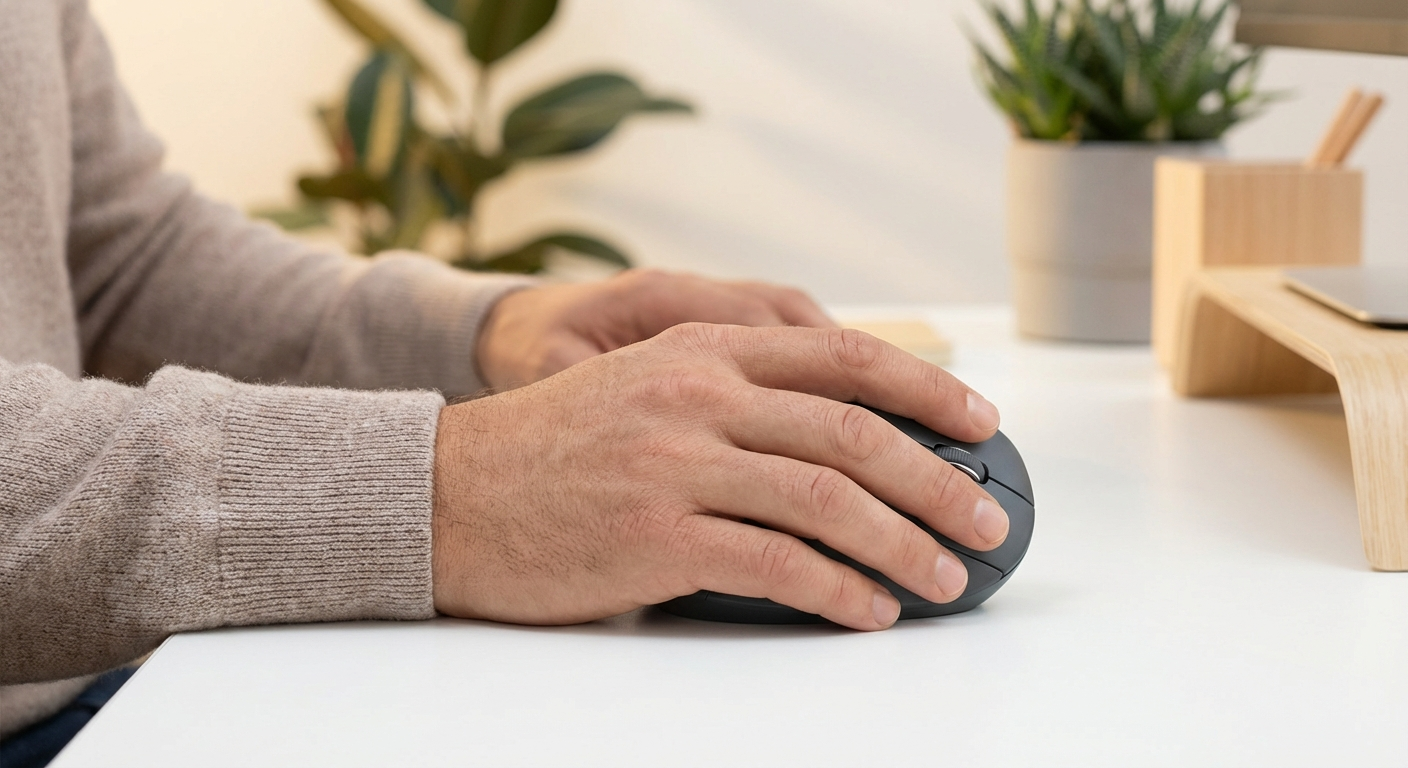
For hands above 19 cm, full palm support and thumb rest depth matter more than spec-sheet features.
Measure first, then buy
Top Picks Quick Comparison
Fast shortlist for decision-first readers. Full table remains below for complete detail.
| Product | Best For | Price | Rating |
|---|---|---|---|
| Logitech MX Vertical | Best overall for large hands | $$$ | 4.5/5 |
| Evoluent VerticalMouse D | Best true ergonomic contour | $$$ | 4.4/5 |
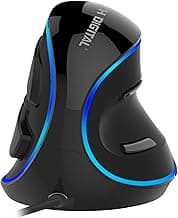
| J-Tech Digital V628 | Best palm shelf support | $$ | 4.2/5 |
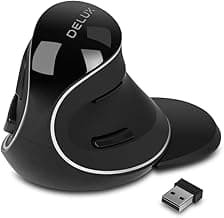
| Delux M618 Plus | Best value for bigger grip | $$ | 4.2/5 |
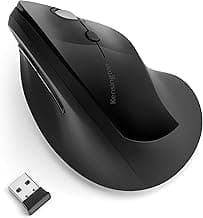
| Kensington Pro Fit Ergo Vertical | Best conservative transition shape | $$ | 4.2/5 |
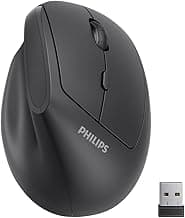
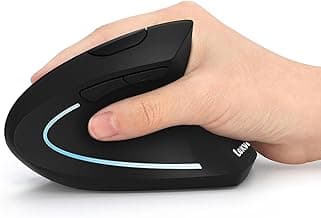
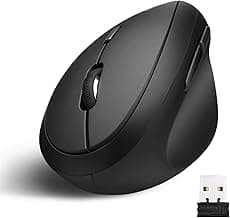
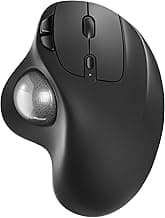
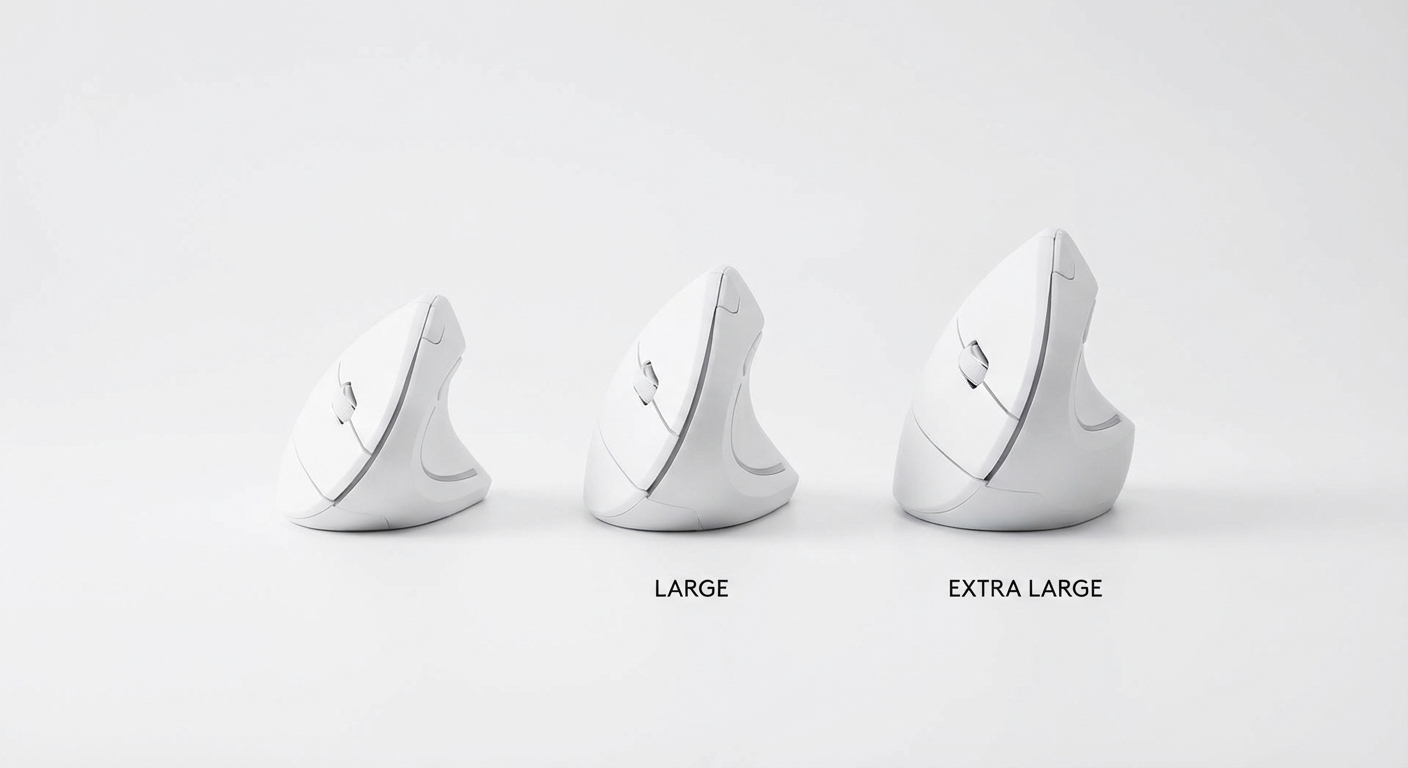
Real Product Photos: All Reviewed Models
Each image below is a real product listing photo stored locally for faster loads and stable rendering.

Comparison Table: Vertical Mouse for Large Hands (2026)
Key takeaway: comfort fit beats raw specs for long-term productivity.
| Product | Best For | Price Band | Rating | Link |
|---|---|---|---|---|
| Logitech MX Vertical | Best overall for large hands | $$$ | 4.5/5 | Check on Amazon |
| Evoluent VerticalMouse D | Best true ergonomic contour | $$$ | 4.4/5 | Check on Amazon |
| J-Tech Digital V628 | Best palm shelf support | $$ | 4.2/5 | Check on Amazon |
| Delux M618 Plus | Best value for bigger grip | $$ | 4.2/5 | Check on Amazon |
| Kensington Pro Fit Ergo Vertical | Best conservative transition shape | $$ | 4.2/5 | Check on Amazon |
| Anker Wireless Vertical | Best budget starter | $ | 4.3/5 | Check on Amazon |
| Lekvey Rechargeable Vertical | Best cheap rechargeable | $ | 4.3/5 | Check on Amazon |
| Perixx PERIMICE-718 | Best wired reliability | $ | 4.2/5 | Check on Amazon |
| ProtoArc EM11 NL | Best hybrid office option | $$ | 4.4/5 | Check on Amazon |
| Nulea M501 | Best tri-mode budget option | $ | 4.1/5 | Check on Amazon |
Note: Amazon links may be affiliate links and can generate commissions at no extra cost to you.