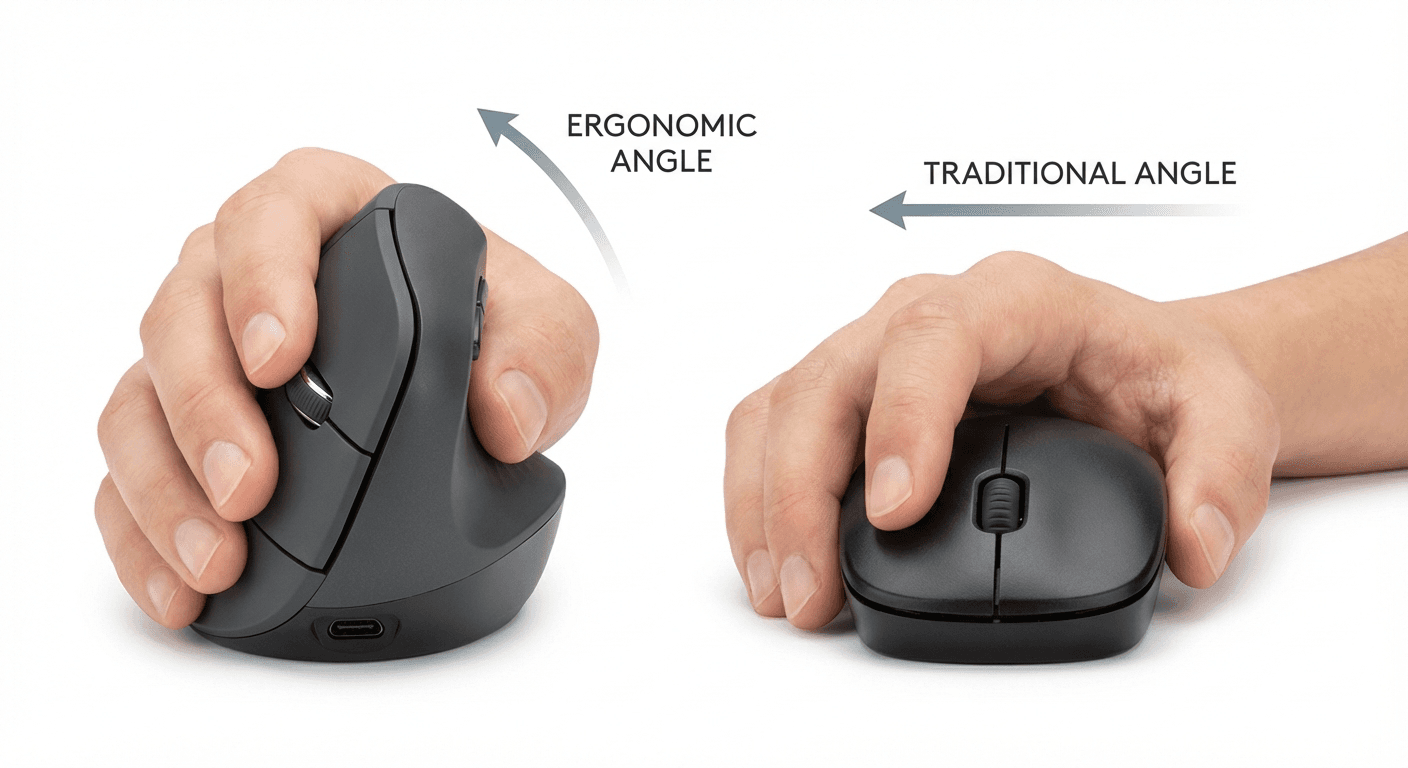
Vertical Mouse vs Regular Mouse: Is It Worth Switching? (2026)
Vertical mouse vs regular mouse compared — wrist angle, RSI risk, precision, and top picks for 2026. Find out if switching is worth it for your workflow.
Updated 2026-03-20
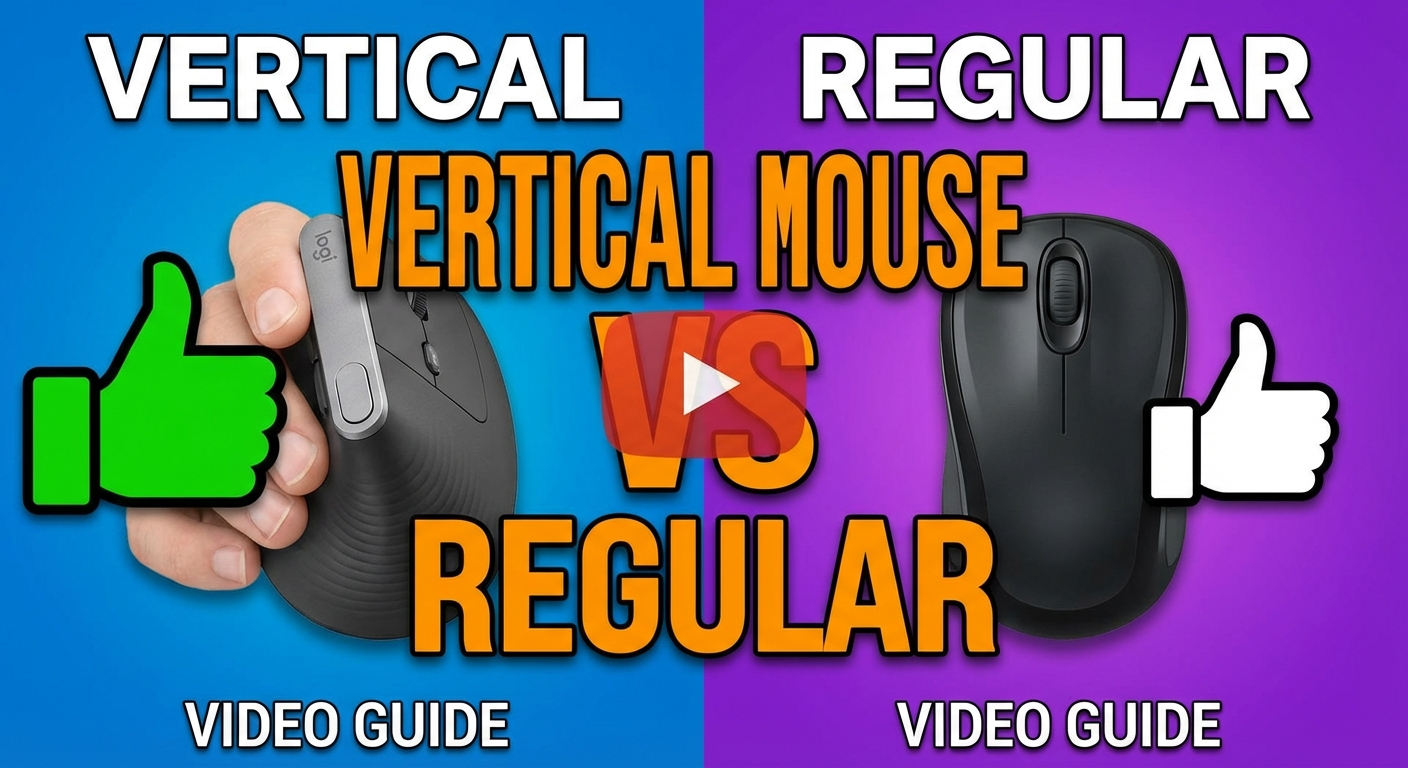
30-Second Video: Vertical Mouse vs Regular Mouse: Is It Worth Switching?
30-second walkthrough for vertical mouse vs regular mouse: is it worth switching?.
Quick Answer: Vertical Mouse vs Regular Mouse: Is It Worth Switching? (2026)
Vertical Mouse vs Regular Mouse Compared (2026)
The key difference is forearm position: a regular mouse forces your palm flat (pronation), increasing wrist strain, while a vertical mouse angles your hand to a neutral handshake grip, reducing tension. Switch if you use a mouse 4+ hours daily and notice wrist fatigue. Stay with a regular mouse if you game competitively or use one under 2 hours daily.
<!-- TABLE OF CONTENTS -->
By Matt Sullivan · Last updated March 9, 2026
You have probably seen vertical mice on desks, in YouTube ergonomic setups, and recommended by physiotherapists. They look strange. They are more expensive than a standard mouse. And people who use them swear they will never go back.
But is a vertical mouse actually better than a regular mouse, or is this just an ergonomic trend? The answer is not universally yes — it depends on what you do, how long you do it, and whether you are experiencing discomfort. This guide breaks down the real, measurable differences so you can make an informed decision.
Medical disclaimer: This guide covers general ergonomic principles and is not a substitute for medical advice. If you experience persistent hand, wrist, or arm pain, consult a healthcare professional. OSHA and the Mayo Clinic provide evidence-based resources on workplace ergonomic risk factors.
The Core Difference: Hand Position
The single most important difference between a vertical mouse and a regular mouse is forearm rotation.
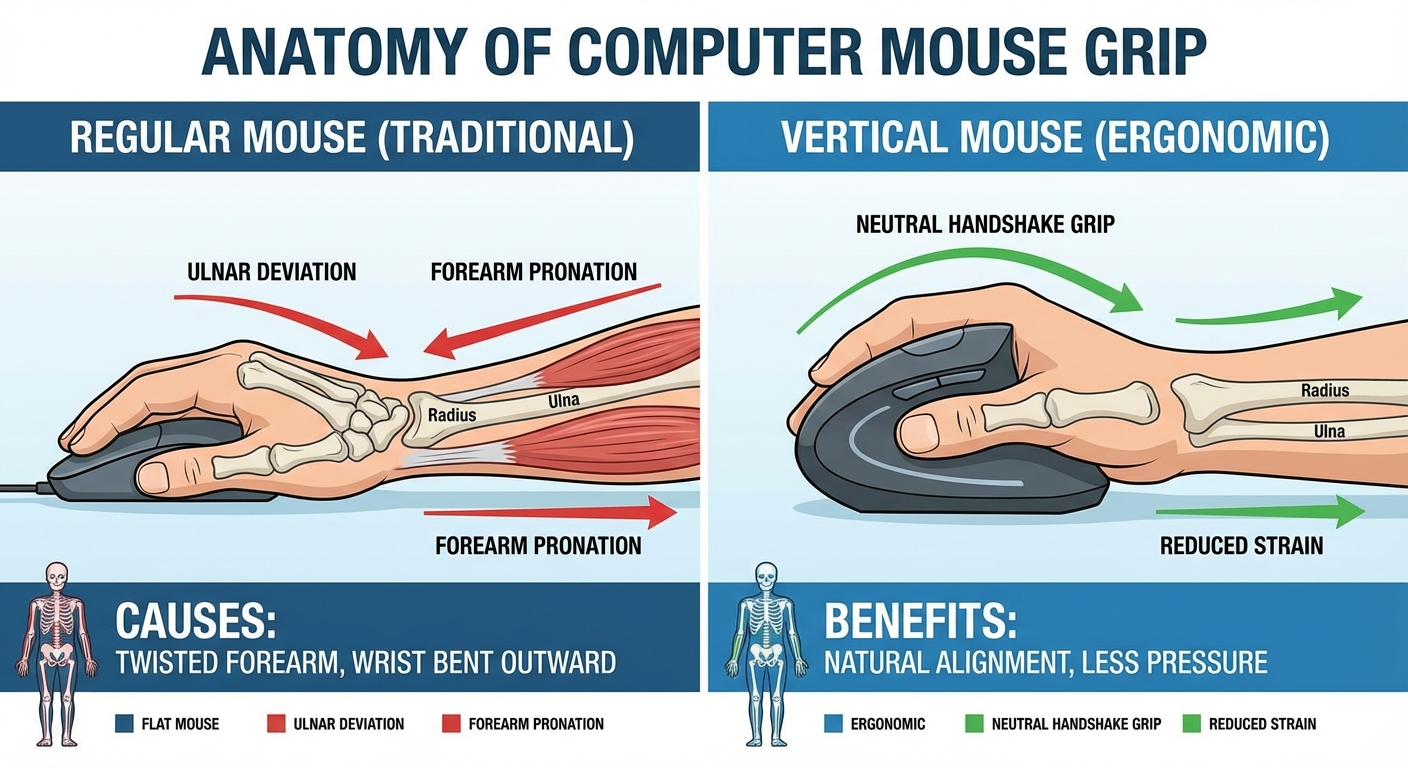
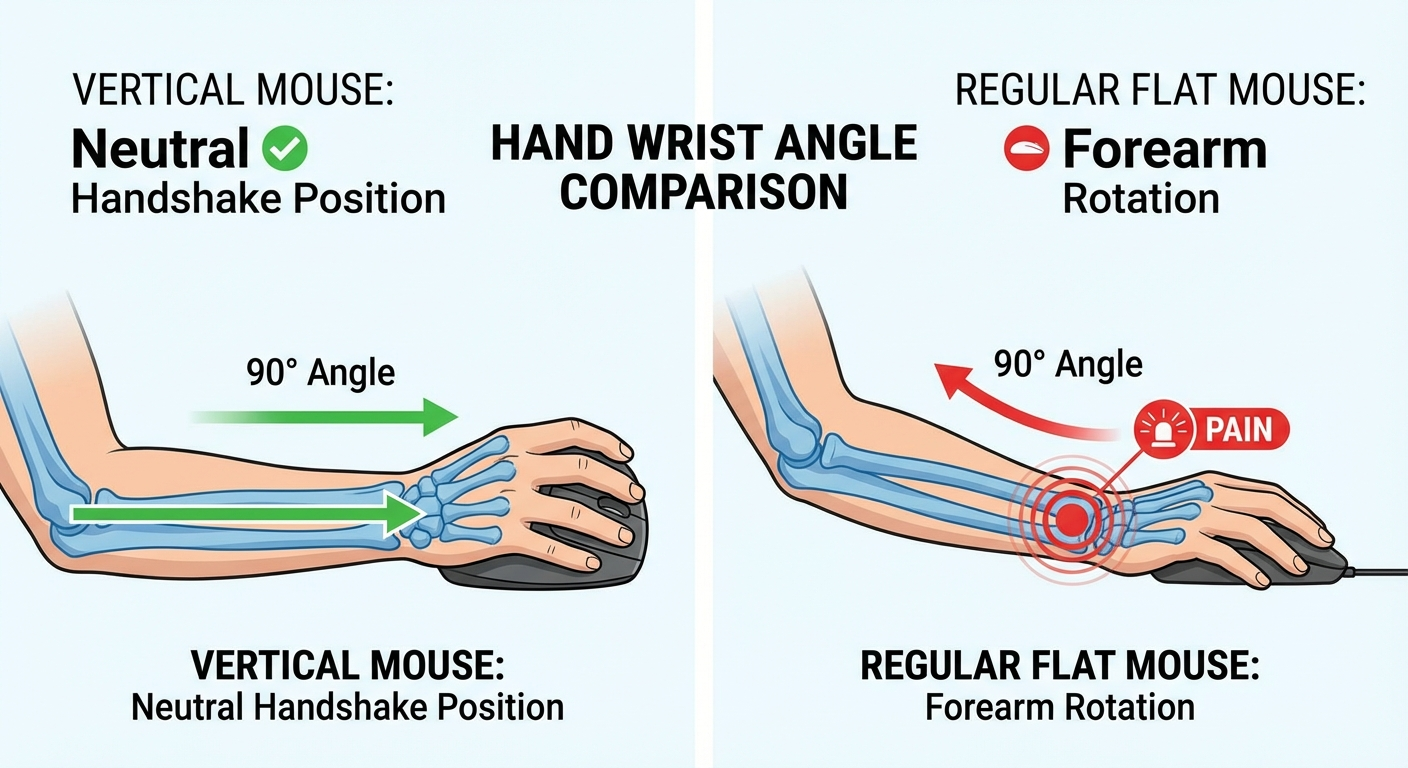
Regular mouse: Your palm faces down (pronation). This requires your radius and ulna — the two bones in your forearm — to cross over each other. Sustained pronation increases tension in the forearm extensor muscles, compresses the carpal tunnel area, and can contribute to conditions like repetitive strain injury (RSI) and mouse-related wrist pain.
Vertical mouse: Your palm faces inward at a 50–70° angle (neutral position, similar to a handshake). Your forearm bones sit parallel to each other. Muscle tension in the forearm extensors decreases. Pressure on the carpal tunnel area is reduced.
This is not marketing — it is anatomy. Research published in ergonomic and occupational health journals has demonstrated reduced forearm muscle activity when using vertically oriented mice compared to traditional designs. NIOSH identifies sustained awkward postures, including forearm pronation, as a risk factor for work-related musculoskeletal disorders.
The Ergonomics Deep-Dive
What Happens in Your Forearm During Pronation
Your forearm contains two parallel bones: the radius (thumb side) and ulna (pinky side). In a neutral position — arm at your side, palm facing inward — these bones sit side by side. When you rotate your palm to face down (pronation), the radius crosses over the ulna.
This crossing does three things simultaneously:
Increases tension in the pronator teres and pronator quadratus muscles, which must actively maintain the rotated position
Stretches and compresses the interosseous membrane between the two bones, which is dense connective tissue sensitive to sustained loading
Changes the geometry of the carpal tunnel, the narrow passageway in the wrist through which the median nerve and nine flexor tendons pass
For occasional use — checking email, casual browsing — this is not a problem. The human forearm is designed to pronate. The issue arises with sustained pronation: holding the position for 4, 6, or 8+ hours daily, five days a week, for years.
The EMG Evidence
Electromyographic (EMG) studies measure the electrical activity in muscles during use. Research comparing pronated (regular mouse) and neutral (vertical mouse) forearm positions has consistently shown:
Reduced extensor digitorum activity in the neutral position — this is the muscle group that controls finger extension and is most associated with forearm fatigue during mouse use
Reduced extensor carpi ulnaris activity — the muscle controlling wrist extension on the ulnar (pinky) side
No significant increase in any other muscle group — meaning the vertical position does not simply shift strain elsewhere
The practical takeaway: a vertical mouse measurably reduces the muscular effort required to use a mouse. The effect is modest for short sessions but compounds significantly over hours of sustained use.
What Ergonomic Research Actually Supports
It is important to be precise about what the evidence shows:
✅ Supported: Vertical mice reduce forearm extensor muscle activity compared to traditional mice
✅ Supported: Neutral wrist positions reduce biomechanical risk factors for RSI (per OSHA, NIOSH guidelines)
⚠️ Not proven: Vertical mice prevent carpal tunnel syndrome (CTS is multi-factorial; no single device prevents it)
⚠️ Not proven: Vertical mice cure existing RSI (they reduce one risk factor; treatment requires professional guidance)
Detailed Comparison
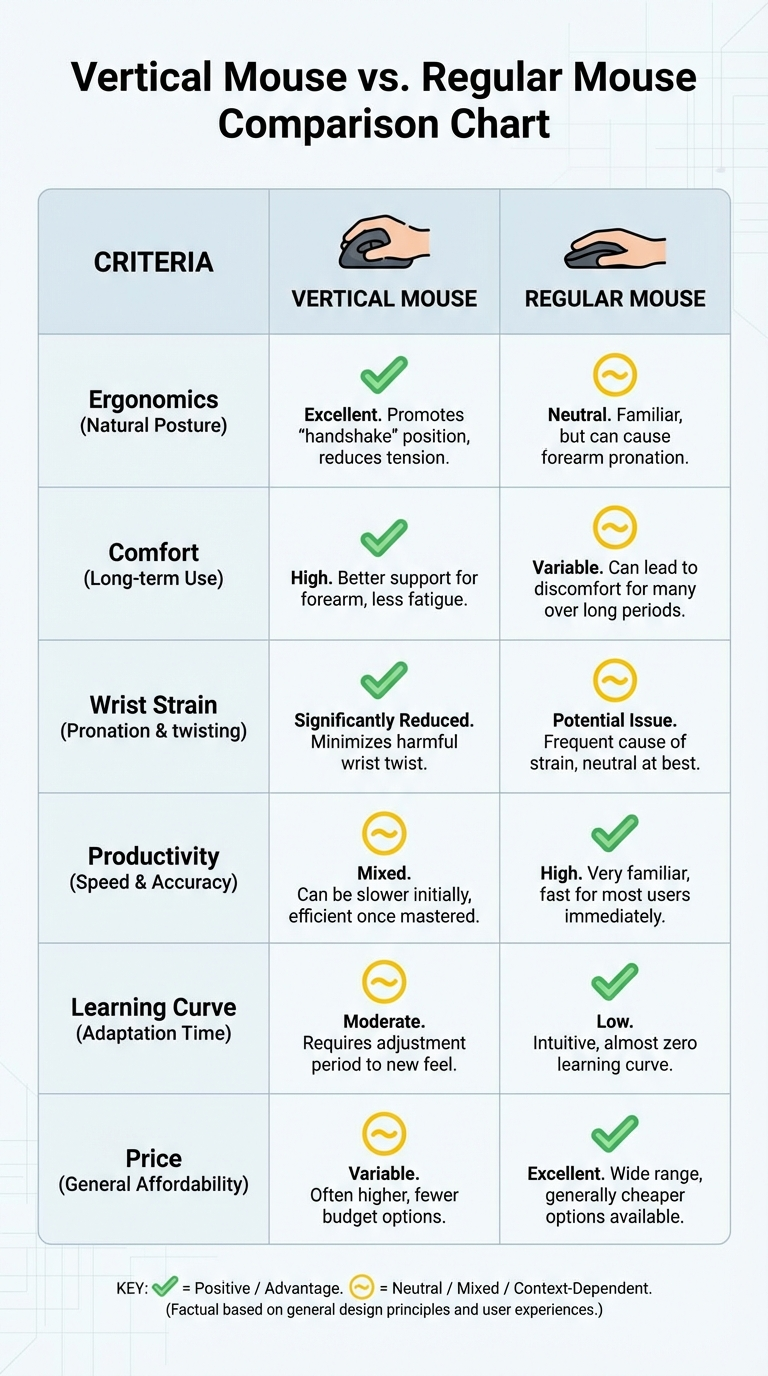
Category Regular Mouse Vertical Mouse
Hand position Pronated (palm-down) Neutral (handshake angle, 50–70°)
Forearm muscle engagement Higher — extensors under sustained tension Lower — muscles in relaxed neutral position
Learning curve None (standard) 2–4 weeks to full adaptation
Precision Excellent — decades of refinement Very good — matches regular mouse after adaptation
Gaming performance Excellent (competitive-grade options available) Moderate (casual/strategy games only)
Hand size sensitivity Low — wide variety of sizes available High — correct sizing is critical
Price range $5–$200+ $15–$100+
Design variety Enormous (hundreds of models) Limited (dozens of models)
Left-hand options Many Very few
Weight range 50g–120g (ultralight to standard) 80g–130g (no ultralight options)
Cleaning/maintenance Minimal Minimal
Sensor options Up to 30,000+ DPI Up to 4,000 DPI (typically)
Who Should Switch to a Vertical Mouse
The Daily Office Worker
Profile: 6–8 hours of mouse use daily. Spreadsheets, email, presentations, web applications. Wrist feels stiff or achy by mid-afternoon.
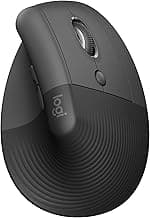
You are the primary audience for vertical mice, and the ergonomic case is strongest for you. The cumulative hours of pronation create the most risk, and a vertical mouse directly reduces that risk. The MX Vertical or Logitech Lift integrates cleanly into office workflows, and the 2–3 week adaptation curve is manageable when your work is not precision-dependent.
The Remote Worker Building a Home Office
Profile: Setting up a long-term work-from-home setup. Proactively investing in ergonomic equipment.
If you are building a workspace from scratch, adding a vertical mouse is low-cost prevention. The adaptation period is easier to absorb when you are already adjusting to a new desk, chair, and monitor arrangement. Think of it as equivalent to buying an ergonomic chair — a preventive investment, not a reactive fix.
The Developer or Writer
Profile: Heavy keyboard use with moderate mouse use for navigation, testing, and tool switching. Mixed keyboard-mouse wrist strain.
Developers and writers benefit from vertical mice because the grip angle change reduces strain during the mouse-intensive portions of their workflow without affecting keyboard use at all. The adaptation period has minimal impact on keyboard-centric work.
The Person With Existing Wrist Discomfort
Profile: Noticeable wrist or forearm pain during or after mouse use. May have been advised by a healthcare provider to make ergonomic changes.
A vertical mouse is one of the most impactful single ergonomic changes you can make for wrist-focused discomfort. It is typically more effective than a wrist rest (which can create its own pressure problems) and easier to implement than a full workstation overhaul. This does not replace medical evaluation — but it is a supported first-line ergonomic adjustment.
The Aging Professional
Profile: 40+ years old, decades of daily mouse use, noticing gradual onset of hand/wrist stiffness that was not present earlier in career.
Age-related changes in tendon elasticity and joint flexibility make sustained pronation progressively less tolerable. Switching to a vertical mouse proactively in your 40s or 50s can help maintain comfortable mouse use into later career years. The earlier the switch, the easier the adaptation.
Who Should Stay With a Regular Mouse
Competitive Gamers
Competitive FPS and action games demand the absolute highest precision, polling rates, and grip customization. Vertical mice are not built for this. The best gaming mice offer 8000 Hz polling, sub-30g weights, and grip shapes refined over decades of competition. If gaming performance is your priority, keep your regular mouse and address ergonomics through other means (desk height, arm positioning, break frequency).
Graphic Designers Using Freehand Cursor Work
If your workflow involves precise freehand cursor movement — detailed illustration, pixel-level editing, intricate selections — the adaptation period with a vertical mouse can be especially disruptive. Consider a pen tablet as an ergonomic alternative that also improves precision.
People With No Discomfort and Short Daily Use
If you use a mouse for under 2 hours daily and have no wrist or arm symptoms, a vertical mouse is unlikely to produce noticeable benefits. Your existing setup is probably fine.
The Adaptation Process: What Actually Happens
Switching to a vertical mouse is not instant comfort. Here is the honest timeline:
Days 1–3: Disorientation
Your hand will want to flatten. Clicking while maintaining the vertical grip feels unnatural. You will overshoot targets and struggle with drag-and-drop. This is universal — even people who immediately feel the ergonomic benefit will be slower.
Week 1: Functional But Slow
Basic tasks (clicking links, scrolling, menu navigation) start to feel normal. Precision tasks — selecting text, resizing windows, hitting small UI elements — remain noticeably slower. Many people keep their old mouse plugged in for these tasks during this phase.
Week 2–3: The Turning Point
This is where most users either commit or give up. Speed and accuracy return to roughly 80–90% of your previous level. The ergonomic benefits become clearer as you notice less fatigue during long sessions. If you are going to adapt successfully, you will know by the end of week 3.
Week 4+: Full Adaptation
Most users report matching or exceeding their previous speed. Many find that picking up a regular mouse now feels uncomfortable — a strong sign that the forearm muscles have adjusted to the neutral position and no longer tolerate pronation easily.
Critical tip: Do not evaluate a vertical mouse based on the first week. The learning curve is real but temporary. Ergonomic benefits are permanent. Give it three full weeks minimum.
Pros and Cons
Vertical Mouse
Pros:
Reduces forearm pronation — the primary mechanical cause of mouse-related wrist strain
Promotes neutral wrist position aligned with OSHA ergonomic guidelines
Familiar movement pattern — shorter learning curve than trackballs or pen tablets
Available at multiple price points (budget options under $25)
Wireless options with strong battery life
Can reduce existing discomfort and prevent future strain proactively
Cons:
Sizing is critical — a poorly sized vertical mouse can cause new problems (see our large hands (https://verticalmouseguide.com/best-vertical-mouse-large-hands/) and small hands (https://verticalmouseguide.com/best-vertical-mouse-small-hands/) guides)
2–4 week adaptation period with reduced productivity
Not suitable for competitive gaming
Very limited left-hand options (see our left-handed guide (https://verticalmouseguide.com/best-left-handed-vertical-mouse/))
Higher minimum price than basic regular mice
Still requires arm/wrist sweeping motion across the desk (a trackball (https://verticalmouseguide.com/vertical-mouse-vs-trackball/) eliminates this)
Regular Mouse
Pros:
No learning curve — universally familiar
Massive variety of shapes, sizes, weights, and features
Best-in-class precision for gaming and design at the high end
Abundant left-hand and ambidextrous options
Available at every price point from $5 to $200+
Optimized for every use case: gaming, productivity, travel, compact
Cons:
Forces forearm pronation — sustained use increases RSI risk
Contributes to forearm extensor muscle fatigue during long sessions
Ergonomic regular mice (sculpted shapes, wrist rests) only partially address pronation
Most "ergonomic" regular mice still position the hand palm-down
Wrist rests can create pressure point problems of their own
Common Myths About Vertical Mice
"Vertical mice are less accurate than regular mice"
After the 2–4 week adaptation period, vertical mice with modern sensors (1600+ DPI) match regular mice for all standard productivity tasks. The MX Vertical at 4000 DPI handles multi-monitor setups and high-resolution displays without issue. You sacrifice nothing in accuracy for daily work.
"You need an expensive one for it to work"
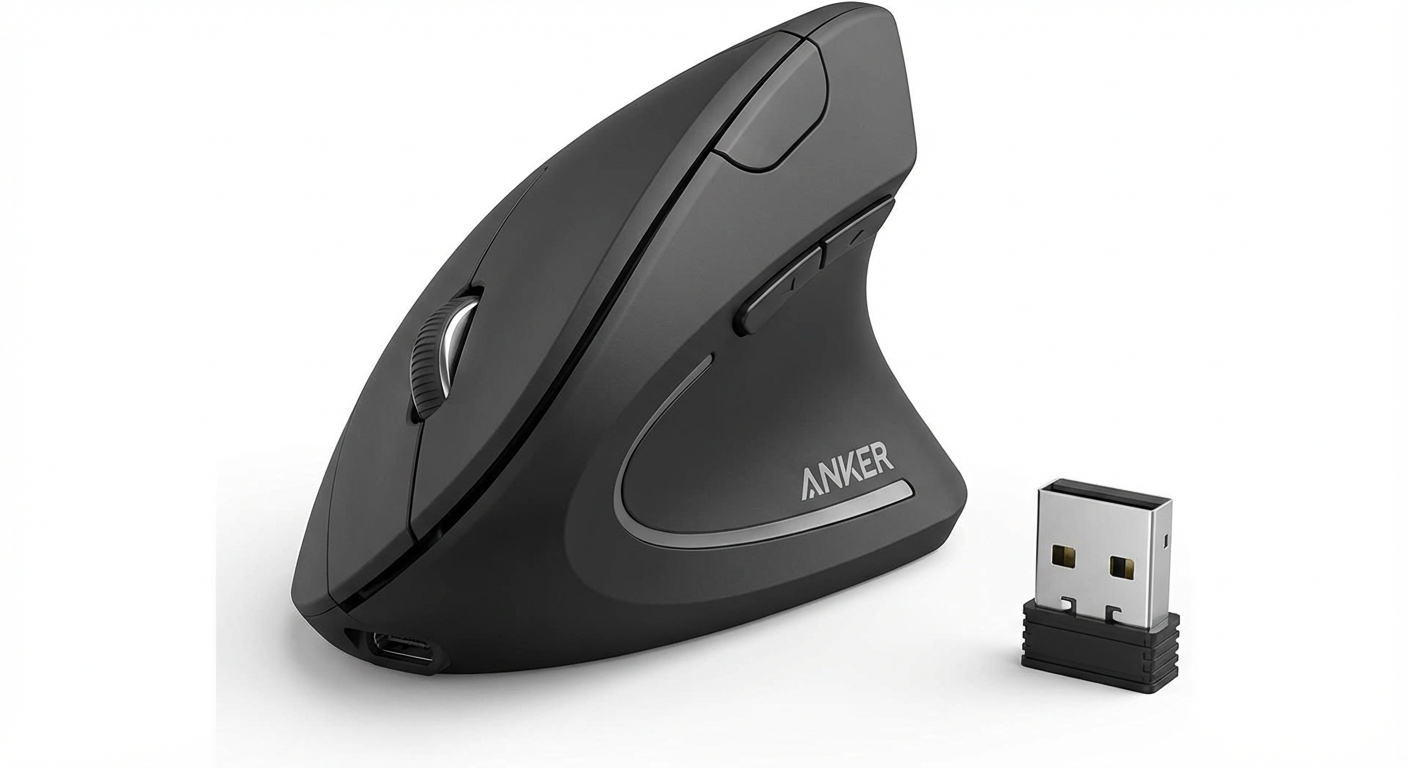
The Anker Ergonomic Vertical Mouse at under $25 provides genuine ergonomic benefit. The core advantage — neutral forearm position — is a function of the vertical shape, not the price tag. Premium options add better sensors, wireless connectivity, and multi-device pairing, but the biomechanical benefit is present even at the budget level. See our quiet click guide (https://verticalmouseguide.com/best-quiet-click-vertical-mouse/) for office-specific recommendations.
"Vertical mice prevent carpal tunnel syndrome"
Vertical mice reduce one risk factor (pronation) associated with carpal tunnel compression. They do not prevent, treat, or cure carpal tunnel syndrome. CTS is multi-factorial — genetics, wrist anatomy, other medical conditions, and overall workstation ergonomics all play a role. If you suspect carpal tunnel, see a healthcare professional. A vertical mouse can be part of an ergonomic strategy, not a medical intervention.
"If I don't have wrist pain, I don't need one"
Repetitive strain develops gradually. By the time you feel symptoms, the underlying issue has been building for months or years. Using a vertical mouse proactively — before symptoms appear — is a reasonable preventive measure for heavy mouse users, similar to using a properly adjusted chair before you develop back pain.
"Ergonomic regular mice are just as good"
Some regular mice are marketed as "ergonomic" — they feature sculpted shapes, wider bodies, or thumb rests. These improvements help with comfort but do not address the fundamental problem: your forearm is still pronated. The sculpted shape makes pronation slightly more comfortable, but the forearm bones are still crossed, and the extensor muscles are still under sustained tension. A true vertical mouse changes the geometry of the problem, not just the comfort of the symptom.
How to Choose Your First Vertical Mouse
If you have decided to try a vertical mouse, start here:
Measure your hand (https://verticalmouseguide.com/best-vertical-mouse-large-hands/#how-to-measure-your-hand) — this determines which guide to follow
Set a budget — budget ($15–30), mid-range ($30–60), or premium ($60–100+)
Decide wireless vs. wired — wireless is generally preferred for reduced desk drag
Read the guide for your hand size — large hands (https://verticalmouseguide.com/best-vertical-mouse-large-hands/) or small hands (https://verticalmouseguide.com/best-vertical-mouse-small-hands/)
Commit to 3 weeks — keep your old mouse accessible but use the vertical mouse as your primary device
Frequently Asked Questions
Is a vertical mouse really better for your wrist?
For sustained daily use (4+ hours), yes. Research demonstrates reduced forearm extensor muscle activity in neutral wrist positions compared to pronated positions. OSHA identifies neutral postures as a key component of ergonomic workstation setup. The benefit is most significant for people who use a mouse heavily as part of their daily work.
Can I use a vertical mouse with a laptop?
Absolutely. A vertical mouse pairs via Bluetooth or USB receiver with any laptop. It is particularly beneficial for laptop users because laptop trackpads force even more extreme wrist positions than desktop mice. Many remote workers carry a compact vertical mouse specifically for this reason.
How long does it really take to get used to a vertical mouse?
Honestly: 2–4 weeks for most people. The first few days feel awkward, the first week is noticeably slower, and by week 3 most users have adapted fully. Some people adapt faster (within a week), but planning for 3 weeks sets realistic expectations. Returning to your old mouse for critical-deadline tasks during the transition is completely fine.
Are vertical mice good for programming?
Yes. Programming involves heavy mouse use for code navigation, UI testing, documentation browsing, and tool switching. The movement patterns are identical to general productivity work. Many software developers adopt vertical mice specifically because of their long daily computer hours.
Will a vertical mouse slow me down permanently?
No. After the adaptation period (2–4 weeks), most users match or exceed their previous speed. Studies on vertical mouse adoption consistently show that initial speed reduction is temporary. The only sustained limitation is in competitive gaming, where the grip angle affects high-speed flick accuracy.
Can I switch back and forth between a vertical mouse and regular mouse?
Yes, and your brain adapts to both surprisingly quickly. Many people use a vertical mouse at work and a regular mouse for home gaming. After initial adaptation, switching between the two takes seconds, not weeks. Your motor cortex retains both movement patterns.
What is the best vertical mouse for beginners?
For a first vertical mouse, the Anker Ergonomic Vertical Mouse (under $25) is the standard recommendation for trying the concept cheaply. The Logitech Lift (~$70) is the best mid-range starting point with Bluetooth, good software, and a comfortable size for most hands. Check our hand-size-specific guides (https://verticalmouseguide.com/best-vertical-mouse-large-hands/) to ensure you choose a size that fits.
Does a vertical mouse help with tennis elbow?
Tennis elbow (lateral epicondylitis) involves inflammation of the tendons on the outside of the elbow, often aggravated by forearm extensor muscle strain. Since a vertical mouse reduces extensor muscle engagement, it may help reduce one contributing factor. However, tennis elbow is a medical condition that should be evaluated by a healthcare professional — a mouse change alone is not a treatment plan.
Are vertical mice worth it if I only use a mouse 2–3 hours a day?
The ergonomic benefits are proportional to usage time. At 2–3 hours daily, the cumulative strain is lower than for a full-day user, and the adaptation investment (2–3 weeks of reduced speed) may not be worthwhile if you have no symptoms. If you are symptom-free at 2–3 hours, your current setup is likely adequate. If you are experiencing discomfort even at that usage level, a vertical mouse is still a reasonable intervention.
Should I get a vertical mouse or a trackball?
They solve different problems. A vertical mouse corrects wrist angle (forearm pronation). A trackball eliminates arm movement. If your discomfort is in the wrist or forearm, start with a vertical mouse. If it is in the shoulder or upper arm, start with a trackball. Read our full vertical mouse vs trackball comparison (https://verticalmouseguide.com/vertical-mouse-vs-trackball/) for a detailed breakdown.
Final Verdict
A vertical mouse is measurably better than a regular mouse for one specific thing: reducing the forearm pronation that causes wrist strain during sustained use. If you use a mouse heavily and care about long-term hand health, switching is a well-supported ergonomic decision.
A regular mouse is better for competitive gaming, offers far more design variety, and requires zero adaptation. There is no shame in keeping one.
The practical move for most heavy computer users: switch your primary work mouse to a vertical mouse, keep a regular mouse for gaming or specific precision tasks, and give yourself three honest weeks to adapt. The worst case is you spent $25 and learned something about your ergonomic preferences. The best case is you eliminate a source of daily strain that would have compounded for years.
Sources & Methodology
This comparison is based on the Vertical Mouse Guide editorial methodology. Ergonomic claims reference published research and established workplace safety guidelines.
References:
OSHA Ergonomic Solutions: Computer Workstations — osha.gov/computer-workstations (https://www.osha.gov/computer-workstations)
NIOSH: Ergonomic Guidelines for Workplace Musculoskeletal Disorders — cdc.gov/niosh (https://www.cdc.gov/niosh/)
Mayo Clinic: Repetitive Strain Injury — mayoclinic.org (https://www.mayoclinic.org/)
Electromyographic research on forearm muscle activity during pronated vs. neutral mouse use positions
American Physical Therapy Association: Workplace Ergonomics Recommendations
Methodology notes:
Individual vertical mice are scored using our 100-point methodology (Fit 35%, Comfort 25%, Control 20%, Value 20%) in dedicated product guides
This comparison evaluates the device categories rather than individual products
Medical claims are limited to referencing established guidelines; no medical advice is provided
All internal links point to live pages on verticalmouseguide.com
Internal links referenced:
Best Vertical Mouse for Large Hands (https://verticalmouseguide.com/best-vertical-mouse-large-hands/)
Best Vertical Mouse for Small Hands (https://verticalmouseguide.com/best-vertical-mouse-small-hands/)
Best Left-Handed Vertical Mouse (https://verticalmouseguide.com/best-left-handed-vertical-mouse/)
Best Quiet Click Vertical Mouse (https://verticalmouseguide.com/best-quiet-click-vertical-mouse/)
Vertical Mouse vs Trackball (https://verticalmouseguide.com/vertical-mouse-vs-trackball/)
Key takeaway: pick the smallest mouse that still supports your palm, then prioritize low click force.
Biomechanics and switch-decision visuals
These visuals explain forearm mechanics and help decide whether switching will likely improve comfort for your workflow.
Who should switch and product picks


Top Picks Quick Comparison
Fast shortlist for decision-first readers. Full table remains below for complete detail.
| Product | Best For | Price | Rating |
|---|---|---|---|
| Logitech MX Vertical | Best overall vertical mouse | $$$ | 4.6/5 |
| Anker Ergonomic Vertical | Best budget entry to vertical | $ | 4.3/5 |
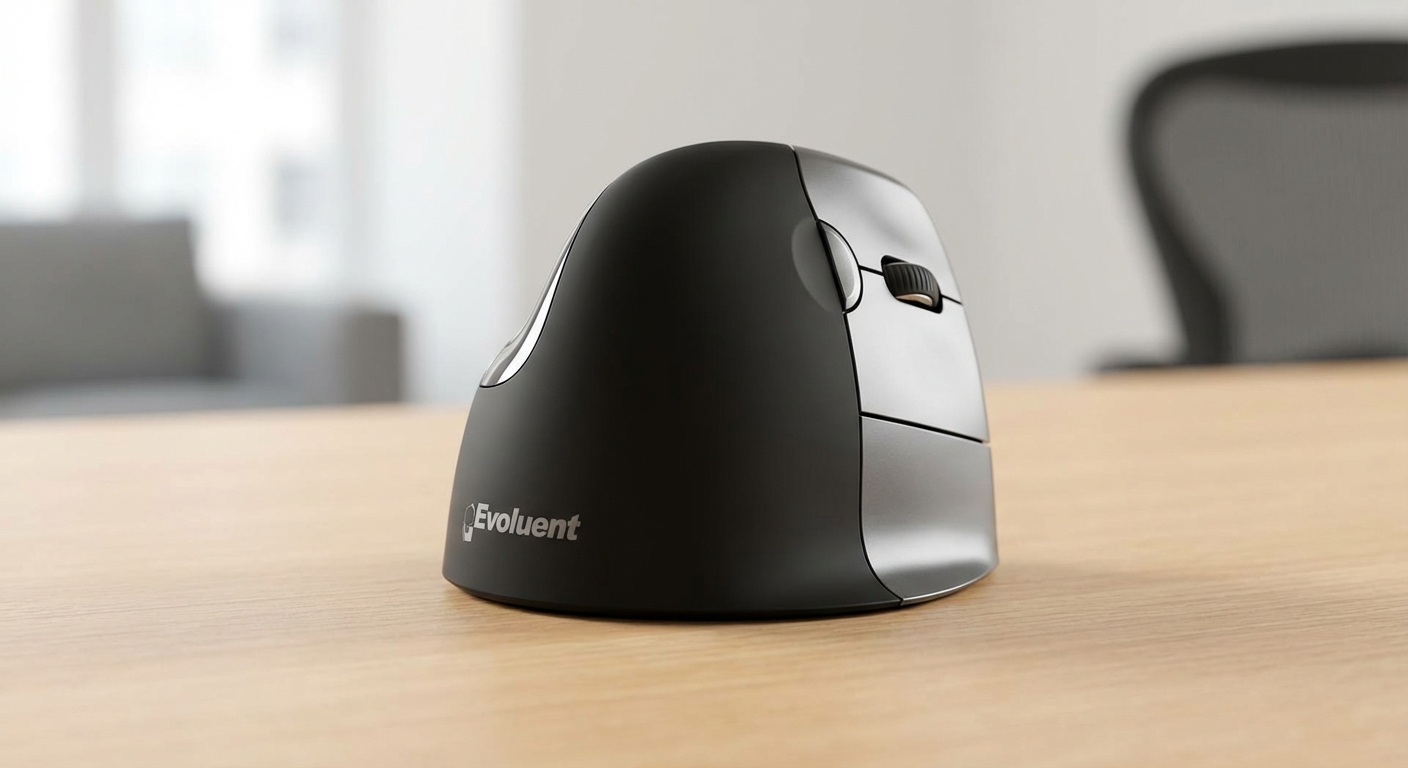
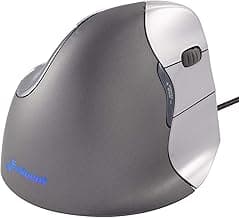
| Evoluent VerticalMouse 4 | Best for RSI relief | $$$ | 4.4/5 |
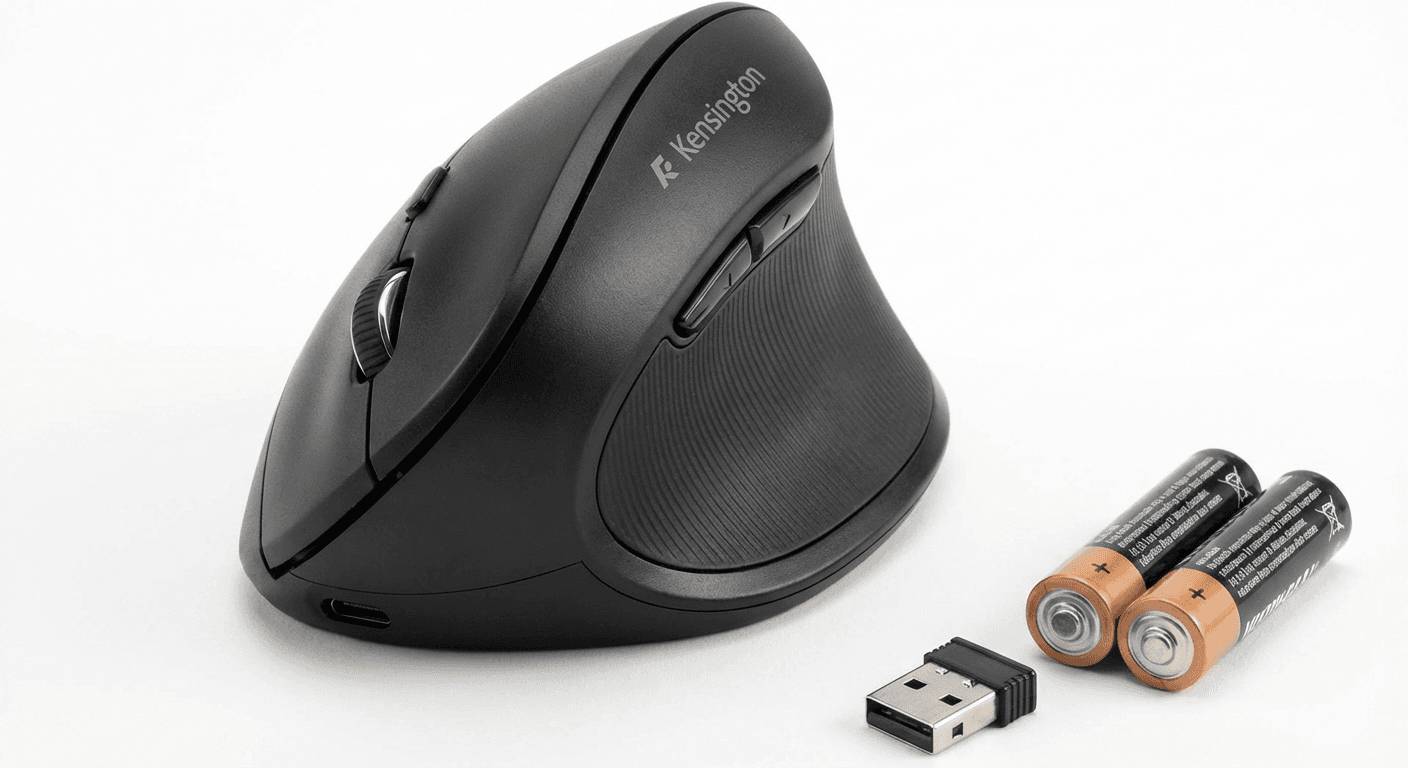
| Kensington Pro Fit Ergo | Best mid-range vertical | $$ | 4.3/5 |
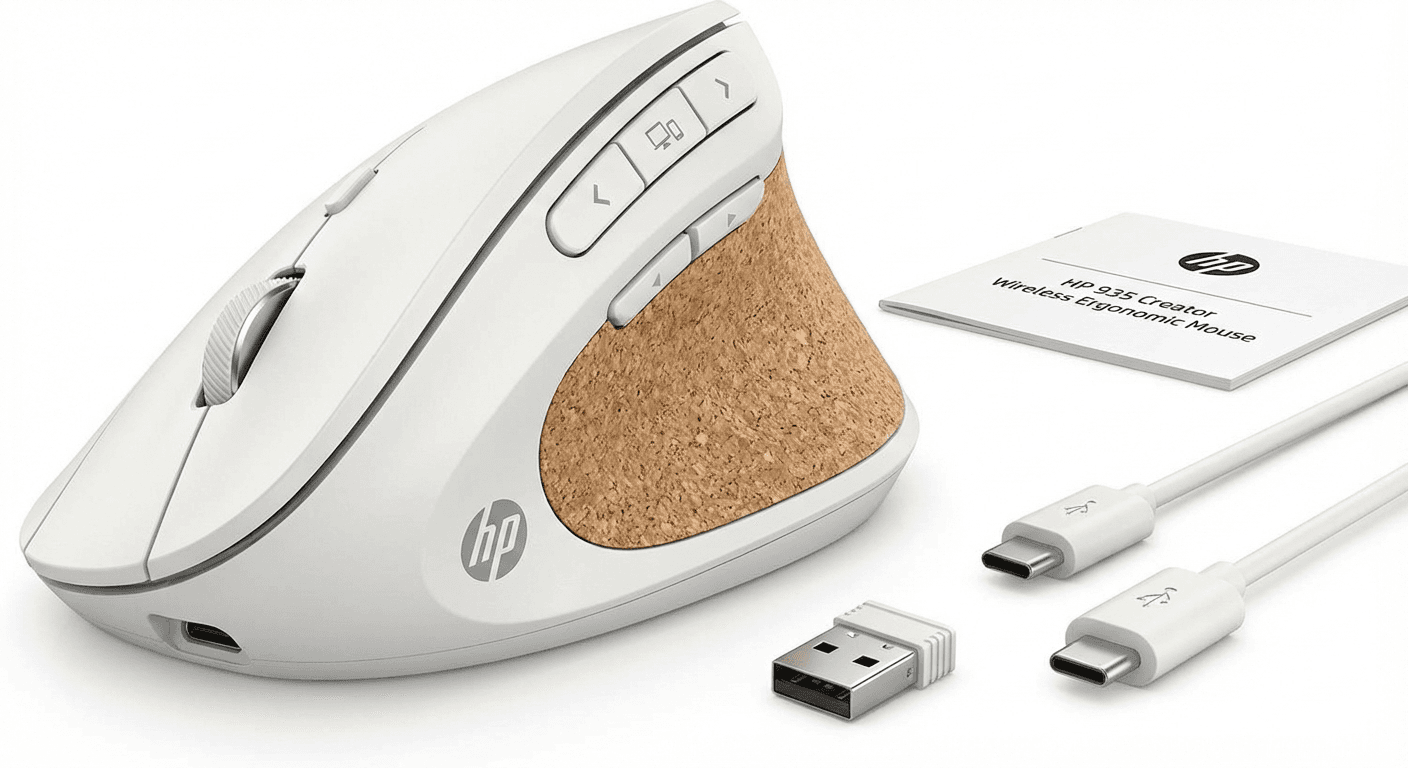
| HP 935 Ergonomic | Best wireless range | $$ | 4.2/5 |
Real Product Photos: All Reviewed Models
Each image below is a real product listing photo stored locally for faster loads and stable rendering.
Comparison Table: Vertical Mouse vs Regular Mouse: Is It Worth Switching? (2026)
Key takeaway: comfort fit beats raw specs for long-term productivity.
| Product | Best For | Price Band | Rating | Link |
|---|---|---|---|---|
| Logitech MX Vertical | Best overall vertical mouse | $$$ | 4.6/5 | Check on Amazon |
| Anker Ergonomic Vertical | Best budget entry to vertical | $ | 4.3/5 | Check on Amazon |
| Evoluent VerticalMouse 4 | Best for RSI relief | $$$ | 4.4/5 | Check on Amazon |
| Kensington Pro Fit Ergo | Best mid-range vertical | $$ | 4.3/5 | Check on Amazon |
| HP 935 Ergonomic | Best wireless range | $$ | 4.2/5 | Check on Amazon |
Note: Amazon links may be affiliate links and can generate commissions at no extra cost to you.