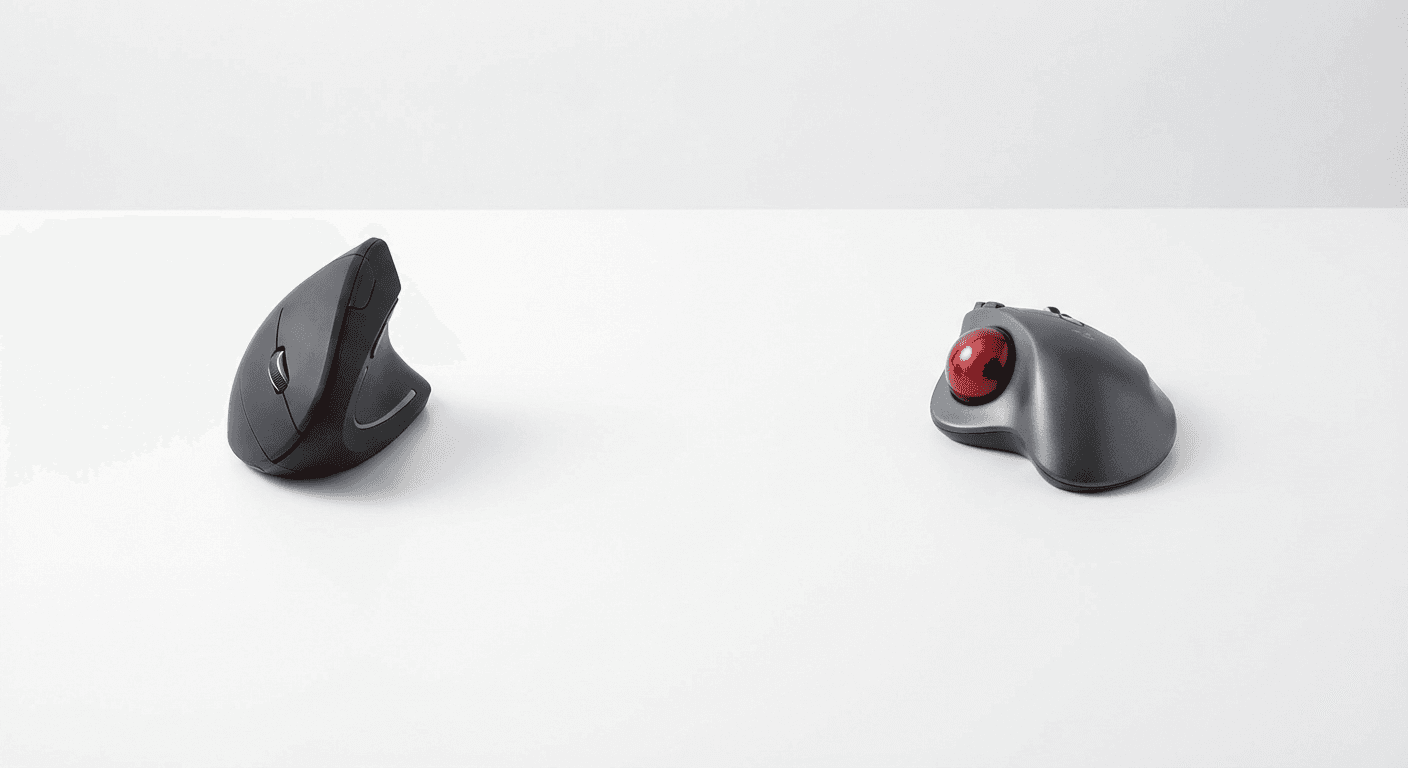
Vertical Mouse vs Trackball (2026)
Vertical mouse vs trackball (2026): we compare ergonomics, precision, price & portability so you can pick the right alternative to a standard mouse →
Updated 2026-03-09
30-Second Video: Vertical Mouse vs Trackball
30-second walkthrough for vertical mouse vs trackball.
Quick Answer: Vertical Mouse vs Trackball (2026)
Vertical Mouse vs Trackball: Which Is Better? (2026)
A vertical mouse reduces wrist strain by rotating your forearm to a neutral handshake position; a trackball eliminates arm movement entirely by keeping your hand stationary. They solve different problems. Choose a vertical mouse if your pain is in the wrist or forearm. Choose a trackball if the discomfort is in your shoulder or upper arm.
<!-- TABLE OF CONTENTS -->
By Matt Sullivan · Last updated March 9, 2026
Both vertical mice and trackballs claim to solve the same problem: the pain and fatigue caused by using a traditional mouse for hours every day. But they solve it in fundamentally different ways, and the right choice depends on where your discomfort comes from, how you work, and how much desk space you have.
This is not a "both are great" comparison. Each device has clear strengths and real weaknesses. By the end of this guide, you will know which one matches your specific situation — or whether you should use both.
Medical disclaimer: This guide provides general ergonomic information, not medical advice. If you are experiencing persistent pain, numbness, or tingling in your hands, wrists, or arms, consult a healthcare professional before relying on any device to manage symptoms.
The Fundamental Difference
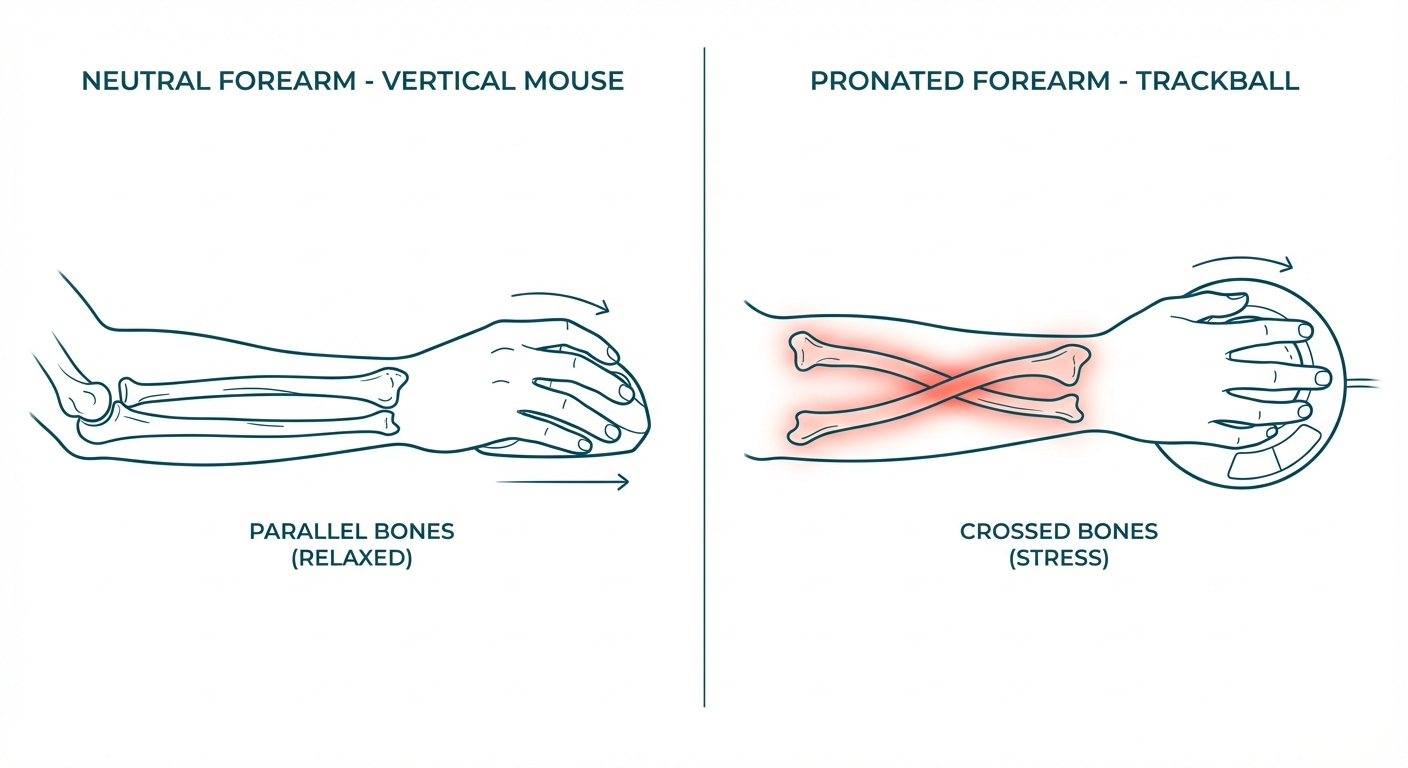
A vertical mouse changes your wrist angle. It rotates your forearm from palm-down (pronation) to a neutral handshake position, reducing the twisting that compresses structures in the carpal tunnel area. You still move the entire mouse across your desk — the movement pattern is identical to a regular mouse, just with a different grip.
A trackball eliminates arm movement. Your hand stays stationary while your thumb or fingers roll a ball to move the cursor. This removes shoulder and arm strain from repetitive sweeping motions. However, a trackball does not change your forearm angle — most trackballs still position your hand palm-down.
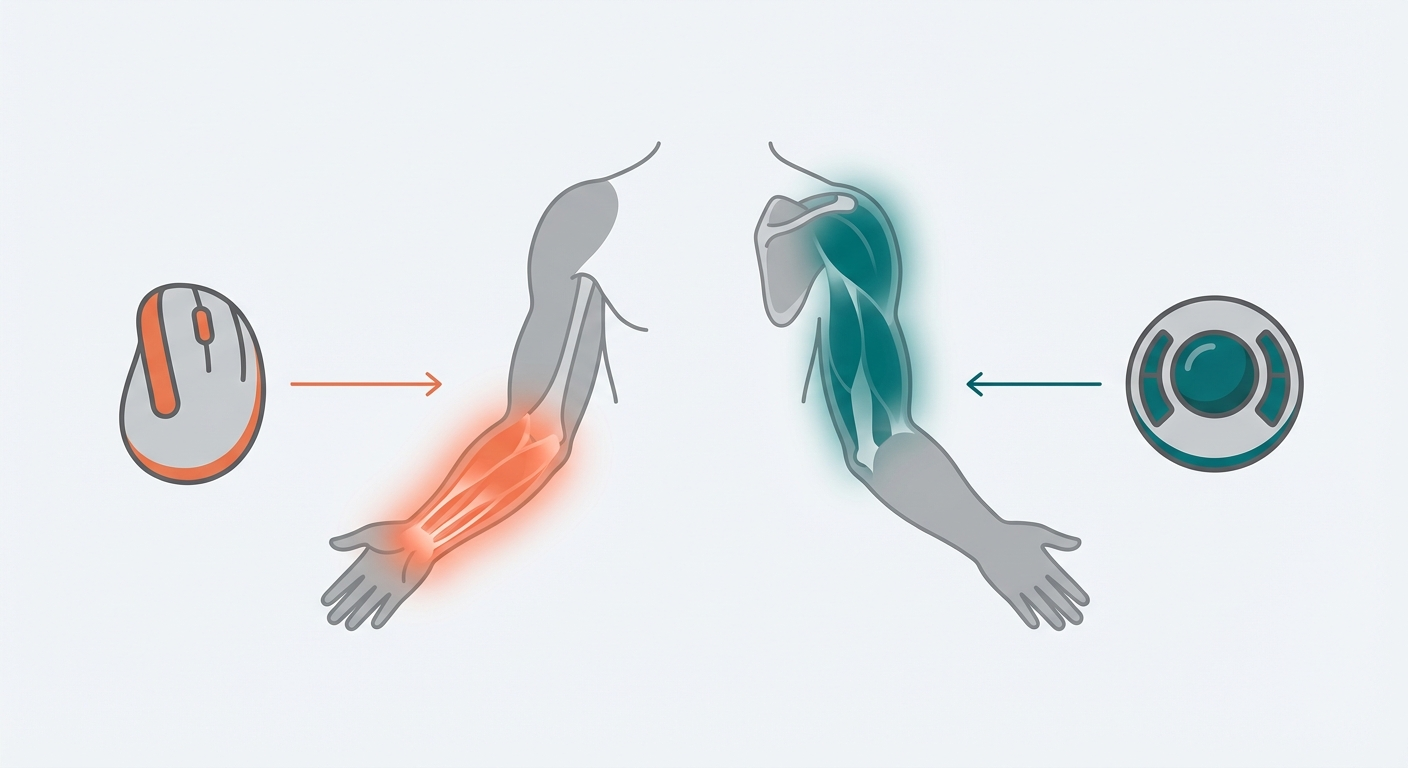
This is the core tradeoff: vertical mice fix wrist position; trackballs fix arm movement. They target different sources of pain.
Head-to-Head Comparison
Category Vertical Mouse Trackball
Forearm position Neutral (50–70° angle) Pronated (palm-down) in most models
Arm movement Full arm/wrist movement required Stationary — fingers/thumb only
Desk space needed Standard mousepad area Minimal — device footprint only
Learning curve 2–4 weeks 3–6 weeks
Precision (general use) High — familiar movement pattern Moderate — requires retraining
Precision (design/CAD) Good Good (some prefer thumb trackballs for fine work)
Gaming suitability Moderate (casual/strategy) Low (most genres)
Price range $15–$100+ $25–$150+
Cleaning/maintenance Standard Periodic ball and socket cleaning required
Hand size sensitivity High — sizing critical Lower — most trackballs fit a wider range
Noise level Varies by model Generally quieter (no surface friction)
Portability Moderate (needs surface area) Excellent (stationary, works on any surface)
The Ergonomics Deep-Dive
Understanding the biomechanics behind each device helps explain why one might work better than the other for your specific situation.
Forearm Pronation and the Vertical Mouse
When you use a traditional mouse, your forearm rotates so your palm faces the desk — a position called pronation. This rotation causes the radius and ulna (the two forearm bones) to cross over each other, tensioning the muscles and tendons that run through the carpal tunnel.
Research in occupational ergonomics has consistently shown that sustained pronation increases electromyographic (EMG) activity in the forearm extensor muscles — the muscles on the top of your forearm. This elevated muscle activity during prolonged mouse use is associated with fatigue, discomfort, and increased risk of repetitive strain injury.
A vertical mouse rotates your hand to a neutral position (50–70 degrees from the desk), uncrossing the forearm bones and reducing extensor muscle engagement. NIOSH identifies sustained awkward postures, including pronation, as a primary ergonomic risk factor for work-related musculoskeletal disorders.
Arm Movement and the Trackball
A different ergonomic problem is the repetitive sweeping motion of pushing a mouse across a desk surface. This engages the shoulder (deltoid), upper arm, and forearm muscles in a repetitive back-and-forth pattern. Over hours, this repetitive motion can contribute to:
Shoulder impingement
Lateral epicondylitis (tennis elbow)
Deltoid and rotator cuff fatigue
General upper-limb fatigue from sustained arm elevation
A trackball eliminates this movement entirely. Your hand rests on the device, and only your thumb (thumb-operated trackballs) or fingers (finger-operated trackballs) move to control the cursor. The shoulder, upper arm, and wrist remain stationary.
However — and this is critical — most trackballs do not address forearm pronation. Your hand still rests palm-down on the device. This means a trackball solves the movement problem but not the wrist-angle problem.
The Compounding Factor
Ergonomic strain is rarely caused by a single factor. More commonly, it results from a combination of:
Awkward posture (pronation) — addressed by vertical mice
Repetitive movement (arm sweeping) — addressed by trackballs
Sustained static load (holding any position too long) — addressed by neither device alone
This is why some occupational health practitioners recommend using both devices in rotation throughout the day. Alternating between a vertical mouse and a trackball changes which muscles are loaded and which movement patterns are repeated, reducing the "repetitive" component of repetitive strain.
When to Choose a Vertical Mouse
Your Pain Is in the Wrist or Forearm
If your discomfort is localized to the wrist — particularly the underside of the forearm or the area around the carpal tunnel — a vertical mouse directly addresses the mechanical cause. Pronation compresses the median nerve pathway and increases tension in the forearm extensor muscles. A vertical mouse reduces both.
OSHA ergonomic guidelines emphasize neutral wrist positioning as a key factor in reducing workplace musculoskeletal disorders.
You Want the Shortest Learning Curve
A vertical mouse still moves like a mouse. You push it left, the cursor goes left. The spatial relationship between hand movement and screen movement is identical to what you already know. The only adaptation is the grip angle — most users reach full productivity within 2–3 weeks.
For hand-size-specific recommendations, see our guides for large hands (https://verticalmouseguide.com/best-vertical-mouse-large-hands/) and small hands (https://verticalmouseguide.com/best-vertical-mouse-small-hands/).
You Game Casually
Vertical mice work well for strategy games, MOBAs, and casual play. The Logitech MX Vertical at 4000 DPI handles most gaming scenarios adequately. Competitive FPS players will find the response time and grip less optimal, but for the majority of gamers, a vertical mouse does not meaningfully limit performance after the adaptation period.
When to Choose a Trackball
Your Pain Is in the Shoulder or Upper Arm
If your discomfort radiates from the shoulder, upper arm, or is related to reaching across a large desk, a trackball is the better choice. It eliminates the repetitive arm sweeping motion entirely. Your hand stays in one fixed position, and only your fingers or thumb move.
This is particularly relevant for people who have experienced shoulder impingement, rotator cuff issues, or deltoid fatigue from extended mouse use on wide desks.
You Have Very Limited Desk Space
A trackball's footprint is its device size — nothing more. There is no mousepad, no clearance needed for movement. In cramped workstations, on airplane tray tables, or in standing desk configurations where surface area is constrained, a trackball is dramatically more practical.
You Need Precision in a Fixed Position
Some designers and CAD professionals prefer thumb trackballs for fine cursor control. The thumb can make very small, precise movements that are difficult to replicate with full-arm mouse movements. This is a learned skill — it takes weeks to develop — but some users find trackball precision superior for detail work once mastered.
You Want to Reduce All Arm Movement
For conditions like tennis elbow (lateral epicondylitis) or general forearm fatigue from repetitive motion, a trackball removes the motion entirely rather than changing the angle. This is a more aggressive ergonomic intervention.
Who Should Choose Each — Buyer Personas
The Office Knowledge Worker
Profile: 6–8 hours of mouse use daily. Email, spreadsheets, presentations, web browsing. Occasional wrist stiffness by end of day. Best pick: Vertical mouse. The learning curve is shorter, the movement pattern is familiar, and wrist-level discomfort is the most common complaint in this group. The Logitech MX Vertical or Lift integrates seamlessly with multi-monitor setups.
The Software Developer
Profile: Heavy keyboard use with moderate mouse use for code navigation, browser testing, documentation. Wrist and forearm fatigue from mixed keyboard-mouse switching. Best pick: Vertical mouse. Developers benefit from the familiar movement pattern and quick adaptation. The ergonomic wrist angle helps during mouse-intensive debugging and UI testing sessions. See our guide for programmers (https://verticalmouseguide.com/vertical-mouse-vs-regular-mouse/) for more detail.
The CAD / 3D Designer
Profile: Precision cursor work for hours. Frequent small movements, occasional sweeping gestures. Shoulder and arm fatigue from sustained mouse manipulation. Best pick: Trackball (thumb-operated). The precision advantage of thumb-controlled cursor movement suits detail work. The stationary hand position eliminates shoulder strain from repetitive reaching. Consider the Logitech MX Ergo for its adjustable tilt that partially addresses pronation.
The Remote Worker With a Small Desk
Profile: Laptop-centric setup, limited desk space, possibly working from a kitchen table or couch desk. Wants ergonomic improvement without a full workstation overhaul. Best pick: Trackball. No mousepad needed, works on any surface, and the compact footprint suits space-constrained setups. A finger-operated trackball like the Kensington Expert Mouse also works well with a standing desk.
The Creative Professional (Video/Audio Editing)
Profile: Timeline scrubbing, precision cuts, frequent tool switching. Hours of detailed work. Mixed wrist and shoulder fatigue. Best pick: Both in rotation. Use a vertical mouse for general navigation and tool selection. Switch to a trackball for precision timeline work and long editing sessions where shoulder fatigue accumulates. Many editors adopt this dual-device workflow within their first month.
The Person Recovering From RSI
Profile: Diagnosed or suspected repetitive strain injury. Healthcare provider has recommended ergonomic changes. Needs the most impactful intervention. Best pick: Start with a vertical mouse for wrist-focused RSI; start with a trackball for shoulder/arm-focused RSI. Consult your healthcare provider for specific guidance. Neither device replaces medical treatment, but both are supported as components of an ergonomic intervention strategy.
When to Use Both
This is not a cop-out recommendation — alternating between ergonomic devices is a legitimate strategy endorsed by occupational health practitioners. Repetitive strain is, by definition, about repetition. Using the same device and same muscles in the same pattern for 8 hours creates problems regardless of how ergonomic that device is.
A practical dual setup:
Vertical mouse for general work, email, browsing, and meetings (morning sessions)
Trackball for design work, focused deep work, or afternoon sessions when forearm fatigue accumulates
Switch devices when you notice fatigue building in any one area
Some users keep a vertical mouse on the right side and a trackball on the left, alternating hands throughout the day. This distributes the load across both arms and both movement patterns.
The Learning Curve: Honest Expectations
Vertical Mouse Adaptation
Days 1–3: Noticeable clumsiness. You will reach for your old mouse.
Week 1–2: Basic tasks feel normal. Precision tasks (selecting text, small UI buttons) still feel slow.
Week 3–4: Most users report feeling fully adapted. Speed matches or exceeds previous mouse use.
Tip: Keep your old mouse accessible for the first two weeks. No need to go cold turkey.
Trackball Adaptation
Days 1–5: Significant frustration. Cursor movement feels disconnected from intent.
Week 1–3: Basic navigation improves. Clicking while holding the cursor steady is the hardest skill — practice deliberately.
Week 4–6: Most users reach functional proficiency. Some fine-motor tasks may still feel slower.
Week 8+: Full adaptation for most users. Many report preferring the trackball and finding regular mice uncomfortable.
Tip: Trackball adaptation is harder than vertical mouse adaptation. Set realistic expectations and commit to at least 3 full weeks before evaluating.
Pros and Cons Summary
Vertical Mouse
Pros:
Directly reduces forearm pronation and wrist strain
Familiar movement pattern — short learning curve
Wide range of options across price points and hand sizes
Works well for casual gaming
No maintenance required beyond standard cleaning
Cons:
Still requires arm/wrist movement across the desk
Highly sensitive to hand size — wrong size creates new problems
Not ideal for very small desk surfaces
Does not address shoulder or upper arm strain
Most options are right-hand only (see our left-handed guide (https://verticalmouseguide.com/best-left-handed-vertical-mouse/))
Trackball
Pros:
Eliminates arm and shoulder movement entirely
Minimal desk space required
Less sensitive to hand size than vertical mice
Excellent for stationary precision work once mastered
Available in both thumb-operated and finger-operated designs
Works on any surface — no mousepad needed
Cons:
Does not correct forearm pronation (most models)
Longer, steeper learning curve
Requires periodic cleaning (ball and socket accumulate dust)
Poor for most gaming genres
Can cause thumb fatigue in thumb-operated models (a different repetitive strain)
Limited model variety compared to traditional mice
Hybrid Devices: Angled Trackballs
A small number of products combine trackball functionality with a vertical or semi-vertical hand angle — the Logitech MX Ergo is the most notable, with an adjustable 0–20° tilt. These hybrids address both pronation and arm movement, but the tilt angle is much less than a true vertical mouse (50–70°). They are a reasonable middle ground if your discomfort is moderate across both wrist and shoulder, but they do not fully solve either problem the way a dedicated device does.
When a hybrid makes sense:
Your discomfort is mild and distributed across wrist and shoulder
You want a single device rather than alternating two
You are not ready to commit to the full 50–70° vertical angle
When a hybrid falls short:
Your wrist pain is significant — the 20° tilt is insufficient to fully correct pronation
You need a full trackball's zero-movement advantage for shoulder recovery
You want the maximum ergonomic intervention available
Decision Framework
Answer these three questions:
1. Where is your primary discomfort?
Wrist/forearm → Vertical mouse
Shoulder/upper arm → Trackball
Both → Consider both in rotation, or start with a hybrid (MX Ergo)
2. How much are you willing to adapt?
Minimal disruption → Vertical mouse (2–3 week adaptation)
Willing to invest time → Trackball (4–6 week adaptation)
3. What is your primary use case?
General office work → Either works well
Gaming → Vertical mouse
Design/CAD → Either, slight edge to trackball for precision
Limited desk space → Trackball
Travel/portable → Trackball
Frequently Asked Questions
Is a vertical mouse or trackball better for carpal tunnel?
A vertical mouse more directly addresses the mechanical factors associated with carpal tunnel by reducing forearm pronation. Trackballs reduce arm movement but do not change wrist angle. However, neither device is a treatment for diagnosed carpal tunnel syndrome — consult a healthcare professional for medical guidance. The Mayo Clinic recommends ergonomic workplace adjustments as one component of symptom management.
Can I use a trackball for gaming?
It is possible but generally not recommended for fast-paced games. Strategy games, turn-based RPGs, and city builders work adequately with a trackball. FPS games, action RPGs, and anything requiring quick, precise flick movements will be frustrating. A vertical mouse is the better ergonomic option for gamers.
Which is easier to learn — vertical mouse or trackball?
A vertical mouse, by a significant margin. The movement pattern (push device, cursor moves) is identical to what you already know. Only the grip angle changes. A trackball requires relearning the fundamental relationship between your hand movements and cursor movement, which takes 2–3 times as long.
Do trackballs cause thumb pain?
Thumb-operated trackballs (like the Logitech M575) can cause thumb fatigue or pain in some users, particularly during extended use. This is a different form of repetitive strain — you are trading arm movement for thumb movement. Finger-operated trackballs (like the Kensington Expert Mouse) distribute the load across multiple fingers and are less likely to cause isolated thumb strain.
How much do these devices cost compared to a regular mouse?
Entry-level vertical mice start around $15–25 (Anker, J-Tech Digital). Premium options like the Logitech MX Vertical run $80–100. Trackballs range from $25 (Logitech M575) to $150+ (Kensington Expert Mouse, Logitech MX Ergo). Both categories are more expensive than basic mice but comparable to mid-range gaming or productivity mice.
Should I get a wrist rest with either device?
Generally, no. A vertical mouse is designed to keep your wrist elevated and neutral — a wrist rest undermines this position. Trackballs similarly work best when your hand rests on the device itself. If you feel the need for a wrist rest, your desk height or chair position may need adjustment. OSHA recommends a neutral wrist position as part of proper workstation setup.
Can I switch between a vertical mouse and trackball during the day?
Yes, and many ergonomic practitioners recommend it. Alternating devices changes which muscles are engaged, reducing the repetitive component of repetitive strain. A common setup is a vertical mouse for one half of the day and a trackball for the other.
Are finger-operated trackballs better than thumb-operated trackballs?
Neither is universally better — they load different muscles. Thumb-operated trackballs (Logitech M575, MX Ergo) are more intuitive for beginners because thumb control feels natural. Finger-operated trackballs (Kensington Expert Mouse, Kensington SlimBlade) distribute the workload across multiple fingers, reducing thumb fatigue during long sessions. If you have existing thumb or basal joint issues, finger-operated is the safer choice.
What is the best vertical mouse for someone considering a trackball?
If you are undecided, the Logitech MX Vertical is the best vertical mouse starting point — it has the shortest learning curve and highest overall quality. If you then want to add a trackball to your setup, the Logitech MX Ergo pairs well because both devices use Logi Options+ software for consistent button mapping and settings.
Bottom Line
A vertical mouse and a trackball are not competing solutions — they are complementary tools that address different ergonomic problems. If your wrist hurts, start with a vertical mouse. If your shoulder hurts, start with a trackball. If you are proactively setting up an ergonomic workspace, consider owning both and alternating.
Neither device is a magic fix. Proper desk ergonomics, regular breaks, and professional medical guidance for actual injuries matter more than any single product. But as part of a thoughtful setup, both vertical mice and trackballs are evidence-supported tools that reduce the physical cost of computer work.
Sources & Methodology
This comparison is based on the Vertical Mouse Guide editorial methodology. Device characteristics are evaluated through hands-on assessment and manufacturer specifications. Ergonomic claims reference published research and established guidelines.
References:
OSHA Ergonomic Solutions: Computer Workstations — osha.gov/computer-workstations (https://www.osha.gov/computer-workstations)
NIOSH: Ergonomic Guidelines for Workplace Musculoskeletal Disorders — cdc.gov/niosh (https://www.cdc.gov/niosh/)
Mayo Clinic: Repetitive Strain Injury Prevention — mayoclinic.org (https://www.mayoclinic.org/)
Occupational ergonomics research on forearm pronation and EMG activity in extensor muscles during mouse use
American Physical Therapy Association: Workplace Ergonomics Best Practices
Methodology notes:
Vertical mice are scored using our 100-point methodology (Fit 35%, Comfort 25%, Control 20%, Value 20%) in our individual product guides
This comparison article evaluates the device categories rather than individual products
Medical claims are limited to referencing established guidelines; we do not provide medical advice
All internal links point to live pages on verticalmouseguide.com
Internal links referenced:
Best Vertical Mouse for Large Hands (https://verticalmouseguide.com/best-vertical-mouse-large-hands/)
Best Vertical Mouse for Small Hands (https://verticalmouseguide.com/best-vertical-mouse-small-hands/)
Best Left-Handed Vertical Mouse (https://verticalmouseguide.com/best-left-handed-vertical-mouse/)
Best Quiet Click Vertical Mouse (https://verticalmouseguide.com/best-quiet-click-vertical-mouse/)
Vertical Mouse vs Regular Mouse (https://verticalmouseguide.com/vertical-mouse-vs-regular-mouse/)
Key takeaway: pick the smallest mouse that still supports your palm, then prioritize low click force.
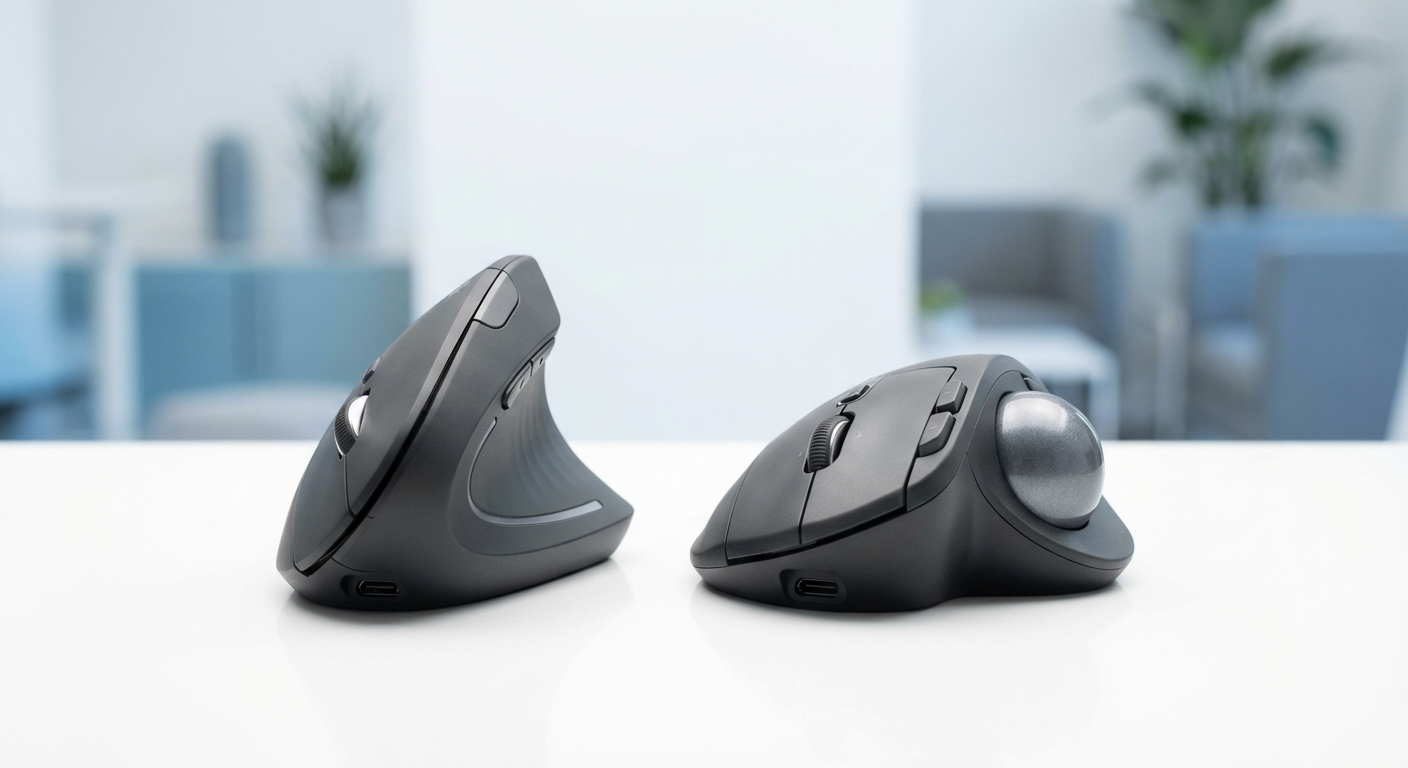
Posture and pain-pattern visuals
Use these diagrams to match your pain pattern to the right device class before buying.
Top Picks Quick Comparison
Fast shortlist for decision-first readers. Full table remains below for complete detail.
| Product | Best For | Price | Rating |
|---|---|---|---|
| Logitech MX Vertical | Vertical posture correction | $$$ | 4.5/5 |
| Logitech M575 Trackball | Easy thumb-trackball transition | $$ | 4.4/5 |
| Kensington Expert Mouse | Finger-operated precision | $$$ | 4.3/5 |
| Logitech MX Ergo | Tilt trackball hybrid comfort | $$$ | 4.4/5 |
Real Product Photos: All Reviewed Models
Each image below is a real product listing photo stored locally for faster loads and stable rendering.
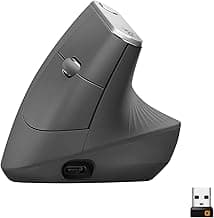


Comparison Table: Vertical Mouse vs Trackball (2026)
Key takeaway: comfort fit beats raw specs for long-term productivity.
| Product | Best For | Price Band | Rating | Link |
|---|---|---|---|---|
| Logitech MX Vertical | Vertical posture correction | $$$ | 4.5/5 | Check on Amazon |
| Logitech M575 Trackball | Easy thumb-trackball transition | $$ | 4.4/5 | Check on Amazon |
| Kensington Expert Mouse | Finger-operated precision | $$$ | 4.3/5 | Check on Amazon |
| Logitech MX Ergo | Tilt trackball hybrid comfort | $$$ | 4.4/5 | Check on Amazon |
Note: Amazon links may be affiliate links and can generate commissions at no extra cost to you.