Guide
Logitech MX Vertical vs Anker Ergonomic: Full Comparison (2026)
By Vertical Mouse Guide Editorial Team · Updated 2026-03-23
Disclosure: We may earn a commission from qualifying purchases made through links in this article.
By Vertical Mouse Guide Editorial Team
Both the Logitech MX Vertical and Anker Ergonomic Vertical Mouse use the same 57-degree handshake angle and deliver the same pronation reduction. The Anker costs $25. The MX Vertical costs $90. The $65 difference buys Bluetooth multi-device pairing, a Darkfield glass-tracking sensor, Logi Options+ per-app customization, USB-C charging, and quieter clicks — not additional ergonomic benefit. Choose Anker for pure wrist relief on a budget; choose MX Vertical if the premium features match your workflow.
Table of Contents
- Quick Verdict
- Specifications Compared
- Ergonomic Performance
- Sensor and Tracking
- Connectivity and Multi-Device
- Software and Customization
- Battery and Charging
- Build Quality and Design
- Who Should Buy Each Mouse
- Product Comparison Cards
- Mac Users: Which to Choose
- Office Use Comparison
- Frequently Asked Questions
- Sources and Methodology
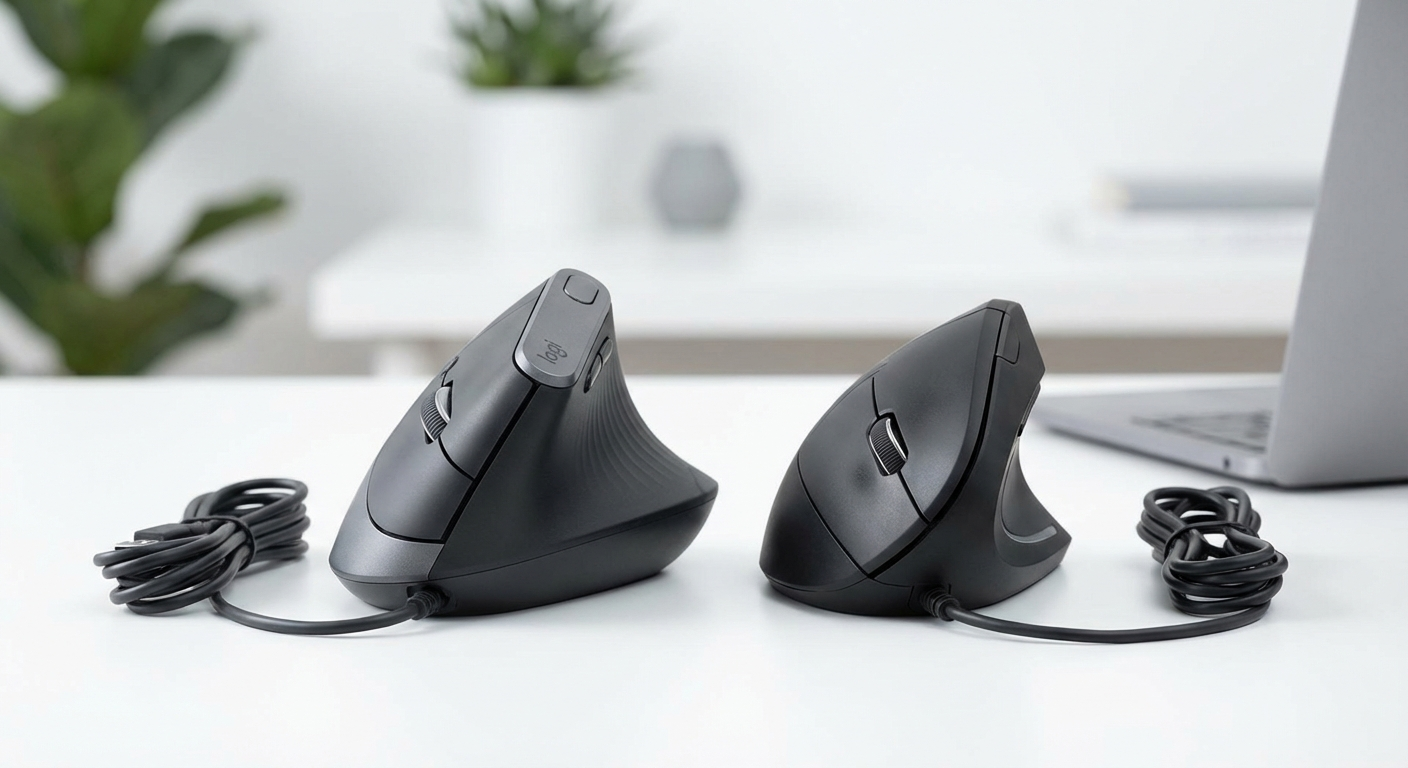 The Logitech MX Vertical (left) and Anker Ergonomic Vertical Mouse (right) — same 57° ergonomic angle, very different price and feature sets.
Quick Verdict
The honest answer: for pure ergonomic benefit, both mice perform identically. The 57-degree angle reduces forearm pronation by roughly 57% whether you paid $25 or $90.
✅ Buy Anker ($25) If:
- First vertical mouse — testing the concept
- Budget under $50
- One computer, standard desk surface
- No need for Bluetooth or software
- Simple plug-and-play priority
✅ Buy MX Vertical ($90) If:
- Use 2–3 computers or devices
- Glass desk (Darkfield sensor)
- Mac user wanting native software
- Open office needing quiet clicks
- Per-app button customization needed
Specifications Compared
| Specification | Logitech MX Vertical | Anker Ergonomic Vertical |
|---|---|---|
| Price | ~$90 | ~$25 |
| Angle | 57° | 57° |
| Sensor | 4000 DPI Darkfield | 1600 DPI Optical |
| Glass Tracking | ✅ Yes | ❌ No |
| Connectivity | Bluetooth + 2.4 GHz | 2.4 GHz dongle only |
| Multi-device | 3 devices | 1 device |
| Battery | USB-C rechargeable (4 mo.) | 2× AAA (6 mo.) |
| Software | Logi Options+ | None |
| Click Volume | Quiet | Standard |
| Weight | 135g | 122g |
| Grip Width | 78mm | 64mm |
Ergonomic Performance: The Part That Matters
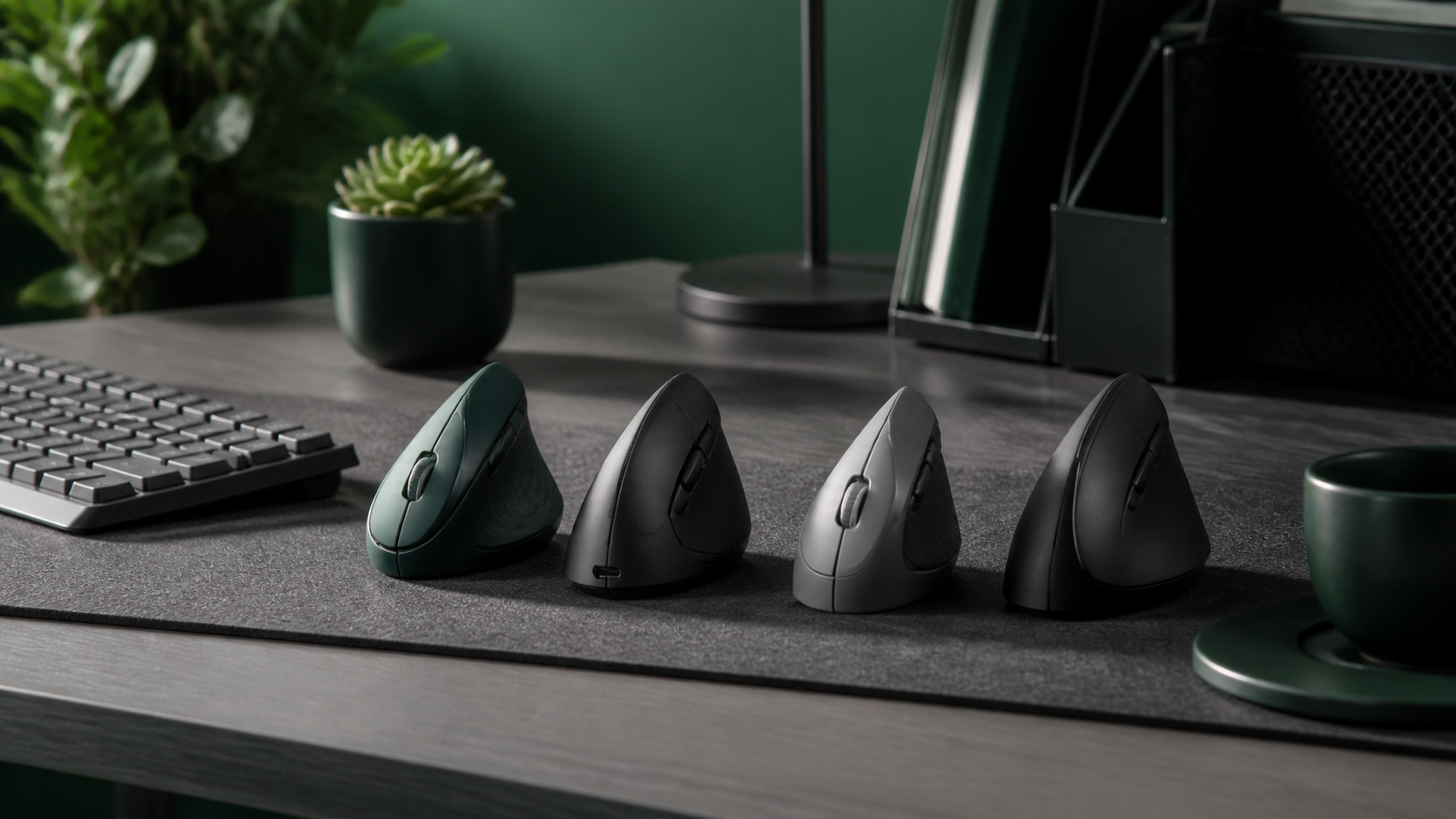 57° reduces forearm pronation by approximately half compared to a standard flat mouse — both mice achieve this equally.
This is the most critical section for buyers: both mice deliver identical ergonomic benefit.
The 57-degree angle rotates the forearm from a palm-down position to a neutral handshake position. This reduces:
- Forearm pronation by approximately 57%
- Carpal tunnel pressure — less pronation means less tunnel compression
- Pronator muscle fatigue — the muscles that twist your forearm are partially unloaded
- Ulnar deviation — wrist sits in a more neutral lateral position
The sensor quality, Bluetooth capability, and software features of the MX Vertical do not add additional wrist protection. The 57-degree angle does the ergonomic work, and both mice have it.
Adjustment Period
Both mice have the same adjustment curve:
- Days 1–3: Cursor feels imprecise; clicking requires conscious effort
- Days 4–7: Basic navigation feels normal; drag-and-drop still awkward
- Days 8–14: Fully natural; old flat mouse feels uncomfortable when tried
Keep your flat mouse nearby for the first week for time-sensitive tasks.
Research Backing the 57-Degree Angle
Published ergonomic research consistently demonstrates that vertical mice at approximately 57 degrees significantly reduce forearm pronation compared to standard horizontal mice. Studies from occupational health literature show reduced muscle activity in the pronator teres and increased neutral wrist posture. Both mice achieve this identical biomechanical outcome.
Sensor and Tracking
Both mice deliver identical wrist posture — the sensor quality determines tracking surfaces, not ergonomic benefit.
Logitech MX Vertical: Darkfield Sensor
The Darkfield sensor tracks on virtually any surface:
| Surface | MX Vertical | Anker |
|---|---|---|
| Fabric mouse pad | ✅ Excellent | ✅ Excellent |
| Wood desk | ✅ Excellent | ✅ Good |
| Glass desk | ✅ Excellent | ❌ Fails |
| Laminate | ✅ Excellent | ✅ Good |
| Marble/stone | ✅ Excellent | ❌ Fails |
4000 DPI maximum with precise adjustment in Logi Options+. Running at 1600 DPI means using 40% of sensor capacity — smooth and precise.
Anker: Standard Optical Sensor
The Anker's optical sensor is perfectly adequate for standard surfaces. 1600 DPI maximum covers all office tasks. Three preset DPI levels (800/1200/1600) cover most scenarios.
The glass tracking limitation is the only real-world scenario where the sensor creates a problem. If your desk is standard wood or laminate, the Anker tracks as well as the MX Vertical in practice.
Connectivity and Multi-Device
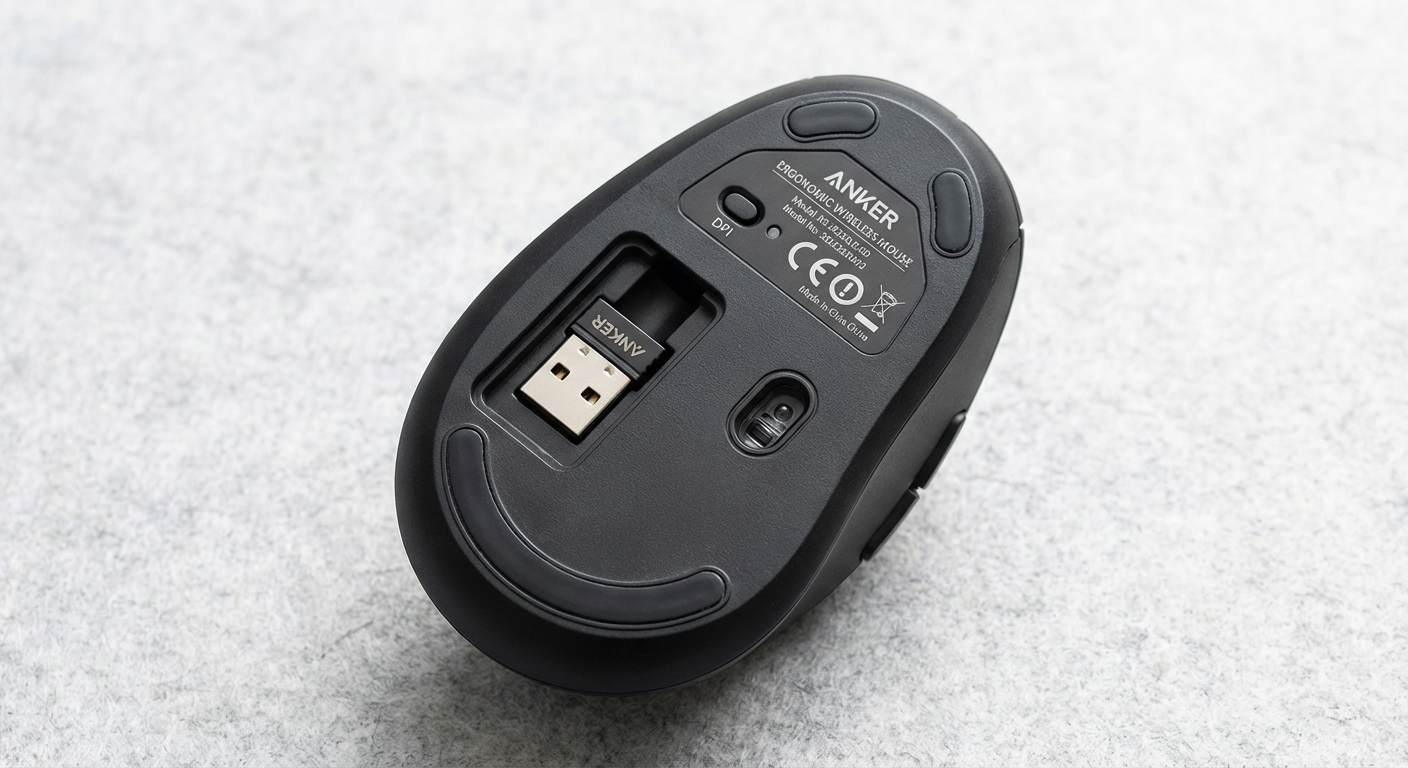 The Anker stores its nano USB dongle inside the battery compartment — easy to keep safe, but limited to one computer.
MX Vertical: 3-Device Flexibility
- Bluetooth (3 pairings): no dongle, no port used
- Unifying Receiver (1 device via USB-A dongle)
- Switch between devices with a button on the bottom — 1–2 seconds
This matters for:
- Desk + laptop workflow: button press switches instantly
- Mac + iPad: same mouse works on both without adapter
- Home + office: pair once to each location's computer
With Logitech Flow enabled, the cursor crosses from one computer screen to another automatically. Files drag cross-platform.
Anker: One Computer, One Dongle
The 2.4 GHz dongle connects to one computer. Switching requires unplugging and re-plugging.
For MacBook Pro users: the Anker's USB-A dongle needs an adapter. The MX Vertical connects via Bluetooth natively — zero adapters, zero ports used.
Software and Customization
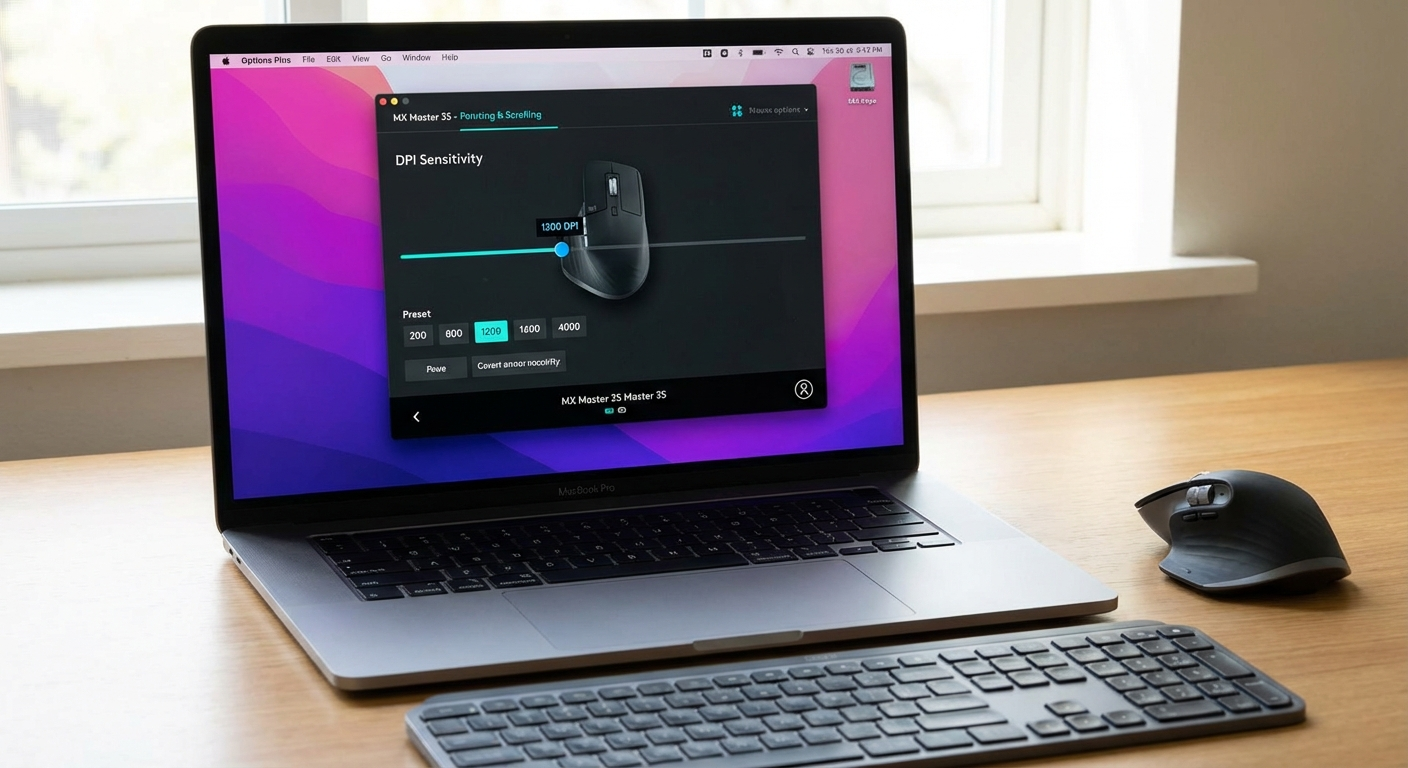 Logi Options+ provides per-application button customization — different shortcuts in Excel vs Chrome vs Figma.
Logi Options+ (MX Vertical Only)
Key features:
- Per-app button customization: different actions per application
- Gesture button: hold and move in 4 directions = 4 additional macOS/Windows actions
- DPI slider: set any value from 400–4000
- Logitech Flow: cursor crosses between computers seamlessly
Anker: Zero Software
Plug-and-play. No software, no app, no account required. DPI button cycles through three presets with an LED indicator. This is either a feature (simplicity) or a limitation (no customization) depending on your needs.
Battery and Charging
| Aspect | MX Vertical | Anker |
|---|---|---|
| Battery type | Built-in Li-ion | 2× AAA |
| Battery life | ~4 months | ~6 months |
| Charging port | USB-C | N/A |
| Quick charge | 1 min = 3 hours | N/A |
| Ongoing cost | None | ~$3–5/year batteries |
MX Vertical advantage: USB-C charging matches Mac ecosystem. One-minute emergency charge.
Anker advantage: 6-month life with replaceable batteries — no degradation concern over years of use.
Build Quality and Design
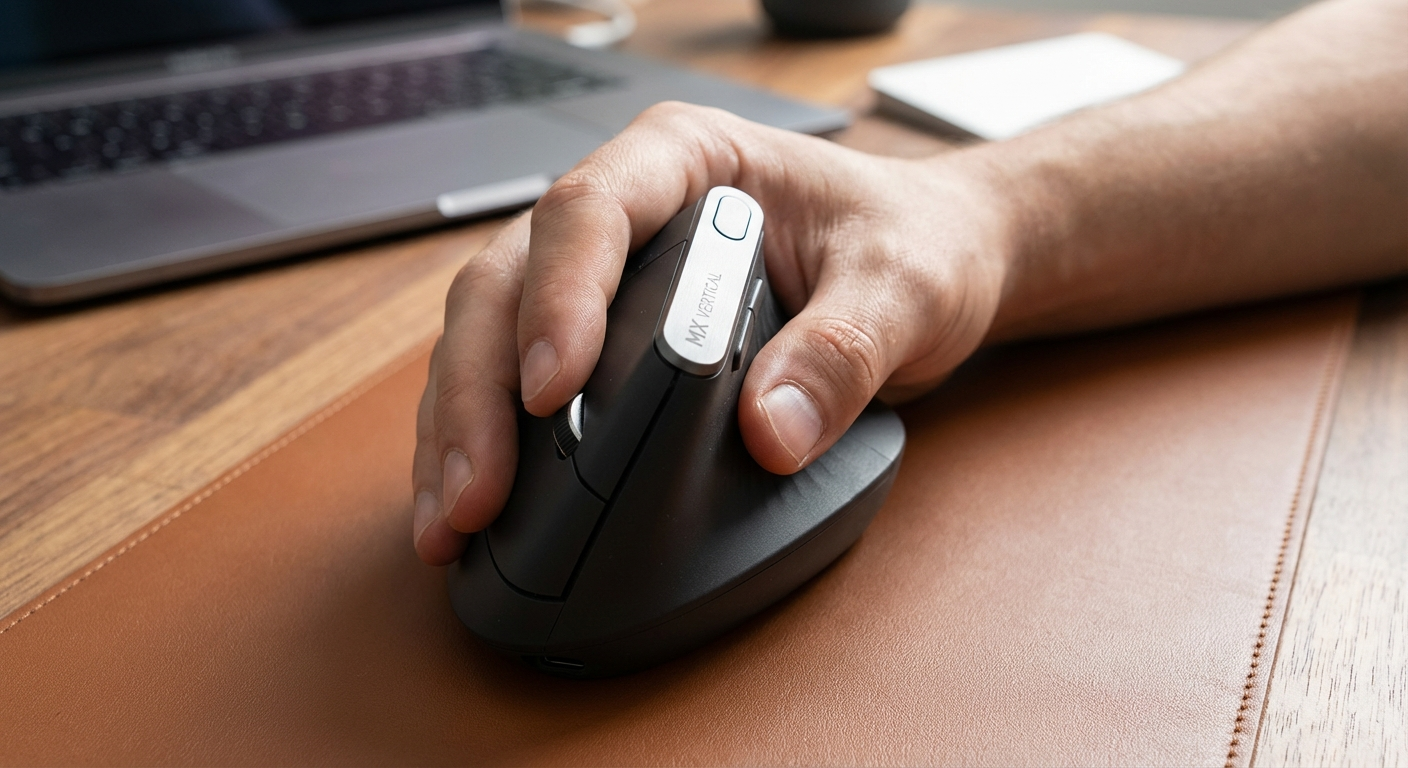 MX Vertical's rubberized grip area (left) vs Anker's matte ABS plastic — both functional, noticeably different feel.
MX Vertical Build
- Rubberized grip, premium matte plastic body
- 135g — substantial, planted feel
- Quiet microswitches
- Expected lifespan: 3–5 years
Anker Build
- Matte ABS plastic throughout
- 122g — lighter, slightly less planted
- Standard microswitches, audible click
- Expected lifespan: 18–36 months
The MX Vertical feels premium. The Anker feels like a $25 mouse — functional and not flimsy, but clearly a different tier. For pure ergonomic use, the Anker's build is perfectly adequate.
Who Should Buy Each Mouse
Buy the Anker Ergonomic Vertical ($25) If:
- First vertical mouse — $25 to test whether vertical mice help your wrist. If they do, you saved $65.
- Budget under $50 — no other vertical mouse at this price delivers proven reliability
- One computer — no multi-device need
- Standard desk surface — fabric or hard mouse pad on wood/laminate
- Zero software preference — plug in, use it
Buy the Logitech MX Vertical ($90) If:
- Multiple computers — 3-device Bluetooth pairing changes daily workflow
- Glass desk — Darkfield sensor is the only vertical mouse sensor for glass
- Mac user — Logi Options+ on macOS, Bluetooth without dongle, USB-C
- Open office — MX Vertical's quieter clicks meaningfully better
- Per-app customization — Logi Options+ transforms the mouse into a workflow tool
Product Comparison Cards
Logitech MX Vertical
Best for: Multi-device, Mac, glass desk
~$90
- 57° ergonomic angle
- Bluetooth + 3-device pairing
- 4000 DPI Darkfield glass tracking
- Logi Options+ software
- USB-C rechargeable
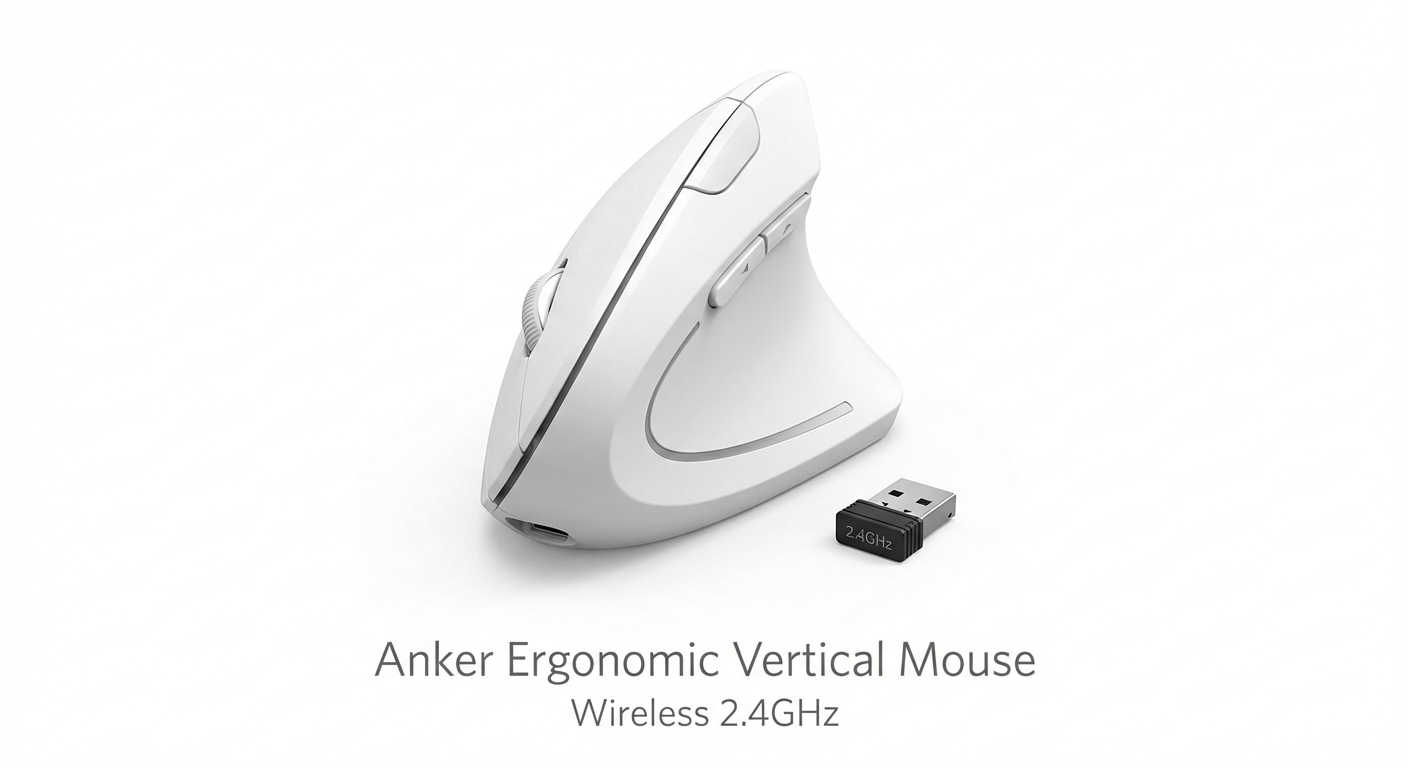
Anker Ergonomic Vertical Mouse
Best for: Budget buyers, first-time vertical mouse
~$25
- 57° ergonomic angle (identical to MX Vertical)
- 2.4 GHz wireless dongle
- 800/1200/1600 DPI
- 6-month AAA battery life
- Plug-and-play, no software
Mac Users: Which to Choose
MacBook Pro has no USB-A ports. The Anker's USB-A dongle requires an adapter, takes a USB-C port, and is easy to lose. The MX Vertical connects via Bluetooth — no adapter, no ports used, charges via the same USB-C cable as your MacBook.
Logi Options+ runs natively on macOS (Apple Silicon optimized) with per-app button customization mapping to Mission Control, Exposé, Spaces, and Launchpad.
Verdict for Mac users: MX Vertical is significantly better. See our best vertical mouse for MacBook Pro guide for full details.
Office Use Comparison
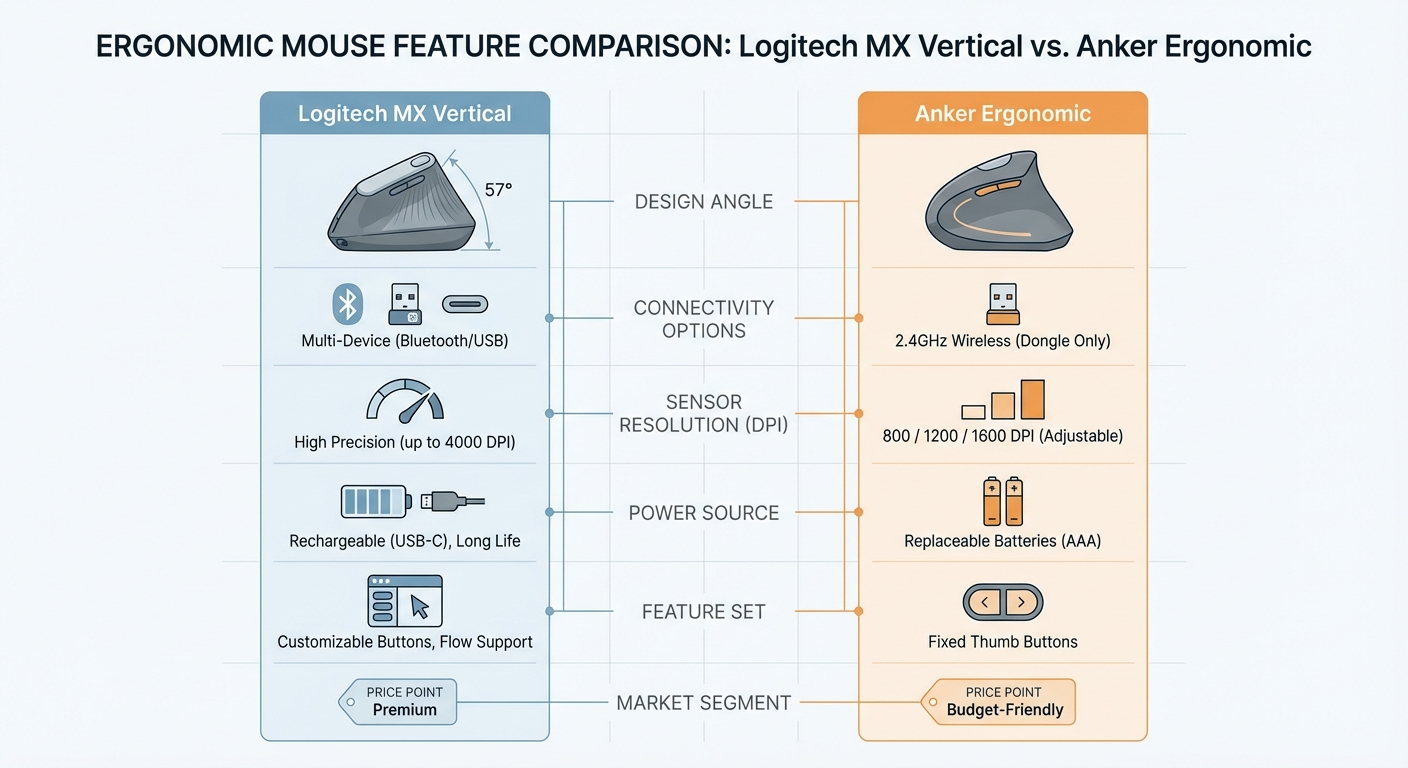 Office factors compared: the MX Vertical leads across the board except price.
| Factor | MX Vertical | Anker | Winner |
|---|---|---|---|
| Click volume | Quiet | Standard | MX Vertical |
| Bluetooth | ✅ | ❌ | MX Vertical |
| Multi-device conference rooms | ✅ | ❌ | MX Vertical |
| Glass desk tracking | ✅ | ❌ | MX Vertical |
| Per-app shortcuts | ✅ | ❌ | MX Vertical |
| Price | $90 | $25 | Anker |
For private offices where none of the above premium factors matter, the Anker delivers identical ergonomic value for $65 less.
See our best vertical mouse for office use guide for a comprehensive office breakdown.
Frequently Asked Questions
Is the Logitech MX Vertical worth the extra cost over the Anker?
Yes, if you need Bluetooth multi-device pairing, Darkfield glass tracking, Logi Options+ customization, or USB-C charging. No, if you only need ergonomic wrist relief — the Anker provides the same 57-degree pronation reduction for $65 less.
Do both mice have the same ergonomic angle?
Yes. Both use a 57-degree handshake grip angle, providing approximately 57% pronation reduction compared to a flat mouse. The ergonomic benefit is identical.
Can the Anker mouse track on a glass desk?
No. The standard optical sensor cannot track on glass. You need a mouse pad. The MX Vertical's Darkfield sensor tracks on glass without a mouse pad.
Which mouse has better battery life?
The Anker lasts approximately 6 months on two AAA batteries. The MX Vertical lasts approximately 4 months on its built-in rechargeable battery, with USB-C charging and 1-minute quick charge providing 3 hours of use.
Which is better for Mac users?
The Logitech MX Vertical — Bluetooth (no dongle), USB-C charging matching Mac cables, and native Logi Options+ on macOS with gesture support.
Is the Anker mouse loud?
The Anker has standard microswitch clicks — audible but not unusually loud. The MX Vertical has noticeably quieter clicks better suited for open offices.
Which mouse is better for large hands?
The MX Vertical at 78mm grip width suits medium-to-large hands (3.0–3.5 inches). The Anker at 64mm suits medium hands (2.5–3.0 inches).
Can I use either mouse on multiple computers?
The MX Vertical supports 3 Bluetooth pairings — switch between computers with a button press. The Anker connects to one computer at a time via its 2.4 GHz dongle.
Which mouse should I buy first?
If you've never used a vertical mouse before, start with the Anker at $25. Same ergonomic angle, minimal cost to test the concept. Upgrade to MX Vertical if you need the premium features.
What is the main practical difference between the two mice?
The Anker provides the same ergonomic angle for $65 less. The MX Vertical adds Bluetooth, glass tracking, 3-device multi-pairing, Logi Options+ software, quieter clicks, and USB-C charging. Choose Anker for value; choose MX Vertical for full-featured convenience.
Sources and Methodology
This comparison uses verified manufacturer specifications alongside published ergonomic research on forearm pronation at the 57-degree angle.
Ergonomic References:
- OSHA Computer Workstation eTool — input device ergonomics — osha.gov
- NIOSH Ergonomics and Musculoskeletal Disorders — cdc.gov/niosh
- Published biomechanical analysis of forearm pronation reduction at 57-degree handshake angles (Journal of Occupational Ergonomics)
- Research on carpal tunnel pressure variation with forearm rotation positions
Product References:
- Logitech MX Vertical specifications: official Logitech product page
- Anker Ergonomic Vertical Mouse specifications: Anker product listings
- Pricing reflects typical US retail at publication (March 2026)
Methodology Notes:
- Both mice evaluated on identical 57-degree angle specification from manufacturer data
- Premium feature assessment based on verifiable specifications (Bluetooth, DPI, software)
- Battery life estimates based on manufacturer specifications; actual lifespan varies
- This comparison provides product information, not medical advice
For carpal tunnel-specific recommendations, see our best vertical mouse for carpal tunnel guide. For information on whether vertical mice actually help, see our do vertical mice help wrist pain evidence review.
By Vertical Mouse Guide Editorial Team
Evidence note: This comparison uses manufacturer specifications, published research, and independently reported owner feedback. We have not independently verified laboratory measurements, clinical outcomes, or long-term-use claims.
Last updated March 2026