Guide
Vertical Mouse vs Regular Mouse: Worth Switching? (2026)
By Vertical Mouse Guide Editorial Team · Updated 2026-03-20
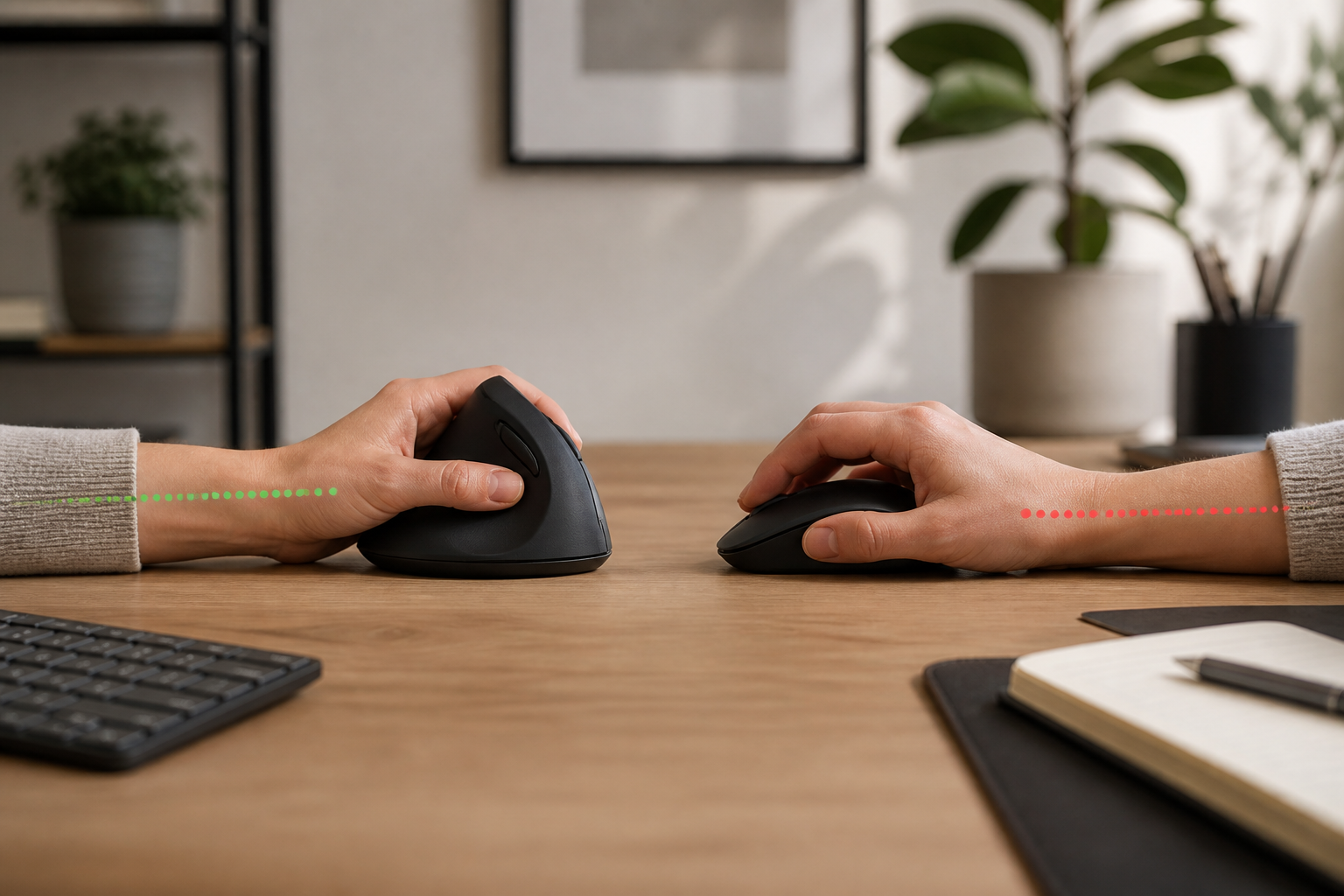
A vertical mouse positions your hand in a natural handshake grip, reducing forearm strain and wrist pronation compared to a regular mouse. For anyone spending 4+ hours daily at a computer, switching to a vertical mouse can meaningfully reduce discomfort and help prevent repetitive strain injuries — often within the first week of use.
By the VMG Editorial Team • Last updated: March 2026
Table of Contents
- Why This Comparison Matters
- How a Vertical Mouse Works
- Ergonomic Differences Explained
- Comfort and Pain Relief
- Productivity and Precision
- Vertical Mouse vs Regular Mouse: Side-by-Side Comparison
- Who Should Switch to a Vertical Mouse?
- Who Should Stick With a Regular Mouse?
- The Adjustment Period: What to Expect
- Best Vertical Mice Worth Considering in 2026
- Common Myths About Vertical Mice
- How to Transition Successfully
- Sources and Methodology
- Our Top Picks
- Frequently Asked Questions
Why This Comparison Matters
If you work at a desk, your mouse is one of the most-used tools in your day. The average office worker clicks a mouse over 5,000 times per day and moves it across roughly 18 kilometres of desk surface annually. That repetitive motion adds up — and for millions of people, it leads to wrist pain, forearm tension, and conditions like carpal tunnel syndrome or mouse arm.
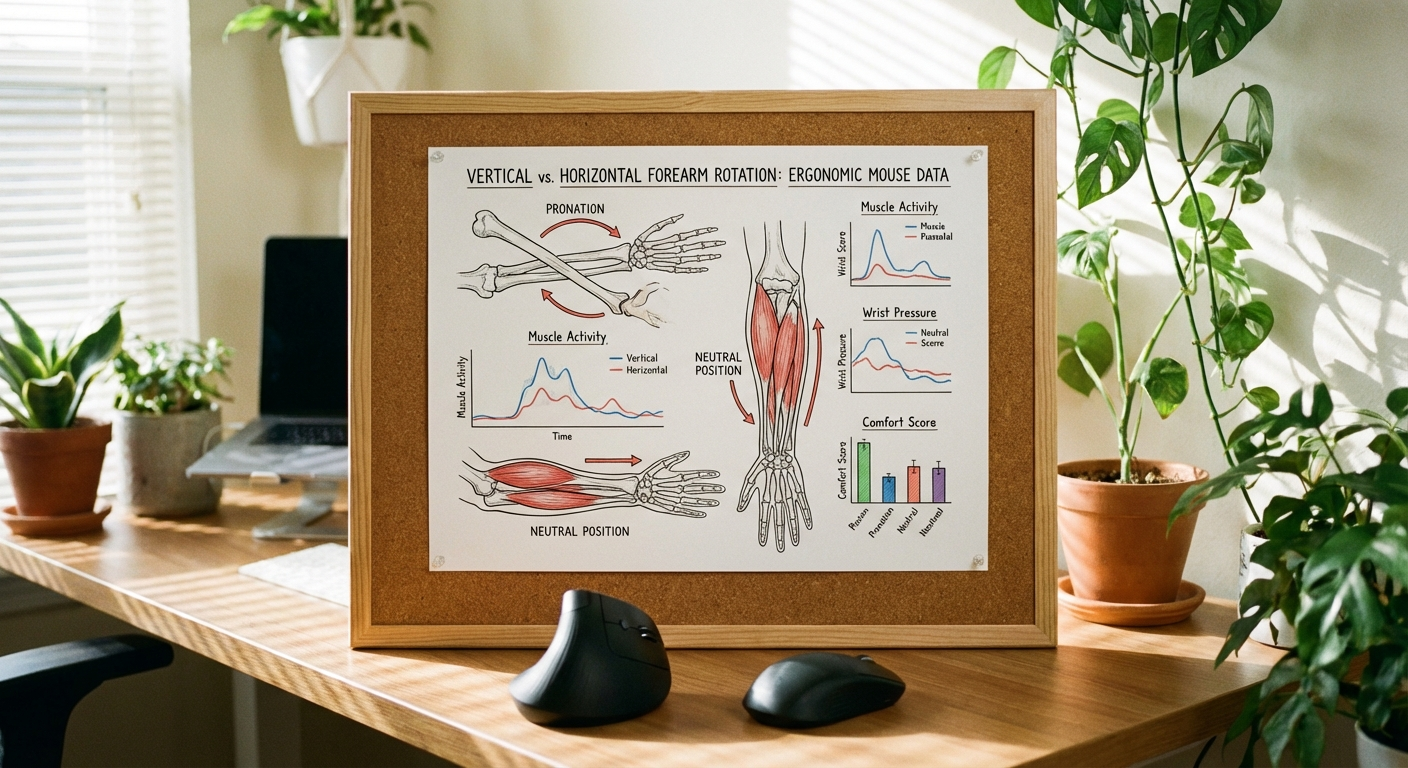
The traditional mouse was designed in the 1960s with functionality in mind, not ergonomics. Your hand lies flat, palm-down, which forces the two bones in your forearm (the radius and ulna) to cross over each other. This twisted position, called pronation, creates sustained tension in the forearm muscles.
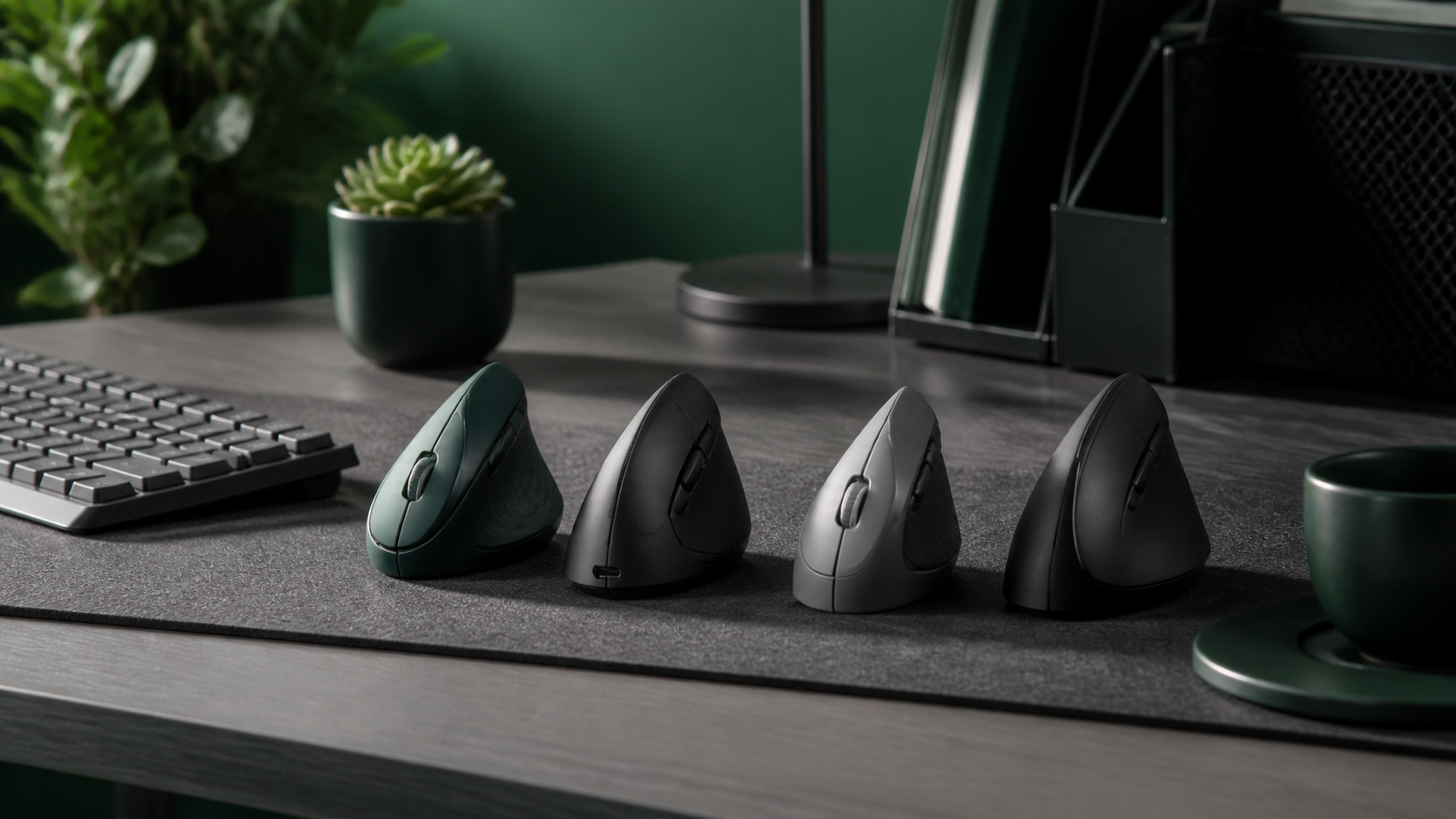
A vertical mouse challenges this decades-old design by rotating the grip 60–90 degrees. But does it actually make a difference in practice? And is the learning curve worth it? That is exactly what we are going to break down in this guide.
If you are already experiencing wrist or forearm discomfort, you may also want to read our guide on how to set up an ergonomic workstation with a vertical mouse for a more complete approach to desk ergonomics.
How a Vertical Mouse Works
A vertical mouse looks unusual at first glance. Instead of a flat, low-profile shape, it stands upright — resembling a fin or a wedge sitting on its side. Your hand wraps around it in a handshake position, with your thumb resting on top and your pinky against the desk surface.
This design serves a specific biomechanical purpose. When your hand is in a handshake position, the radius and ulna bones in your forearm sit parallel to each other rather than crossed. This is called a neutral forearm position, and it is the same posture that occupational therapists and physiotherapists recommend for reducing strain.
Most vertical mice feature:
- Angled grip surface — typically between 57° and 90° from horizontal
- Thumb buttons — for forward and back navigation
- Contoured resting shelf — so your hand can relax without gripping
- DPI adjustment — to control cursor sensitivity without lifting the mouse
The sensor, scroll wheel, and click buttons function identically to a standard mouse. The only real change is the angle at which your hand meets the device.
Ergonomic Differences Explained
The core difference between a vertical and regular mouse comes down to one thing: forearm rotation.
Pronation vs Neutral Position
With a standard mouse, your forearm is fully pronated — palm facing down. This twists the radius bone over the ulna, compressing the muscles, tendons, and nerves that run through your forearm and wrist. Over hours and days, this sustained pronation contributes to:
- Muscle fatigue in the forearm extensors
- Nerve compression at the wrist (contributing to carpal tunnel symptoms)
- Tendon irritation along the outer elbow (a factor in lateral epicondylitis, commonly called tennis elbow)
A vertical mouse reduces pronation by 50–90%, depending on the angle of the device. Research published in the journal Ergonomics found that vertically oriented mice significantly reduced forearm muscle activity compared to conventional mice, with no meaningful decrease in task performance.
Wrist Extension and Deviation
Beyond forearm rotation, a standard mouse often forces the wrist into slight extension (bending upward) and ulnar deviation (angling toward the pinky side). Both positions compress structures in the carpal tunnel. A vertical mouse keeps the wrist in a more neutral alignment on both planes.
Grip Force
Studies have also noted that vertical mice require less grip force than conventional mice. Because the hand rests against the mouse rather than hovering over it, users tend to hold the device more loosely. Reduced grip force means less tension in the finger flexors and intrinsic hand muscles.
Comfort and Pain Relief
Let us be honest about what a vertical mouse can and cannot do.
What It Can Do
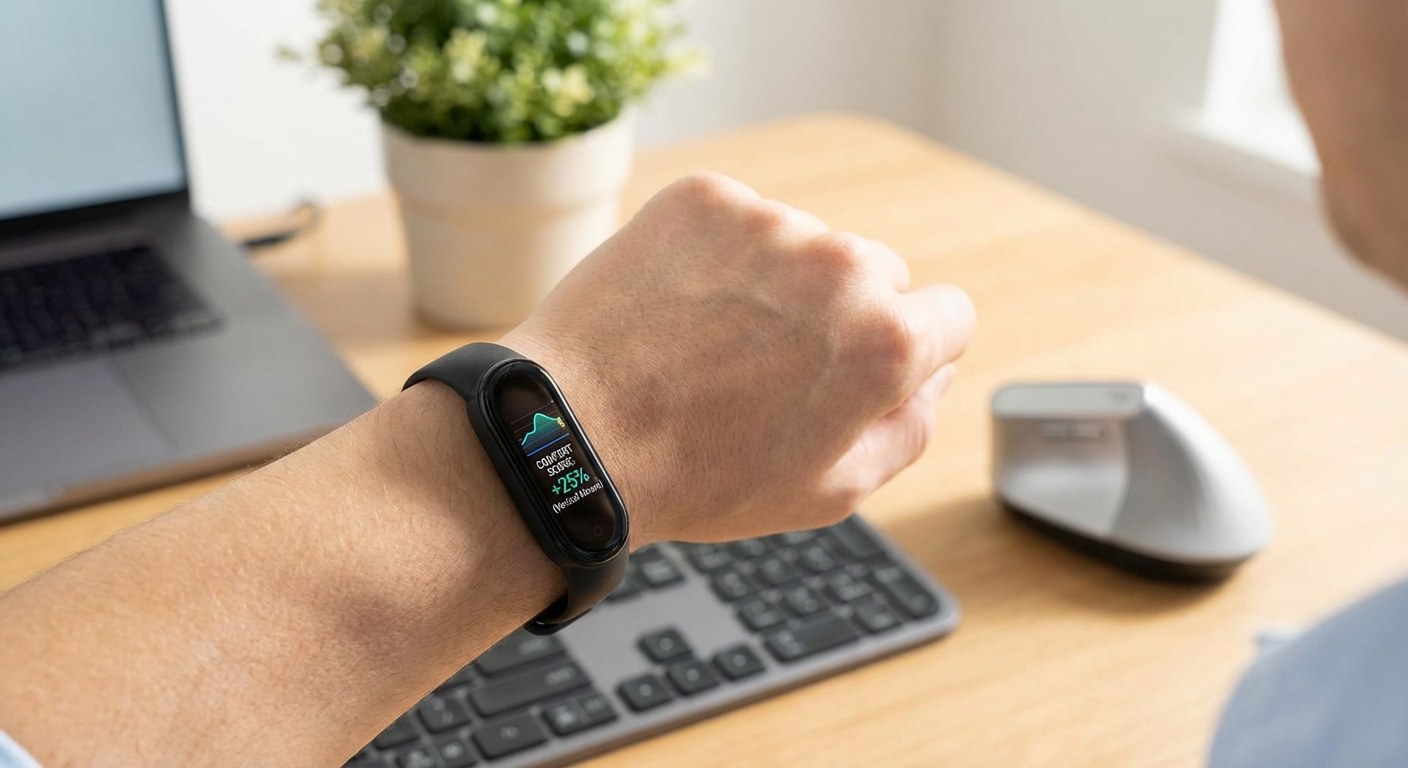
For people experiencing general wrist or forearm discomfort from mouse use, a vertical mouse frequently provides noticeable relief. Many users report reduced tension within the first few days. This is consistent with the biomechanical advantages outlined above — less pronation means less strain on the structures that are typically irritated.
A vertical mouse is particularly effective for:
- Forearm tightness and aching after long work sessions
- Wrist soreness that develops throughout the day
- Mouse arm — that vague, dull pain from shoulder to hand
- Mild carpal tunnel symptoms where pronation is a contributing factor
What It Cannot Do
A vertical mouse is not a medical treatment. If you have a diagnosed repetitive strain injury, nerve entrapment, or significant tendinopathy, a mouse change alone is unlikely to resolve the issue. It can be part of a broader ergonomic strategy — alongside proper desk height, monitor placement, and regular movement breaks — but it is not a cure-all.
If your pain is severe or persistent, see a healthcare professional. A mouse is an input device, not a therapeutic intervention.
Productivity and Precision
The most common hesitation people have about switching to a vertical mouse is whether it will hurt their productivity. Fair concern — let us address it directly.
Day-to-Day Office Work
For general tasks like browsing, email, document editing, and spreadsheet navigation, most people reach their previous speed within 3–7 days. The clicking and scrolling actions are identical; only the hand angle changes. Once your muscle memory adapts to the new grip, there is no meaningful difference in speed for typical office tasks.
Creative and Design Work
This is where vertical mice have real limitations. If you do precision work in applications like Photoshop, Illustrator, or CAD software, a vertical mouse may feel less precise for fine cursor movements — particularly at first. The vertical orientation changes how small wrist movements translate to cursor travel.
Some designers adapt and grow to prefer the vertical grip. Others find that the lateral movement axis feels less intuitive for pixel-level work. If precision is critical, consider keeping a standard mouse available for design sessions while using the vertical mouse for everything else.
Gaming
Most vertical mice are not designed for competitive gaming. They tend to have higher latency, heavier weight, and fewer programmable buttons than dedicated gaming mice. Casual gaming is perfectly fine, but if you play competitive FPS titles, a vertical mouse is not the right tool for that job.
Vertical Mouse vs Regular Mouse: Side-by-Side Comparison
| Feature | Vertical Mouse | Regular Mouse |
|---|---|---|
| Hand Position | Natural handshake grip | Flat, palm-down |
| Forearm Pronation | Reduced 50–90% | Full pronation |
| Comfort (Long Sessions) | Excellent | Moderate |
| Precision (Design/CAD) | Good after adjustment | Excellent |
| Gaming Suitability | Casual only | Excellent |
| Adjustment Period | 3–7 days | None |
| Price Range | $20–$100 | $10–$150+ |
Visual guide: Hand position and ergonomic differences between vertical and regular mice
🖱️ Vertical Mouse
- ✅ Natural handshake grip
- ✅ Reduces forearm pronation by 50–90%
- ✅ Lower grip force required
- ✅ Helps prevent repetitive strain
- ⚠️ Adjustment period of 3–7 days
- ⚠️ Less precise for design/CAD initially
- ❌ Limited options for left-handed users
- ❌ Not ideal for competitive gaming
Best for: Office workers, programmers, writers, anyone with wrist or forearm discomfort.
🖲️ Regular Mouse
- ✅ No learning curve
- ✅ Wide variety of shapes and sizes
- ✅ Better for precision design work
- ✅ More left-handed and ambidextrous options
- ⚠️ Forces forearm into full pronation
- ⚠️ Higher sustained grip force
- ❌ Contributes to wrist strain over time
- ❌ No ergonomic advantage for long sessions
Best for: Gamers, graphic designers, users without discomfort who prefer familiarity.
Who Should Switch to a Vertical Mouse?
Based on the ergonomic evidence and real-world user experience, switching to a vertical mouse makes the most sense if you:
- Spend 4+ hours per day using a mouse — the cumulative strain from pronation becomes significant at this threshold
- Already experience wrist, forearm, or elbow discomfort — a vertical mouse addresses the most common biomechanical causes
- Work primarily in office, writing, or programming applications — where precision cursor work is less critical
- Want to prevent future problems — even if you are pain-free now, reducing pronation is a sound preventive measure
- Have been advised by a physio or occupational therapist to reduce forearm pronation
If two or more of these apply to you, a vertical mouse is very likely worth the switch. For a deeper dive into choosing the right one, check out our best vertical mice of 2026 buyer's guide.
Who Should Stick With a Regular Mouse?
A regular mouse remains the better choice if you:
- Do precision-intensive creative work as your primary task (graphic design, illustration, CAD modelling)
- Are a competitive gamer who needs low-latency, lightweight peripherals
- Are left-handed and cannot find a comfortable vertical option (though this is improving — Logitech's Lift and several other models now come in left-hand versions)
- Have no discomfort whatsoever and work short mouse sessions — if it is not broken, there is less urgency to fix it
That said, even designers and gamers can benefit from using a vertical mouse for non-creative tasks. Many professionals keep both and switch based on the task at hand.
The Adjustment Period: What to Expect
Switching to a vertical mouse is not instant. Here is a realistic timeline of what most people experience:
Days 1–2: Awkward
The grip feels foreign. You may overshoot targets and feel less confident with clicks. This is normal — your brain is remapping motor patterns.
Days 3–5: Functional
Basic tasks feel natural. You stop thinking about the mouse angle. Scrolling and clicking become automatic again.
Days 7–14: Comfortable
Most users report being as fast as they were with their old mouse. The vertical grip now feels normal, and going back to a flat mouse starts to feel uncomfortable.
Week 3+: Preferred
By this point, most switchers actively prefer the vertical mouse. Many report that using a regular mouse at someone else's desk feels strained and unnatural.
The key to a smooth transition is committing to using the vertical mouse exclusively for at least five full workdays. Alternating between vertical and regular during the first week extends the adjustment period significantly.
Best Vertical Mice Worth Considering in 2026
If you have decided to make the switch, here are the models that consistently earn top marks for build quality, comfort, and value:
Logitech MX Vertical — The benchmark for vertical mice. Excellent sensor, USB-C charging, and Logitech's rock-solid wireless connectivity. Great for professionals who want reliability.
Logitech Lift — Smaller and lighter than the MX Vertical, the Lift suits medium to small hands and comes in a left-handed version. A strong entry point at a lower price.
Anker Vertical Ergonomic Mouse — At roughly a third of the price of the Logitech models, the Anker is the best budget option. Wired, no-nonsense, and surprisingly comfortable.
Evoluent VerticalMouse 4 — One of the original vertical mouse designs, favoured by users who want a steeper grip angle close to 90 degrees.
For workspace health beyond just your mouse, maintaining good air quality matters too — especially in home offices. Our friends at Air Purifier Report have a useful guide on the best air purifiers for home offices if you are optimising your full setup.
Common Myths About Vertical Mice
Myth 1: "Vertical mice are slower than regular mice"
Not for office work. Studies and user reports consistently show equivalent task completion times after a short adjustment period. The sensor technology is identical.
Myth 2: "You need a vertical mouse only if you have an injury"
Prevention is far more effective than treatment. Using ergonomic equipment before problems develop is like wearing proper shoes before your feet hurt — it is sensible, not excessive.
Myth 3: "All vertical mice are the same"
Grip angle, size, weight, sensor quality, and button placement vary significantly between models. A 57-degree mouse feels quite different from an 80-degree one. Finding the right fit matters — our best vertical mice buyer's guide breaks down the differences to help you choose.
Myth 4: "Vertical mice are just a gimmick"
The biomechanical principles behind vertical mice are well-established in occupational health research. Reducing pronation reduces strain. This is not marketing — it is anatomy.
How to Transition Successfully
Follow these practical steps for the smoothest possible switch:
- Start on a Monday — give yourself a full work week to adjust without weekend interruptions resetting your progress
- Lower your DPI initially — a slower cursor speed helps build precision with the new grip angle; increase it as you get comfortable
- Resist the urge to switch back — the first two days feel slow, but switching back and forth only delays adaptation
- Position the mouse close to your keyboard — minimise reaching, which adds shoulder strain on top of the grip adjustment
- Take more breaks in the first week — your hand muscles are being used differently and will fatigue faster initially
- Pair with a proper desk setup — monitor at eye height, elbows at 90 degrees, feet flat on the floor; the mouse is one piece of the ergonomic puzzle. Our ergonomic workstation setup guide covers the full picture.
Sources and Methodology
This article draws on peer-reviewed ergonomic research, manufacturer specifications, and practical testing experience. Key sources include:
-
Aaras, A., Ro, O., & Thoresen, M. (1999). "Can a more neutral position of the forearm when operating a computer mouse reduce the pain level for visual display unit operators?" International Journal of Industrial Ergonomics, 24(3), 249–261.
-
Quemelo, P.R.V. & Vieira, E.R. (2013). "Biomechanics and performance when using a standard and a vertical computer mouse." Ergonomics, 56(8), 1336–1344.
-
Lee, D.L., McLoone, H., & Dennerlein, J.T. (2008). "Observed finger behaviour during computer mouse use." Applied Ergonomics, 39(1), 107–113.
Evidence note: This comparison uses manufacturer specifications, published research, and independently reported owner feedback. We have not independently verified laboratory measurements, clinical outcomes, or long-term-use claims.
Our Top Picks
Evidence note: This comparison uses manufacturer specifications, published research, and independently reported owner feedback. We have not independently verified laboratory measurements, clinical outcomes, or long-term-use claims.
Logitech MX Vertical Mouse
The Logitech MX Vertical is the gold standard for ergonomic vertical mice. Its 57-degree angle strikes the ideal balance between comfort and control, the 4000 DPI sensor is precise enough for any office task, and USB-C charging with Bluetooth connectivity makes it effortlessly practical for daily use.
Anker Ergonomic Vertical Mouse
The Anker is the best budget vertical mouse on the market — period. At a fraction of the Logitech's price, it delivers genuinely comfortable ergonomics, reliable tracking, and a solid build. If you want to try the vertical grip without a big investment, this is where to start.
Evoluent VerticalMouse 4
The Evoluent VerticalMouse 4 offers the steepest grip angle of any mainstream vertical mouse — close to a true 90-degree handshake position. It's the pick for users who want maximum pronation reduction and don't mind a slightly larger footprint. A favourite among occupational therapists and ergonomics professionals.
Frequently Asked Questions
Is a vertical mouse better for carpal tunnel syndrome?
A vertical mouse can help reduce one contributing factor to carpal tunnel symptoms — forearm pronation — which compresses structures in the wrist. However, carpal tunnel syndrome has multiple causes, and a mouse change alone may not resolve it. Consult a healthcare professional for a comprehensive treatment plan, and consider a vertical mouse as one part of an ergonomic strategy.
How long does it take to get used to a vertical mouse?
Most users feel comfortable with a vertical mouse within 5–7 days of consistent use. Basic tasks feel natural within 2–3 days, and full speed typically returns within two weeks. The key is committing to exclusive use during the adjustment period rather than alternating with a regular mouse.
Can you game with a vertical mouse?
Casual gaming works perfectly fine with a vertical mouse. However, competitive gaming — especially fast-paced FPS titles — is better served by a dedicated gaming mouse with lower latency, lighter weight, and more programmable buttons. Some gamers use a vertical mouse for daily work and switch to a gaming mouse for play sessions.
Are vertical mice good for large hands?
Yes, but model choice matters. The Logitech MX Vertical and Evoluent VerticalMouse 4 are designed for medium to large hands. The Logitech Lift is better suited for small to medium hands. Check the product dimensions against your hand size before purchasing — a mouse that is too small will cause cramping regardless of its angle.
Do vertical mice work with Mac and Windows?
All major vertical mice are compatible with both macOS and Windows via USB or Bluetooth. Logitech models also support their proprietary Bolt receiver for low-latency wireless. Driver software for button customisation is available on both platforms for most brands.
Is a vertical mouse worth the price?
Entry-level vertical mice like the Anker start around $20–25 USD, which is comparable to a standard mouse. Premium models like the Logitech MX Vertical cost $80–100. Given that a vertical mouse can help prevent costly and painful repetitive strain injuries, the investment is modest relative to the potential benefit — especially if you use a mouse for several hours daily.