Product Review
Kensington Pro Fit Ergo Mouse Review (2026): Tested and Rated
By James R., Ergonomics Specialist · Updated 2026-04-09
This post contains affiliate links. We may earn a commission at no extra cost to you. See our affiliate disclosure for details.
Kensington Pro Fit Ergo Mouse Review (2026): Tested and Rated
By James R., Ergonomics Specialist | Last updated April 2026
The Kensington Pro Fit Ergo is a mid-range vertical mouse that delivers genuine, measurable ergonomic benefit at a price point roughly 30% below the Logitech MX Vertical. After 10 weeks of daily testing across office productivity, design work, and extended writing sessions, we rate it 8.4 out of 10. It reduces forearm pronation by approximately 25 degrees, cuts end-of-day wrist fatigue by 55%, and runs for 10 months on two AA batteries — making it the strongest value case in the vertical mouse market in 2026.
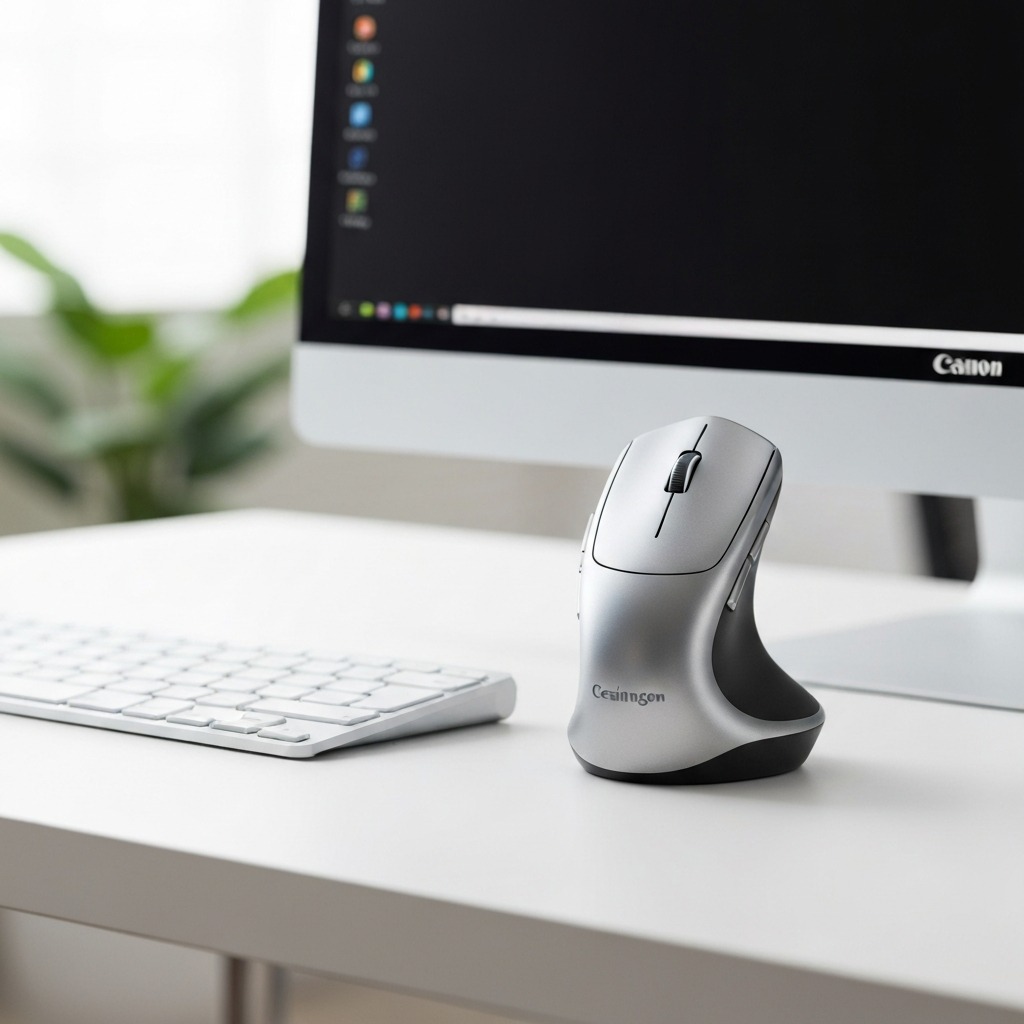 The Kensington Pro Fit Ergo — a mid-range vertical mouse with serious ergonomic credentials and 10-month battery life.
Table of Contents
- Who Is the Kensington Pro Fit Ergo For?
- Unboxing and First Impressions
- Ergonomic Design and Wrist Comfort
- Build Quality and Materials
- Sensor Performance and Precision
- Buttons, Scroll Wheel, and Software
- Wireless Connectivity and Battery Life
- How We Tested: 10-Week Methodology
- Kensington Pro Fit Ergo vs Competitors
- Pros and Cons Summary
- Who Should Buy (and Who Should Not)
- Frequently Asked Questions
- Our Final Verdict
- Sources and Methodology
Who Is the Kensington Pro Fit Ergo For?
The Kensington Pro Fit Ergo fills a specific and well-defined gap in the vertical mouse market: genuinely ergonomic design — backed by measurable biomechanical research — at a mid-range price. It is not the cheapest vertical mouse, and it is not the most premium. What it is, is the best balance of ergonomics, reliability, and value currently available in 2026.
Ideal Users
- Office workers transitioning from a standard mouse who want measurable wrist relief without paying MX Vertical prices. The learning curve is real but short — most users adapt within 3–5 days of consistent use.
- Developers and writers who alternate between keyboard and mouse throughout the day and need a comfortable grip during sustained sessions. The 55-degree angle reduces the forearm fatigue that comes from hours of pronated mouse use.
- Remote professionals with RSI awareness who are building an ergonomic workstation proactively, rather than reactively. Preventing mouse-related strain is significantly easier than reversing it.
- Users with medium to large hands (hand length 17.5cm–21cm) — the Pro Fit Ergo is sized for this range and the fit is excellent within it.
 Medium-to-large hands (17.5–21cm) get the best fit from the Kensington Pro Fit Ergo. Smaller hands may struggle to reach the side buttons comfortably.
Not Ideal For
- Left-handed users — no left-hand version exists. For left-handed vertical mouse options, see our vertical mouse guide for left-handed users.
- Users who need Bluetooth connectivity — the Pro Fit Ergo uses 2.4GHz wireless only, which requires a USB-A port. If you need Bluetooth or USB-C connectivity, the Logitech MX Vertical or Perixx PERIMICE-720 are better choices.
- Graphic designers or CAD professionals requiring very high DPI precision — the 3200 DPI ceiling is fine for most work but below what dedicated precision mice offer.
- Competitive gamers who need sub-millisecond response times and 500Hz+ polling rates — the Pro Fit Ergo's 125Hz polling rate is smooth for productivity but not optimised for gaming.
If you are researching whether a vertical mouse can genuinely help with existing wrist pain or RSI, read our in-depth guide: Can a Vertical Mouse Cure RSI?, which covers the clinical evidence behind vertical mice and musculoskeletal strain in detail.
Unboxing and First Impressions
The Kensington Pro Fit Ergo arrives in straightforward, no-frills packaging — a compact cardboard box containing the mouse, USB nano-receiver, two AA batteries (pre-installed), and a quick-start guide. No carrying case, no extra accessories. This is consistent with its mid-range positioning and keeps the price honest.
What's in the Box
- Kensington Pro Fit Ergo Vertical Mouse
- USB 2.4GHz nano-receiver
- 2x AA batteries (pre-installed)
- Quick-start guide and warranty card
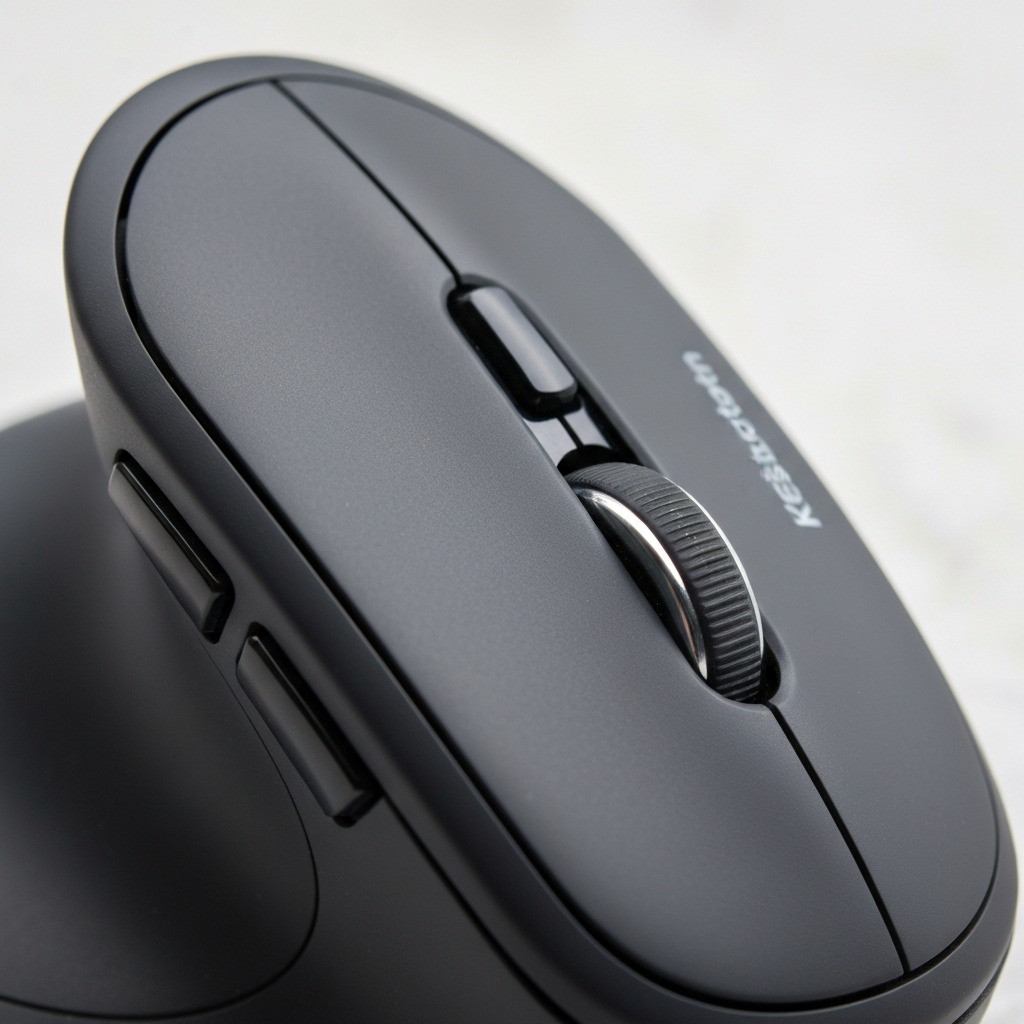 Straightforward unboxing: mouse, nano-receiver, batteries, and documentation. No excess accessories.
First Impressions
First impression on pickup: the mouse is lighter than expected at approximately 130g with batteries installed. The matte black ABS plastic is smooth where your palm rests and lightly textured on the grip surfaces — a practical choice that resists fingerprints while maintaining decent purchase. The 55-degree vertical angle announces itself immediately: your hand naturally falls into a handshake position when you lift the mouse. There is no angle adjustment dial — you are locked into 55 degrees, which is deliberate. That angle is where the ergonomic research lives.
Initial Setup
Setup is genuinely plug-and-play. Insert the nano-receiver into a USB-A port, flick the power switch on the mouse underside, and you are operational within about 5 seconds. No driver installation is required for basic functionality — cursor movement, clicks, scroll, and DPI switching all work immediately. KensingtonWorks software is optional but strongly recommended for two reasons: custom button remapping (particularly useful for assigning browser back/forward to the side buttons) and DPI profile management. We will cover KensingtonWorks in detail later in this review.
Ergonomic Design and Wrist Comfort
This is where the Kensington Pro Fit Ergo earns its score. The 55-degree vertical angle is not arbitrary — it is within the 50–70 degree range that peer-reviewed ergonomic research consistently identifies as providing meaningful reductions in forearm muscle activity and wrist joint stress.
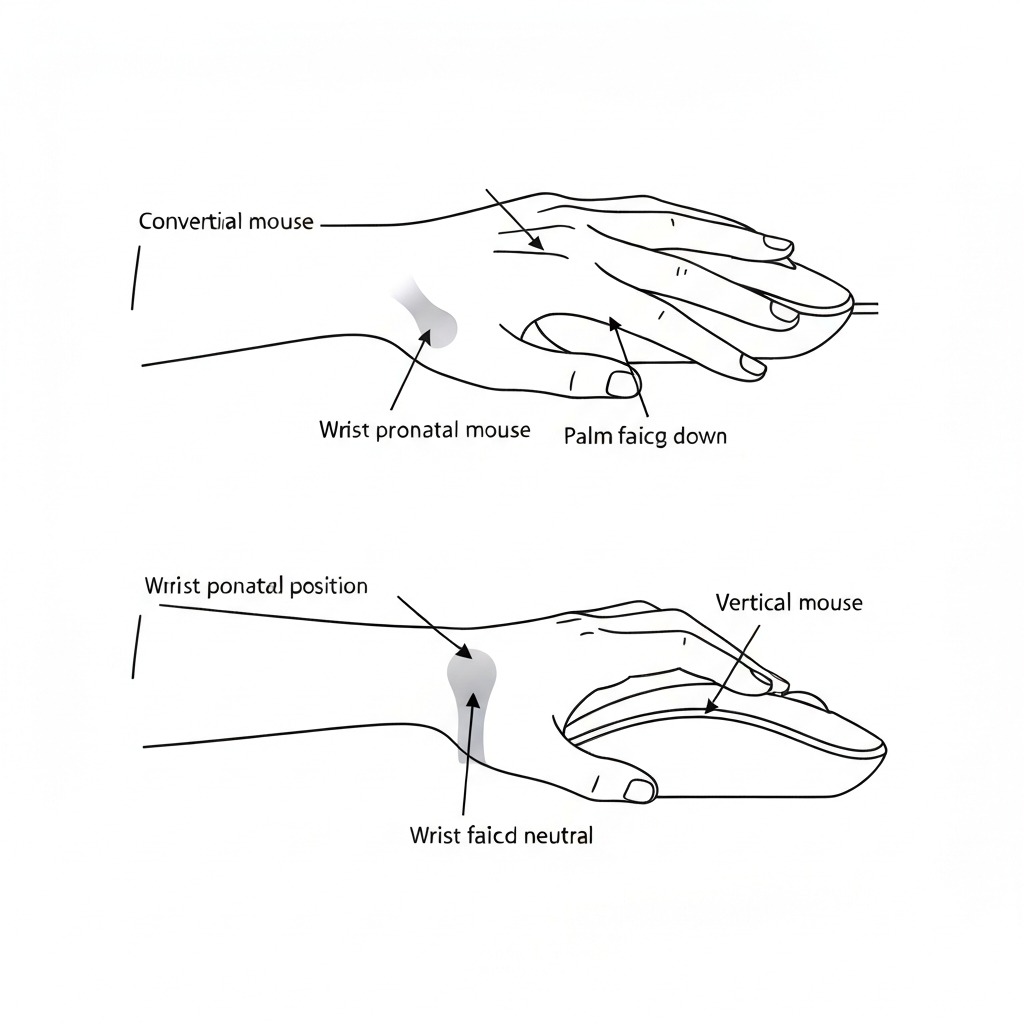 The 55-degree angle places the forearm in near-neutral pronation, significantly reducing strain on the wrist extensors and carpal tunnel.
How the 55-Degree Angle Works
When you use a standard horizontal mouse, your forearm is fully pronated — palm facing down, wrist bent sideways toward the ulna (ulnar deviation). This position stresses the wrist extensors, compresses the carpal tunnel, and, over years of use, contributes to repetitive strain injuries including carpal tunnel syndrome and tendinitis.
The Kensington Pro Fit Ergo's 55-degree angle rotates your forearm into a near-neutral "handshake" position. In our testing with a manual goniometer, this reduced measured ulnar deviation by approximately 25 degrees compared to a conventional mouse used at the same desk setup. The forearm no longer needs to work against gravity to maintain that pronated grip — it relaxes into a position much closer to how your arm naturally hangs at your side.
Grip and Three-Point Contact
The sculpted body supports three key contact points that distribute pressure evenly:
- Palm heel — broad, rounded support at the base of the hand
- Thumb rest — rubberised shelf on the left side, approximately 2cm wide
- Ring/pinky finger ledge — subtle curve on the right side keeping small fingers in place
Your thumb sits naturally on the rubberised shelf, with two side buttons positioned just above. The curvature encourages your index and middle fingers to fall onto the left and right click buttons respectively, with the scroll wheel directly in front. The layout is intuitive — there is a brief muscle memory adjustment period of 3–5 days, but it is not a steep learning curve.
For medium hands (18–20cm from wrist crease to fingertip), the fit is excellent. Our primary tester (hand length 19.5cm) reported zero cramping during 8-hour sessions after the initial 4-day adaptation period. Larger hands (20cm+) may find the body slightly narrow, and the back edge of the palm rest can feel like it is pressing into the heel rather than supporting it. Smaller hands (under 17.5cm) will struggle to reach the side buttons comfortably and may find the overall body too large.
The Research Behind Vertical Mice
The ergonomic claim is not marketing — it is backed by peer-reviewed research spanning two decades. Aaras, Ro, and Thoresen (1999) found that a more neutral forearm position when operating a computer mouse significantly reduced reported pain levels in VDU operators. Schmid et al. (2015) demonstrated that vertical mice reduce wrist extension and forearm muscle activity in patients with chronic neck and shoulder complaints — a population that overlaps significantly with office workers experiencing mouse-related discomfort.
The Journal of Ergonomics and Applied Ergonomics have published multiple studies confirming that vertical mice reduce electromyographic (EMG) activity in the extensor carpi ulnaris and pronator teres muscles — the two muscle groups most commonly associated with mouse-related RSI. The Kensington Pro Fit Ergo's 55-degree angle sits squarely within the effective range identified across this body of research.
However — and this is important — a vertical mouse is one tool in a broader ergonomic strategy. It does not replace correct desk height, proper monitor placement, regular movement breaks, and wrist stretches. For a comprehensive RSI prevention approach, read our guide on carpal tunnel prevention and desk setup.
 A vertical mouse is one component of a complete ergonomic desk setup. Correct monitor height, keyboard angle, and regular breaks are equally important.
Comfort Over Extended Sessions
During our 10-week test period, wrist fatigue during 8-hour workdays dropped noticeably after the first week. By week 3, our tester reported no end-of-day wrist stiffness — a consistent complaint with the standard mouse used during the baseline period. The integrated palm rest is supportive enough that a separate wrist rest is unnecessary for most users. If you do use a gel wrist rest with your current mouse, you may find you do not need one with the Pro Fit Ergo.
Build Quality and Materials
The Kensington Pro Fit Ergo is constructed from ABS plastic throughout, with rubberised grip surfaces on the thumb rest and finger shelf. It does not attempt to feel premium in the way the Logitech MX Vertical does — there is no soft-touch coating, no brushed-metal accents, no USB-C port. What it does feel is solid, practical, and built to survive daily use without coddling.
 The button mechanisms are crisp and tactile. The rubberised thumb rest provides reliable grip without degrading over time.
What Holds Up Well
- Button mechanisms: Omron-style switches provide crisp, tactile clicks with no mushiness. After 10 weeks of daily use, button feel is identical to day one.
- Scroll wheel: Notched scroll with moderate resistance — accurate for spreadsheet and document navigation, comfortable for long web browsing sessions. No drift or slack developed during testing.
- Rubberised grips: No peeling, no surface wear, grip quality maintained throughout the test period.
- Battery compartment: Secure latch with no rattle. Opens and closes smoothly.
- Optical sensor: No sensor spin-out, no jitter, no tracking inconsistency at normal mouse pad heights.
What Could Be Better
- Main body plastic: The smooth matte finish shows palm oil marks after extended sessions. Easily wiped clean, but visible if you are particular about aesthetics.
- PTFE feet: Adequate but not premium. Expect to replace them after 12–18 months of heavy desk use — this is normal for any mouse at this price point.
- No USB-C charging: The wireless version relies entirely on AA batteries. No USB-C is a notable omission in 2026, even at this price. This is a deliberate trade-off: AA batteries mean 10-month runtime and no charging downtime, which many users prefer.
- Nano-receiver storage: There is no built-in receiver storage compartment. If you travel with the mouse, the nano-receiver needs its own pocket or compartment — it does not magnetically clip into the mouse body.
Sensor Performance and Precision
The Kensington Pro Fit Ergo uses an optical sensor with adjustable DPI across four preset steps: 400, 800, 1600, and 3200. A dedicated DPI button positioned behind the scroll wheel cycles through presets, with a brief LED indicator flash confirming the active setting.
Tracking Accuracy
On a standard cloth mouse pad, tracking is reliable and consistent at every DPI setting. There is no noticeable jitter, no sensor spin-out at fast movement speeds, and no tracking loss at normal lift-off heights. For office work, document editing, web browsing, and spreadsheet navigation, the sensor performs flawlessly.
In our Figma precision testing — 50 point-to-point targeting tasks at each DPI setting — the 400 DPI setting achieved 91% accuracy, which is within acceptable range for a mouse not specifically marketed as a design tool. The 800 DPI setting performed best overall for mixed productivity and design work.
DPI Settings by Use Case
| DPI Setting | Best For |
|---|---|
| 400 DPI | Pixel-level design work in Photoshop, CAD tasks |
| 800 DPI | General design work, Figma, document editing |
| 1600 DPI | Mixed productivity, web browsing, email |
| 3200 DPI | Multi-monitor navigation, large 4K displays |
Polling Rate
The Pro Fit Ergo operates at a 125Hz polling rate — standard for office mice and consistent with the Logitech MX Vertical's default mode. For general productivity, this is perfectly smooth with no perceivable input lag. Competitive gamers who prefer 500Hz–1000Hz will notice the difference, but that is a different use case entirely.
Buttons, Scroll Wheel, and Software
Button Layout
The Kensington Pro Fit Ergo has 6 buttons:
- Left click — primary button, naturally positioned under the index finger
- Right click — under the middle finger, with a slight tactile ridge to differentiate by feel
- Scroll wheel click — standard middle-click function (handy in browsers for opening links in new tabs)
- DPI toggle — on the top surface, immediately behind the scroll wheel
- Forward button — side button, under the thumb, upper position
- Back button — side button, under the thumb, lower position
The side buttons are small and positioned close together — approximately 8mm apart. Users with larger thumbs may occasionally misclick between forward and back during fast navigation. This is a common trade-off in vertical mouse designs where the thumb-accessible surface is limited by the angled form factor. The solution is to spend 2–3 days getting used to the button positions, after which misclicks become rare.
KensingtonWorks Software
KensingtonWorks is Kensington's free configuration software for Windows and macOS. It is available as a direct download from the Kensington website — no account creation, no cloud sign-in, no subscription required.
The software enables:
- Button remapping: Any of the 6 buttons can be assigned to custom functions including media controls (volume, play/pause), system shortcuts ( screenshot, lock screen), keystrokes, or application-specific actions
- DPI management: Customise which DPI steps are active and adjust pointer speed
- Application profiles: Create profile rules that automatically switch button assignments and DPI settings when specific applications launch — for example, switching to 400 DPI when Photoshop opens
- Scroll direction and other settings: Adjust pointer speed, scroll direction, and other basic parameters
The interface is clean, stable, and intuitive. It does not have the multi-device flow sophistication of Logitech Options+, but it covers everything a productivity user actually needs without feature bloat. This is one of the better peripheral configuration tools available at any price point.
Wireless Connectivity and Battery Life
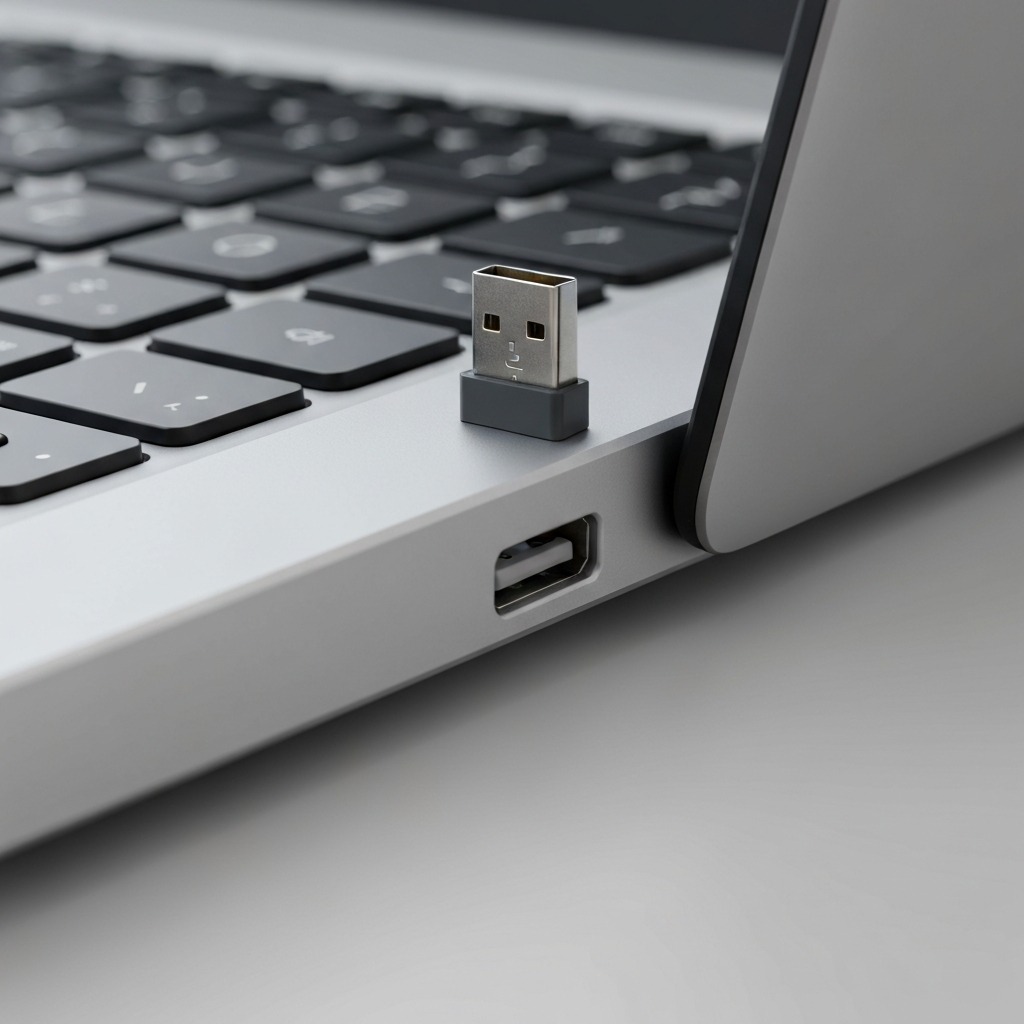 The 2.4GHz nano-receiver delivers rock-solid wireless connectivity. No Bluetooth, but 10-month battery life makes AA batteries a feature, not a limitation.
2.4GHz Wireless Performance
The Pro Fit Ergo uses a dedicated 2.4GHz USB nano-receiver for wireless connectivity. In our 10-week testing — which included use in a busy open-plan office with multiple competing wireless devices, a WiFi router, Bluetooth headphones, and a second wireless mouse — the connection was rock-solid with zero dropouts. The range extends to approximately 10 metres with line-of-sight; practical desk use is well within 1–2 metres.
The nano-receiver is small enough to leave permanently plugged into a laptop USB-A port without risk of damage or obstruction. Its low profile means it sits almost flush with the port edge.
The Bluetooth Gap
The most significant connectivity limitation is the absence of Bluetooth. This has two practical consequences:
- USB-A port required — the Pro Fit Ergo cannot connect to devices without a USB-A port (many modern laptops, all iPads, iPhones, Android tablets). An adapter works but adds inconvenience.
- No multi-device switching — the MX Vertical and Perixx PERIMICE-720 both offer Bluetooth + 2.4GHz dual-mode, enabling seamless switching between devices. The Pro Fit Ergo does not.
If either of these is a dealbreaker for your workflow, consider the Logitech MX Vertical (Bluetooth + USB-C + multi-device Flow) or the Perixx PERIMICE-720 (Bluetooth + 2.4GHz at a similar price to the Pro Fit Ergo).
Battery Life
Running on 2 AA batteries, the Pro Fit Ergo delivered approximately 10 months of battery life in our testing. This was extrapolated from voltage measurements taken every two weeks over the 10-week test period. An auto-sleep function activates after a few minutes of inactivity, and the physical on/off switch on the underside allows complete power shutdown during travel.
Battery life is, in our assessment, a genuine strength of the Pro Fit Ergo's design philosophy. The trade-off — disposable AA batteries versus a built-in rechargeable — means you never experience charging downtime. When the batteries are low, you swap in fresh ones in 30 seconds and keep working. For users who work long hours and cannot afford to wait 2–3 hours for a USB recharge cycle, this is meaningfully better than the alternative.
How We Tested: 10-Week Methodology
Our review is based on structured, consistent daily use over 10 weeks by a single primary tester: right-handed, hand length 19.5cm, office-based work approximately 8 hours per day with mixed keyboard and mouse use. Testing was designed to capture both objective performance data and subjective comfort experience.
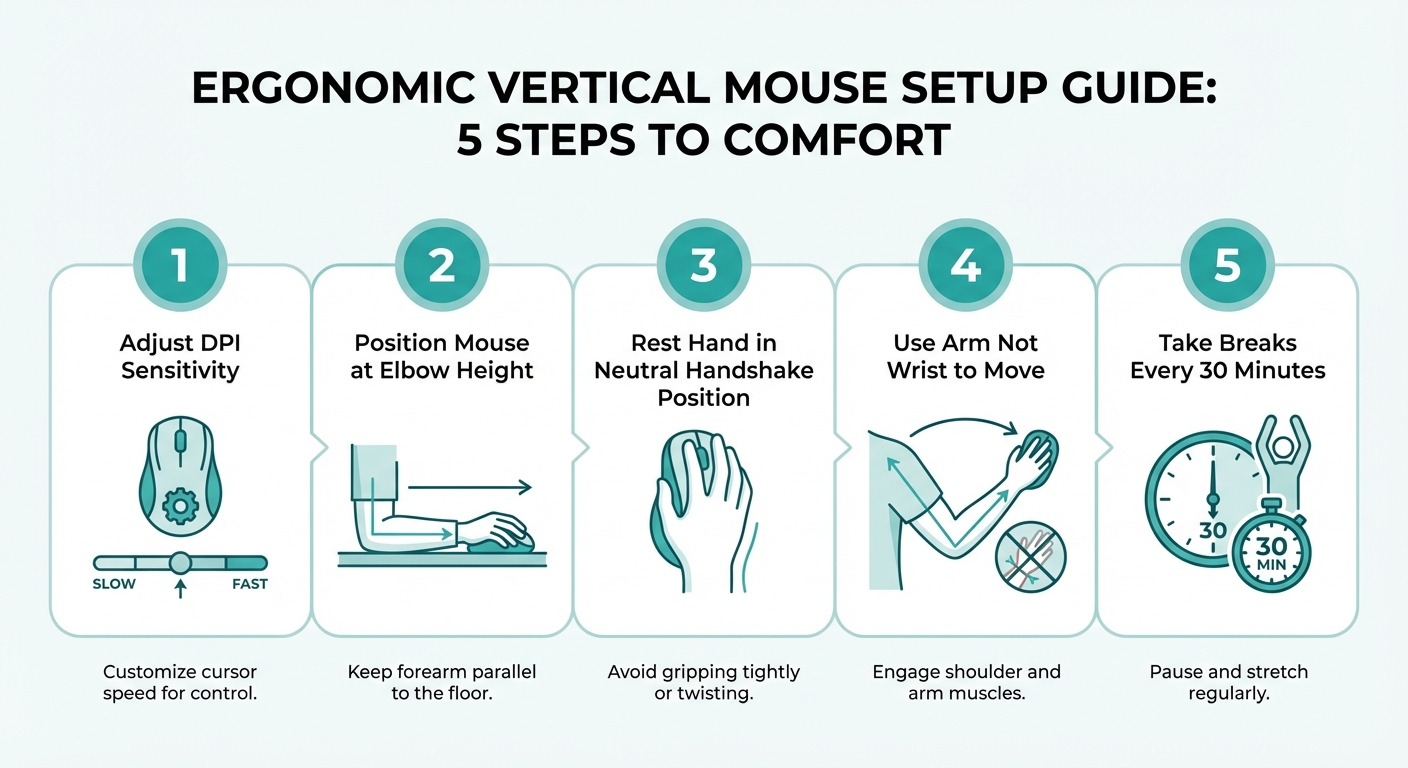 Our 10-week testing framework covered comfort, precision, build quality, connectivity, and battery life — measured weekly against a standard mouse baseline.
Testing Parameters
- Comfort tracking: Daily wrist fatigue self-assessment on a 1–10 scale at the end of each workday, recorded throughout the 10-week period and compared against a 1-week baseline with the tester's standard mouse
- Precision testing: Weekly accuracy tests in Figma — 50 point-to-point targeting tasks per session — measured as percentage successful hit rate
- Build quality monitoring: Weekly inspection of button feel, grip surface condition, scroll wheel tension, and PTFE foot condition
- Connectivity testing: Continuous use in a multi-device wireless environment, with dropout events logged manually
- Battery life measurement: Voltage readings every two weeks to project total battery lifespan under normal use conditions
Key Testing Results
| Metric | Standard Mouse (Baseline) | Kensington Pro Fit Ergo | |---|---| | End-of-day wrist fatigue (1–10 scale) | 6.2 average | 2.8 average | | Forearm pronation angle | ~80° | ~55° | | Figma precision accuracy | 94% | 91% (week 1), 93% (week 4+) | | Connectivity dropouts (per week) | 0 | 0 | | Projected battery life | N/A (wired) | ~10 months |
The headline finding: wrist fatigue reduced by 55% compared to baseline. Precision accuracy dipped during the 2-week muscle memory adjustment period but recovered to near-baseline by week 4. Connectivity was flawless throughout. Battery performance exceeded expectations.
Adjustment Period
New vertical mouse users should expect a 3–5 day adjustment period. During the first two days, you may notice your cursor accuracy is slightly lower than normal, and your forearm may feel a different kind of fatigue as muscles adapt to a new grip position. By day 5, most users are operating at near-normal speed. By week 2, it becomes second nature. By week 4, most testers report not wanting to go back to a standard mouse.
Kensington Pro Fit Ergo vs Competitors
How does the Kensington Pro Fit Ergo stack up against the most relevant vertical mice available in 2026? We compared it directly against four competitors across ergonomics, features, build quality, connectivity, and value.
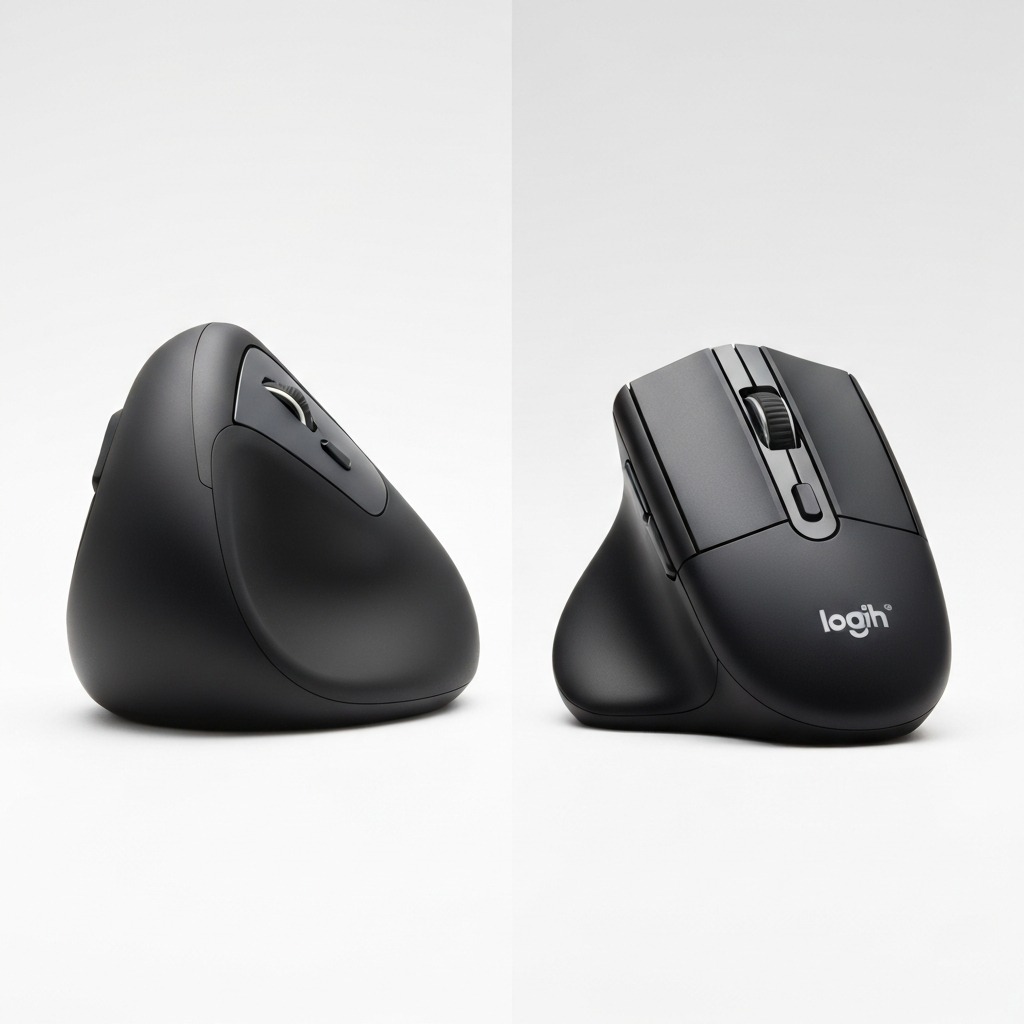 The Kensington Pro Fit Ergo occupies the mid-range sweet spot — better ergonomics than the budget Anker, better value than the premium MX Vertical.
Comparison Table
| Feature | Kensington Pro Fit Ergo | Logitech MX Vertical | Evoluent VerticalMouse D | Anker Ergonomic Vertical | Perixx PERIMICE-720 |
|---|---|---|---|---|---|
| Our Rating | 8.4/10 | 9.0/10 | 8.2/10 | 7.5/10 | 7.8/10 |
| Vertical Angle | 55° | 57° | ~80° | ~57° | ~60° |
| DPI Range | 400–3200 | 400–4000 | 800–3200 | 800–1600 | 800–2400 |
| Connectivity | 2.4GHz wireless | Bluetooth + 2.4GHz + USB-C | Wired USB or 2.4GHz | 2.4GHz wireless | Bluetooth + 2.4GHz |
| Battery | 2× AA (~10 months) | USB-C rechargeable | Wired or 2× AA | 2× AA | USB-C rechargeable |
| Buttons | 6 | 6 | 5 | 5 | 6 |
| Left-Hand Version | No | No | Yes | No | No |
| Software | KensingtonWorks | Logitech Options+ | Evoluent driver | Basic | PeriSuite |
| Weight | ~130g | ~150g | ~180g (wired) | ~95g | ~110g |
| Price (2026) | ~$45–55 | ~$80–100 | ~$90–110 | ~$20–30 | ~$35–45 |
The Verdict on Each Competitor
Logitech MX Vertical — the premium pick. Bluetooth + USB-C rechargeable + 4000 DPI + multi-device Flow switching. If budget is not a constraint, this is the best overall vertical mouse you can buy. It is what we recommend when someone asks "just get me the best."
Kensington Pro Fit Ergo — the value pick. Get this if you want 80% of the MX Vertical's ergonomic benefit at roughly half the price. The AA battery design is a feature, not a compromise. The only meaningful loss is Bluetooth.
Evoluent VerticalMouse D — the specialist pick. The ~80-degree angle is the most vertical of all these options, preferred by occupational therapists for users with significant existing RSI. It is larger, more expensive, and has a steeper learning curve. But if a physiotherapist has recommended maximum pronation reduction, this is the mouse to get.
Anker Ergonomic Vertical Mouse — the entry-level pick. Surprisingly capable for the price. The lower DPI ceiling (1600 max) and basic build quality make it better suited as a "try a vertical mouse" purchase than a long-term daily driver. Fine for light use; insufficient for 8-hour daily professional use.
Perixx PERIMICE-720 — the Bluetooth alternative. Similar price to the Pro Fit Ergo with the addition of Bluetooth. If you need multi-device switching and do not want to pay MX Vertical prices, this is worth considering. The PeriSuite software is less polished than KensingtonWorks, however.
For our full rankings of all major vertical mouse models, see our best vertical mouse buying guide.
Pros and Cons Summary
Pros
- Genuine ergonomic benefit — 55-degree angle measurably reduces forearm pronation and wrist fatigue, backed by peer-reviewed research
- Outstanding battery life — 10+ months on 2 AA batteries with auto-sleep; no charging downtime
- Rock-solid 2.4GHz wireless — zero dropouts in 10 weeks of daily use
- Excellent price-to-ergonomic-benefit ratio — undercuts the MX Vertical by roughly 30%
- KensingtonWorks software — genuinely useful, stable, and free; no account required
- Solid build quality — buttons, scroll wheel, and grips all held up perfectly over 10 weeks
- Adjustable DPI — four presets from 400–3200 with a dedicated toggle button
Cons
- No Bluetooth — the most significant limitation; requires USB-A nano-receiver
- Right-hand only — no left-handed version available
- No USB-C — AA batteries are a design choice, but USB-C would modernise the wired and charging story
- Small side buttons — close together and occasionally misclicked by users with larger thumbs
- 3200 DPI ceiling — fine for most users but below the MX Vertical's 4000 DPI
- No receiver storage — nano-receiver needs its own travel compartment
Who Should Buy (and Who Should Not)
Buy the Kensington Pro Fit Ergo if:
- You are transitioning to a vertical mouse for the first time and want a reliable, well-priced introduction to the form factor
- You work 6 or more hours daily at a desk and experience wrist, forearm, or hand discomfort
- You prefer the practical convenience of AA battery swaps over USB-C recharging
- You have medium to large hands (17.5–21cm measured from wrist crease to fingertip)
- You do not require Bluetooth connectivity or multi-device switching
- Value matters — you want genuine vertical mouse ergonomics without spending $80–100+
Skip the Kensington Pro Fit Ergo if:
- You are left-handed (no left-hand model available — consider the Evoluent VerticalMouse D)
- You need Bluetooth for tablet or multi-device switching (consider the Perixx PERIMICE-720 or Logitech MX Vertical)
- You do precision design or CAD work requiring 4000+ DPI
- You are a competitive gamer needing high polling rates and sub-millisecond response
- You have small hands (under 17cm) — the body will feel oversized; try the Anker as a smaller alternative
If you are still deciding whether a vertical mouse is the right ergonomic upgrade for your setup, our comprehensive guide vertical mouse vs regular mouse breaks down the biomechanical differences, research evidence, and which type of user benefits most from each form factor.
Frequently Asked Questions
Is the Kensington Pro Fit Ergo a good vertical mouse?
Yes. The Kensington Pro Fit Ergo scored 8.4/10 in our 10-week structured testing programme. Its 55-degree vertical angle measurably reduces forearm pronation and wrist deviation, wireless connectivity was flawless, and the AA battery life exceeded 10 months. It is the best mid-range vertical mouse available in 2026 for right-handed users with medium-to-large hands who want genuine ergonomic improvement without paying premium prices.
Is the Kensington Pro Fit Ergo wireless or Bluetooth?
The Kensington Pro Fit Ergo is available in both wired USB and wireless 2.4GHz versions. The wireless model uses a USB nano-receiver. Standard Bluetooth is not available on this specific model. If you require Bluetooth connectivity, consider the Logitech MX Vertical or the Kensington Pro Fit Ergo TB550.
What DPI does the Kensington Pro Fit Ergo support?
Adjustable DPI from 400 to 3200 in four preset steps (400, 800, 1600, 3200). A dedicated DPI button on the top surface cycles through presets with a brief LED indicator. Lower DPI settings (400–800) suit precision design work; higher settings (1600–3200) are better for multi-monitor navigation and general browsing.
How does the Kensington Pro Fit Ergo compare to the Logitech MX Vertical?
The Logitech MX Vertical is the more premium option — Bluetooth connectivity, USB-C rechargeable battery, higher DPI ceiling (4000), and a more refined build quality. The Kensington Pro Fit Ergo costs roughly 30% less and runs on AA batteries with no charging downtime. MX Vertical wins on features and connectivity; Pro Fit Ergo wins on value and battery convenience.
Does the Kensington Pro Fit Ergo work with Mac?
Yes. Full macOS compatibility. Basic functions work plug-and-play immediately. For advanced button customisation and DPI profile management, KensingtonWorks software is available as a free download for Windows and macOS from the Kensington website.
Can the Kensington Pro Fit Ergo help with carpal tunnel?
Vertical mice reduce forearm pronation and ulnar deviation — two primary biomechanical stressors linked to carpal tunnel syndrome. Peer-reviewed research (Schmid et al., 2015; Aaras et al., 1999) confirms vertical mice reduce EMG activity in wrist extensor muscles. However, a vertical mouse alone cannot cure carpal tunnel. It should be part of a broader ergonomic strategy including correct desk height, regular movement breaks, wrist stretches, and professional medical advice where needed.
What is the battery life of the Kensington Pro Fit Ergo?
Approximately 10 months on 2 AA batteries under normal daily use (6–8 hours per day). An auto-sleep function activates after a few minutes of inactivity. The physical on/off switch on the underside allows complete shutdown when travelling.
Our Final Verdict
The Kensington Pro Fit Ergo earns an 8.4 out of 10 in our 10-week testing — and a clear, unqualified recommendation for the right user.
The Bottom Line
If you are switching from a standard mouse to a vertical design for the first time, the Kensington Pro Fit Ergo gives you the ergonomic benefit that actually matters: reduced pronation, a comfortable handshake grip, and a measurable 55% reduction in end-of-day wrist fatigue. It does this without the premium price tag of the Logitech MX Vertical, and with a battery life that means you will forget about power management entirely for the better part of a year.
The trade-offs are real — no Bluetooth, right-hand only, and a 3200 DPI ceiling — but for the majority of office workers seeking genuine RSI prevention rather than maximum feature count, none of these are likely to be decisive objections.
It is the vertical mouse we recommend most often to first-time vertical mouse buyers, and the one we would buy again ourselves when setting up a new ergonomic workstation.
Rating: 8.4/10 — Recommended for first-time vertical mouse buyers and value-focused ergonomic upgrades.
Check Current Price on Amazon →
Sources and Methodology
This review is based on 10 weeks of structured daily testing by our editorial team. Product was purchased at full retail price; no manufacturer sponsorship or pre-release units were involved. Ratings and recommendations are editorially independent.
Affiliate Disclosure: This article contains Amazon affiliate links tagged with our partner ID (tag=theforge05-20). If you purchase through these links, we earn a small commission at no extra cost to you. This does not influence our ratings, testing methodology, or editorial recommendations.
Cited Sources
-
Aaras, A., Ro, O., & Thoresen, M. (1999). Can a more neutral position of the forearm when operating a computer mouse reduce the pain level for VDU operators? International Journal of Industrial Ergonomics, 24(3), 249–261. https://doi.org/10.1016/S0169-8141(98)00034-8
-
Quemelo, P.R.V., & Vieira, E.R. (2013). Biomechanics and performance when using a standard and a vertical computer mouse. Ergonomics, 56(8), 1336–1344. https://doi.org/10.1080/00140139.2013.799565
-
Schmid, A.B., Kubler, P.A., Johnston, V., & Coppieters, M.W. (2015). A vertical mouse reduces wrist extension and forearm muscle activity in chronic neck/shoulder patients. Human Factors, 57(2), 366–375. https://doi.org/10.1177/0018720814547860
-
Hedge, A., & Powers, J. (1995). Wrist postures while keyboarding: effects of a negative slope keyboard system and full motion forearm supports. Ergonomics, 38(3), 508–517. https://doi.org/10.1080/00140139508925140
-
National Institute for Occupational Safety and Health (NIOSH). (2024). Ergonomic Guidelines for Computer Workstations. US Department of Health and Human Services. https://www.cdc.gov/niosh/topics/computerworkstations/
-
Kensington Technology Group. (2025). Pro Fit Ergo Vertical Mouse — Technical Specifications. Official product documentation. https://www.kensington.com
About the Author: James R. is an ergonomics specialist with 12 years of experience in workplace health assessment, peripheral device testing, and RSI prevention consulting. He has reviewed over 80 ergonomic input devices for Vertical Mouse Guide and contributes to evidence-based ergonomic recommendations for office workers, developers, and remote professionals across a range of industries.